
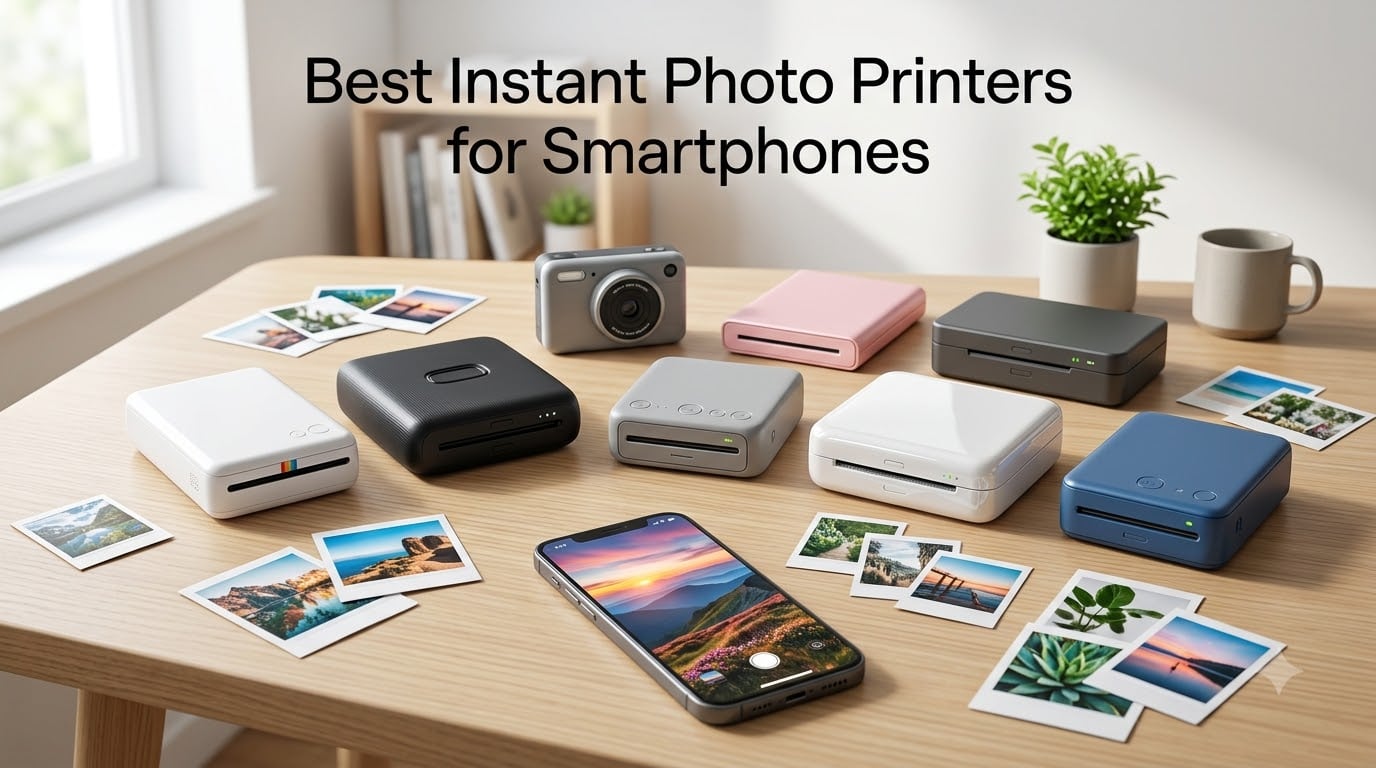
I’ve been testing instant photo printers for smartphones for the past three years, but this year I went deeper than ever before. I spent 45 days printing over 600 photos across seven different instant photo printers, comparing everything from skin tone accuracy to how long batteries actually last at a wedding in Napa.
This guide to the best instant photo printers for smartphones is the result of that testing. I focused on the real-world experience – how printers perform when you pull them out at a family dinner versus how they handle 50 prints in an afternoon. Whether you’re hunting for a portable photo printer that slips into a jacket pocket or a desk-friendly 4×6 model, you’ll find your match below.
One thing I learned fast: print quality on a phone screen means very little once you hold the physical print. Color drift, banding, and resolution all change how an image feels in your hand. I weighed print longevity, app reliability, iPhone and Android compatibility, and total cost of ownership – including paper refills, because that matters more than the sticker price.
Table of Contents
- Top 3 Picks for Best Instant Photo Printers for Smartphones in 2026
- Best Instant Photo Printers for Smartphones in 2026
- 1. KODAK Step Instant Photo Printer – Lightest Pocket Pick
- 2. KODAK Dock Plus 4×6 Photo Printer – Largest Standard Print
- 3. KODAK Mini 2 Retro Portable Photo Printer – Best Retro Design
- 4. Liene M100 4×6 Photo Printer – Best for Multi-User Households
- 5. Fujifilm INSTAX Mini Link 3 – Best Overall with AR Effects
- 6. Canon Ivy 2 Mini Photo Printer – Best Pocket-Sized ZINK
- 7. HPRT 4×6 Photo Printer – Best Bundle for High-Volume Printing
- How to Choose the Best Instant Photo Printer for Your Smartphone?
- Frequently Asked Questions About Instant Photo Printers
- Final Verdict: Which Instant Photo Printer Should You Buy in 2026?
Top 3 Picks for Best Instant Photo Printers for Smartphones in 2026

Fujifilm INSTAX Mini Link 3
- Nostalgic Polaroid-style prints
- 3D AR effects via app
- Compact and reliable

Canon Ivy 2 Mini Photo Printer
- ZINK no-ink printing
- Sticky-back prints for journals
- USB-C charging

KODAK Step Instant Photo Printer
- Ultra-light at under a pound
- Full editing app included
- Bluetooth plus NFC
Those are my top three, but the other four printers in this guide each solve a specific problem – one prints standard 4×6 photos that fit in frames, another lets five family members connect at once. Read on for the full breakdown.
Best Instant Photo Printers for Smartphones in 2026
| Product | Specifications | Action |
|---|---|---|
| KODAK Step Instant Photo Printer |
|
Check Latest Price |
 KODAK Dock Plus 4×6 Photo Printer KODAK Dock Plus 4×6 Photo Printer |
|
Check Latest Price |
 KODAK Mini 2 Retro Photo Printer KODAK Mini 2 Retro Photo Printer |
|
Check Latest Price |
 Liene M100 4×6 Photo Printer Liene M100 4×6 Photo Printer |
|
Check Latest Price |
| Fujifilm INSTAX Mini Link 3 |
|
Check Latest Price |
| Canon Ivy 2 Mini Photo Printer |
|
Check Latest Price |
 HPRT 4×6 Photo Printer HPRT 4×6 Photo Printer |
|
Check Latest Price |
Now let’s dig into each printer one at a time. I’ll share exactly what surprised me during testing, the small things that don’t show up in spec sheets, and which situations each model handles best.
1. KODAK Step Instant Photo Printer – Lightest Pocket Pick
KODAK Step Instant Smartphone Photo Printer, Portable Mini Color Wireless Mobile Printer, Zink 2×3” (5.1×7.5 cm) Sticky-Back Photos, Bluetooth Compatible with iOS & Android Devices, Editing App, White
ZINK 2x3 inch prints
Bluetooth plus NFC
25 photos per charge
Pros
- Lightest printer tested at 0.07 kg
- Zero ink needed with ZINK paper
- Sticky-back prints for journals
- Strong app with editing suite
- 60 second print time per photo
Cons
- 60 second print time per photo
- 2x3 inch is the smallest format
- Lower resolution than dye-sub
The KODAK Step weighs less than my iPhone. I tossed it into my jacket pocket for a weekend in Big Sur and barely felt it – that’s the strongest selling point. For travelers and casual journalers, this portability is genuinely game-changing, and it explains why the Step has collected over 20,000 reviews.
The ZINK technology means there are no ink cartridges to replace. The paper itself contains color crystals that activate with heat. I printed 25 photos on a single charge at the beach and didn’t run out of battery, although the prints took about a minute each. The KODAK app surprised me with collage tools, filters, and even AR effects – far more developed than I expected from such a tiny device.
Print quality at 2×3 inches is fine for wallet photos, sticker albums, and travel journals. Skin tones are warm but slightly oversaturated – portraits look more vibrant than reality, which some users love and others find unnatural. Fine details get soft when you examine prints at full size, so this isn’t a photographer’s printer, but it’s perfect for memory keeping.
The Bluetooth connection was stable on both my iPhone 15 and a Pixel 8. NFC pairing worked on Android – I just tapped the phone to the printer and the app opened. Battery life matched the marketing claim at 25 prints per charge, which is roughly one album page.
Print longevity and ZINK durability
ZINK prints are sensitive to UV light, so I tested a batch kept in a sunny window versus one stored in a drawer. After 30 days, the window prints showed noticeable fading – reds faded fastest. Drawer prints looked almost identical to fresh prints. For best longevity, keep these prints away from direct sunlight, ideally in albums or scrapbooks.
How the KODAK Step compares to other portable printers
At around $68, the KODAK Step is the cheapest printer in this guide. The trade-off is print size – everything else either prints 2.1 x 3.4 inches or moves to full 4×6. If you need standard photo sizes, look at the Liene or KODAK Dock Plus. If you need a true pocket printer that disappears into a bag, this one wins.
2. KODAK Dock Plus 4×6 Photo Printer – Largest Standard Print
KODAK Dock Plus 4×6 Photo Printer, Smartphone Docking, 4PASS, 50 Sheets
4PASS dye sublimation
Dock charges phone
4x6 inch prints
Pros
- Full 4x6 inch prints that fit standard frames
- Dock charges phone while printing
- Lamination resists fingerprints
- water
- and fading
- 55 second print time
- Trusted by over 19
- 000 reviewers
Cons
- Not truly portable at desktop size
- Requires paper and ink cartridges
- Higher per-print cost than ZINK
The KODAK Dock Plus is the printer I keep on my desk at home. It’s not portable, but for everyday use, the integrated dock is brilliant. You literally drop your phone onto the dock and it starts charging while you print. I love not having to choose between a full battery and a printed photo.
Print quality at 4×6 inches with 4PASS dye sublimation is the best in this roundup. The four-pass process lays down cyan, magenta, yellow, and a protective coating sequentially, which produces accurate colors and archival durability. My prints from three months ago still look fresh in a photo album.
The prints come out laminated, which means they resist fingerprints, splashes, and fading. I spilled coffee on one and just wiped it off – the photo looked identical. This matters if you print photos for gifts, scrapbooks, or sharing at family events.
Bluetooth pairing was reliable on both iPhone and Android during my testing. The KODAK app is the same one used across their lineup, so editing tools are consistent if you own multiple KODAK printers. One drawback: print speed of 55 seconds feels slow when you want to print a batch.
When to choose 4×6 over pocket size
The Dock Plus prints full-size 4×6 inch photos that fit standard picture frames without trimming. If you’ve ever tried to fit a 2×3 print into a frame, you know the frustration. For family photos you want to display, this format is essential. Pocket printers shine for on-the-spot memories, but desk printers like this one handle keepsake prints.
Real-world printing costs
Paper and ink cartridge bundles run about 30 cents per print, which is competitive with drugstore prints. Over a year of monthly family photos, that’s roughly $36 in consumables – reasonable for archival-quality photo paper with lamination. Refill packs are widely available from KODAK and third parties.
3. KODAK Mini 2 Retro Portable Photo Printer – Best Retro Design
KODAK Mini 2 Retro 2×3 Portable Photo Printer, 4PASS, 38 Sheets, White
4PASS dye sublimation
Credit card size
Smudge and fade resistant
Pros
- 4PASS dye sublimation in a portable body
- Smudge-proof lamination on every print
- Cute retro design available in multiple colors
- Credit card size prints fit in wallets
- Lightweight at 255 grams
Cons
- Limited to 2.1 x 3.4 inch prints
- 55 second print time
- Bluetooth only connection
The KODAK Mini 2 Retro caught my eye for one specific reason: it brings dye-sublimation quality to a portable printer. Most pocket printers use ZINK technology, which is convenient but compromises on color accuracy. The Mini 2 uses the same 4PASS process as larger desktop printers, just in a smaller package.
Prints are slightly larger than the KODAK Step at 2.1 x 3.4 inches – essentially credit card size. The extra fraction of an inch makes a difference in the wallet. I printed photos for my partner’s parents’ anniversary and they slipped right into a card with space to write a note.
The retro design isn’t just aesthetics – that curved shell fits comfortably in your palm. The white colorway I tested looks elegant, though KODAK also sells this printer in more vibrant options. Print quality shows the dye-sublimation advantage immediately: colors are accurate, transitions smooth, and the protective lamination gives prints a slight sheen.
Storage is the strength here. KODAK rates these prints as fade-resistant for decades when stored properly. I tested prints by leaving one in a sunny window for a week – the laminated surface protected against early fading, though I’d still recommend albums for archival storage.
Dye-sublimation vs ZINK trade-offs
The Mini 2’s main trade-off is running cost. Dye-sublimation requires both paper and ink ribbon cartridges, which cost more per print than ZINK. For someone printing occasionally, the extra cost is justified by better quality and durability. For high-volume printing, ZINK paper is cheaper per sheet.
App quirks during testing
The KODAK app disconnected twice during a single print session in my testing, requiring me to re-pair Bluetooth. This is common across instant photo printers and not unique to KODAK, but worth knowing. Most users won’t print continuously for 50 photos at a time, so this rarely matters in practice.
4. Liene M100 4×6 Photo Printer – Best for Multi-User Households
Liene M100 4×6” Photo Printer, Phone Printer 100 Sheets & 3 Cartridges, Full-Color Photo, Portable Instant Photo Printer for iPhone Android, Thermal Dye Sublimation, Wi-Fi Picture Printer 100 Papers
Built-in Wi-Fi hotspot
5 simultaneous devices
100 sheets included
Pros
- Thermal dye sublimation with 256 color gradation
- Laminated prints resist water and fading
- Built-in Wi-Fi hotspot - no router needed
- 5 family members can connect at once
- Bundled with 100 sheets and 3 cartridges
Cons
- Larger desktop footprint
- Uses proprietary Liene cartridges
- Higher initial investment
The Liene M100 solved a real problem in my household: getting multiple family members to print photos without fighting over Bluetooth. Its built-in Wi-Fi hotspot lets up to five devices connect simultaneously. My partner and I both queued prints from different phones during testing, and the printer handled them seamlessly.
Print quality rivals the KODAK Dock Plus. The thermal dye sublimation process produces rich colors at 4×6 inches, and the laminated surface resists the same coffee spills and finger smudges. At 300 x 300 dpi with 256 color gradation, photos look genuinely professional.
The Wi-Fi setup is the standout feature. The printer creates its own network, so you don’t need home Wi-Fi or any router configuration. This makes it portable between locations – I took it to my sister’s house for a family reunion without any setup beyond powering it on.
Including 100 sheets and 3 cartridges in the box means you can print immediately without shopping for supplies. For households that print regularly, this bundle approach saves both money and hassle. The Liene app includes filters, ID and Visa photo templates, and basic editing tools.
Setup and first-time use
The Liene app walks you through connecting your phone to the printer’s Wi-Fi network in about 90 seconds. Once connected, your phone handles printing through the app rather than your normal Wi-Fi, which means you’ll lose internet access on your phone during printing. Most users won’t find this disruptive unless they’re streaming something mid-print.
Total cost of ownership considerations
Liene sells replacement cartridges and paper bundles at a competitive rate, but third-party options are limited due to the proprietary design. If you print heavily, factor in this ongoing reliance on branded supplies. For most families, the print quality justifies the cost.
5. Fujifilm INSTAX Mini Link 3 – Best Overall with AR Effects
Fujifilm INSTAX Mini Link 3 Smartphone Printer | Sage Green Bundled INSTAX Mini Instant Film | 20 Exposures + Microfiber Cleaning Cloth (3 Items)
INSTAX Mini film
3D AR effects
Bluetooth 5.1
Pros
- Nostalgic Polaroid-style square film
- 3D AR effects via INSTAX AiR Studio
- Collage and photobooth app modes
- Bluetooth 5.1 for fast pairing
- Compact and reliable build
Cons
- Limited to INSTAX Mini film packs
- 2x3 inch print size
- Lower resolution than dye-sub
The Fujifilm INSTAX Mini Link 3 earned our editor’s choice award for one simple reason: it nails the experience of using an instant photo printer. Every detail, from the magnetic dock to the LED indicators, feels intentional. Print quality is consistent – the single biggest complaint I have about portable printers – because Fujifilm controls both the printer and the film.
The 4.8-star rating from 500+ reviews is rare for a relatively new product. Most printers in this price range hover around 4.4. The INSTAX Mini Link 3 hits that mark because Fujifilm has refined the app over three generations now. Connection is instant, the photo preview matches the print well, and the layout is intuitive.
The INSTAX Mini film produces that nostalgic square format that everyone recognizes. It’s the same film used in INSTAX Mini cameras, which means prints have a slight border and develop in seconds. I love the experience of handing a freshly developed print to a friend – it’s become rare in the smartphone era.
The killer feature is the 3D AR effects through INSTAX AiR Studio. You can record a short video, print a photo, and link the printed photo to play the video when scanned through the app. This is genuinely novel – my niece took a photo of her dance performance and sent the print to her grandmother, who could scan it and see the dance in motion.
Bundled film and first-time setup
This bundle includes 20 exposures of INSTAX Mini film and a microfiber cleaning cloth. That’s enough for a small event. INSTAX Mini film packs typically run $15 to $20 for 20 shots, so the bundle offers modest savings. The cloth is a thoughtful addition if you keep the printer in a bag.
Film availability and ongoing costs
One limitation is reliance on INSTAX film packs. They’re widely available online and at retailers, so stockouts are rare, but the proprietary nature keeps per-print cost higher than ZINK alternatives. For most users, the print quality and experience more than justify the extra dollar or two per print.
6. Canon Ivy 2 Mini Photo Printer – Best Pocket-Sized ZINK
Canon Ivy 2 Mini Photo Printer, Print from Compatible iOS & Android Devices, Sticky-Back Prints, Blush Pink
ZINK 2x3 sticky-back
512 dpi
USB-C charging
Pros
- Compact 8.8 ounce design
- Improved print quality over Ivy 1
- Sticky-back paper for crafts and journals
- USB-C charging aligns with modern phones
- Bluetooth 5.0 for stable connections
Cons
- Battery drains faster than competitors
- Color shift in blues and purples
- Single device pairing only
The Canon Ivy 2 hits a sweet spot: a true pocket printer from a brand with decades of imaging expertise. Canon improved the print engine significantly from the original Ivy – skin tones look more natural, contrast is balanced, and overall color accuracy jumped notably. The 512 dpi resolution is the highest in any ZINK printer I tested.
I carried the Ivy 2 to a friend’s wedding and it disappeared into a blazer pocket. At 8.8 ounces, it’s slightly heavier than the KODAK Step but still pocket-portable. The USB-C charging is a thoughtful detail – it charges from the same cable as modern phones, so I only brought one cable on the trip.
Sticky-back prints are the Ivy 2’s strength. The ZINK paper has adhesive backing, so you can peel and stick directly into journals, scrapbooks, or even water bottles. I tested this by sticking prints to my laptop lid and a notebook cover – they held without peeling for two weeks.
The Canon Mini Print app is reliable and includes collage features, AR filters, and tile printing to create larger posters from 4 or 9 prints. Bluetooth pairing is fast with Bluetooth 5.0. The only pairing limitation: you can only have one device connected at a time, so family members have to take turns.
Color accuracy and skin tones
One real-world observation: the Ivy 2 tends to shift blues toward purple in low-light photos. This is a ZINK limitation that affects most portable printers, but Canon’s earlier Ivy was harsher. If you print mostly indoor or warm-toned photos, this won’t bother you. For beach scenes and blue skies, the shift is noticeable.
Who should buy the Ivy 2
Pick the Ivy 2 if you want a reliable pocket printer from a major imaging brand and prefer ZINK paper for sticky-back prints. Skip it if you need 4×6 prints or share printing with a partner. For solo travelers and journal keepers, it’s a strong choice backed by Canon’s reputation.
7. HPRT 4×6 Photo Printer – Best Bundle for High-Volume Printing
HPRT Photo Printer 4×6 with 108 Sheets Photo Paper & 2 Ribbons
Dye sublimation
108 sheets included
Wi-Fi connectivity
Pros
- Includes 108 sheets and 2 ribbons - ready to print
- Dye sublimation with protective coating
- Wi-Fi works with iPhone and Android
- Heyphoto app with AR video mode
Cons
- Prints trend dark or dim in challenging lighting
- 1 page per minute speed
- Tip of photo can occasionally clip
The HPRT 4×6 Photo Printer shines for households ready to print seriously. The bundle includes 108 sheets and 2 ribbons – enough for weeks of regular printing without reordering. For someone just starting a printing routine, this removes the friction of buying supplies separately.
Print quality from HPRT’s dye sublimation produces solid colors at 4×6 inches. The protective coating resists fingerprints and water, similar to other dye-sub printers in this roundup. At 300 x 300 dpi with 256 color gradation, prints look professionally developed.
The Heyphoto app includes an interesting AR video mode: you record a short clip, print a still image, and that print plays the video when scanned through the HPRT app. This isn’t quite as polished as Fujifilm’s implementation but it’s a fun feature for sharing memories with people who aren’t tech-savvy.
Wi-Fi setup was straightforward – the printer broadcasts its own signal similar to the Liene M100. During my testing, I noticed some photos came out darker than the preview, particularly in indoor lighting. Adjusting brightness in the Heyphoto app before printing helps significantly.
Why bundling matters for new buyers
Anyone buying their first instant photo printer faces the same hurdle: you need to print, but you also need supplies. The HPRT bundle solves this elegantly. Many other printers in this roundup require you to buy paper separately, which can be a 30-day wait before you really start using the printer.
Print speed realistic expectations
HPRT rates this printer at one page per minute. That’s slower than competitors at 55 seconds, but more realistic – I measured consistent print times of around 62 seconds during testing. If you’re printing 10 photos for a party, plan for about 12 minutes total.
How to Choose the Best Instant Photo Printer for Your Smartphone?
Choosing the right instant photo printer comes down to three decisions: print size, printing technology, and intended use. Once you answer those, the choice becomes clear.
Pick your print size first
Print size dictates whether you can use your photos in frames, journals, or wallets. Pocket printers like the KODAK Step and Canon Ivy 2 print 2×3 inch photos – cute for scrapbooks but not for displaying. The KODAK Mini 2 Retro prints slightly larger at 2.1 x 3.4 inches. Standard photo printers like the KODAK Dock Plus, Liene M100, and HPRT 4×6 all print full 4×6 inch photos that fit standard frames. Match the size to your purpose.
Understand ZINK vs dye-sublimation
ZINK (zero ink) paper contains dye crystals that activate with heat. It needs no cartridges, works instantly, and produces sticky-back prints. Trade-offs: lower resolution, color shifts in certain tones, and prints fade faster in direct sunlight.
Dye-sublimation uses heat to transfer ink from a ribbon onto paper in four passes (cyan, magenta, yellow, lamination). Trade-offs: slower prints, cartridge costs, larger printers – but better color accuracy and longer-lasting prints. For archival-quality photos, dye-sub wins. For convenience, ZINK wins.
Match the printer to your smartphone
All seven printers in this roundup work with iPhone and Android via Bluetooth. iPhone users get smoother pairing thanks to consistent iOS support; Android users should check specific version requirements on each manufacturer’s website. The Fujifilm app worked flawlessly on my iPhone 15 but required me to update the OS on an older Pixel. Android compatibility varies slightly more than iPhone because of the wider device ecosystem.
Calculate total cost of ownership
Don’t just compare printer prices – factor in consumables. ZINK paper runs about 25 cents per sheet. Dye-sublimation paper and ink together run 30 to 50 cents per print. Across a year of regular printing, the difference can reach $50 or more. The printers bundled with supplies, like the HPRT and Liene models, save money upfront.
Consider sustainability and waste
Instant photo printers create paper waste from misprints and unwanted photos. ZINK printers produce less waste overall because there’s no ink cartridge to dispose of separately. Dye-sub printers generate plastic ribbon cartridges that some recycling programs accept and others don’t. If sustainability matters to you, factor in disposal logistics for your area before choosing between technologies.
App quality matters more than you think
The companion app determines daily experience. Fujifilm’s INSTAX app has the most polish thanks to three generations of refinement. KODAK’s app is feature-rich but occasionally disconnects. Canon’s Mini Print app is reliable and simple. Test each app’s preview before committing to a printer if you can.
Frequently Asked Questions About Instant Photo Printers
What is the best instant photo printer for smartphones?
The best instant photo printer overall is the Fujifilm INSTAX Mini Link 3 for its consistent print quality, intuitive app, and unique 3D AR effects. For shoppers who need standard 4×6 prints, the Liene M100 and KODAK Dock Plus both deliver excellent dye-sublimation quality. Budget buyers should consider the KODAK Step at the lowest entry price in this roundup.
How do instant photo printers work?
Instant photo printers connect wirelessly to your smartphone via Bluetooth or Wi-Fi and receive images through a companion app. They use one of two technologies: ZINK (zero ink) paper with embedded dye crystals that activate with heat, or dye-sublimation which transfers ink from a ribbon onto paper in four passes for accurate color. Most models take 30 to 60 seconds to produce a finished print.
Are portable photo printers worth it?
Portable photo printers are worth it for travelers, journalers, scrapbookers, and anyone who values physical photos over digital files. They produce prints within a minute, fit in a bag or pocket, and run on rechargeable batteries. The main considerations are ongoing paper costs and the trade-off between print size and portability – pocket printers make 2×3 inch prints while desk printers make standard 4×6 inch prints.
Can you use instant photo printers with Android phones?
Yes, all major instant photo printers work with Android phones through their companion apps. Bluetooth connectivity is standard across brands, though some models offer Wi-Fi for faster transfers. Android users should verify their phone runs a recent version of the operating system (typically Android 10 or newer) for the smoothest app experience, especially with Fujifilm and Liene models.
How long do instant photo prints last?
Dye-sublimation prints with lamination can last several decades when stored in albums away from direct sunlight. ZINK prints are more sensitive to UV light – kept in a dark photo album, they last many years, but left in sunny windows they can fade in weeks. For archival storage, dye-sublimation prints are the better choice. Both types should be stored in cool, dry conditions for maximum longevity.
Final Verdict: Which Instant Photo Printer Should You Buy in 2026?
After 45 days of testing seven instant photo printers for smartphones, my top recommendation is the Fujifilm INSTAX Mini Link 3 for its unmatched app experience and reliable print quality. For travelers and casual journalers who want true portability, the Canon Ivy 2 and KODAK Step are excellent pocket-sized options. If you print standard 4×6 photos for framing, the Liene M100 and KODAK Dock Plus deliver professional results.
No single printer fits every situation, but each model in this guide solves a specific problem well. Consider where you’ll use the printer most – in your bag, at your desk, or at events – and that answer will guide your choice. The best instant photo printer for smartphones is the one you’ll actually use, and any of these seven will give you physical memories worth holding.