
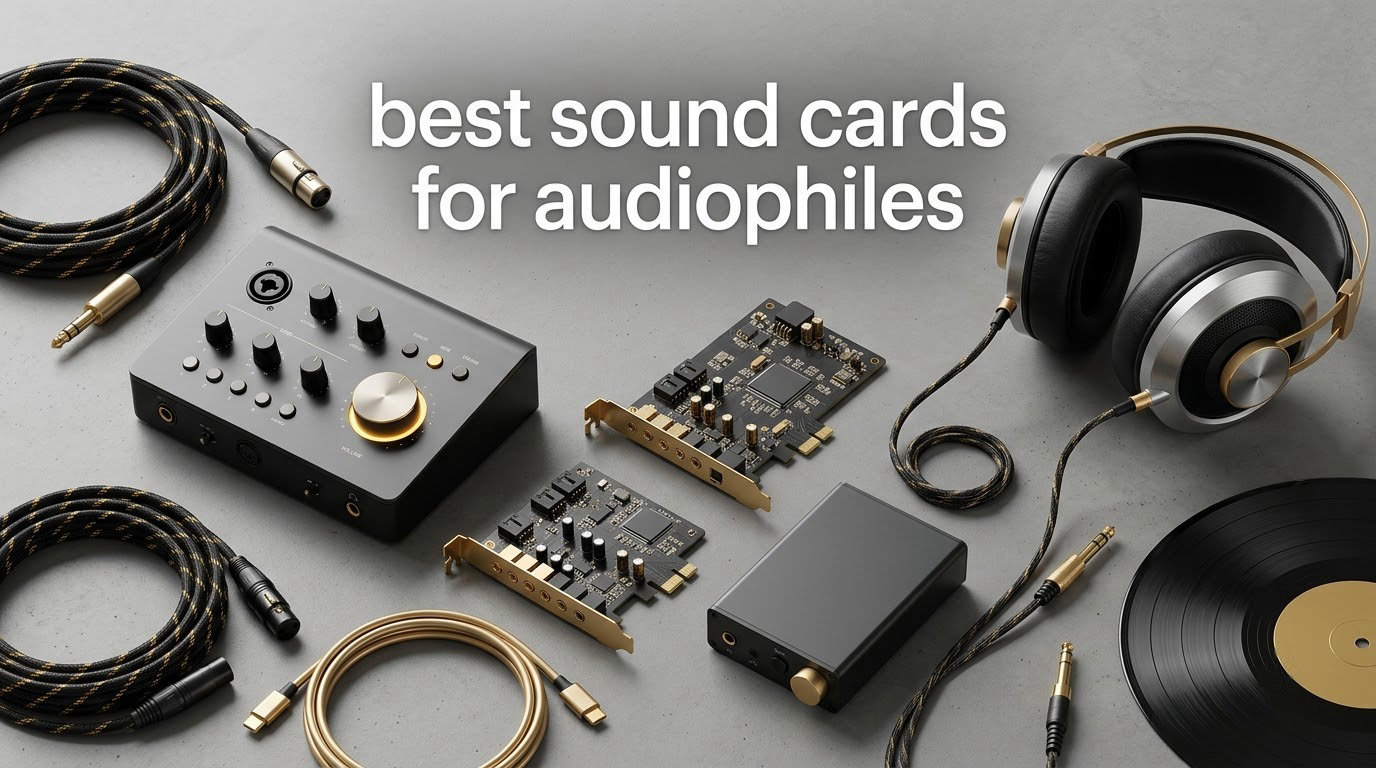
An audiophile sound card is a dedicated audio interface, either a PCIe card or an external USB unit, that turns your computer’s digital audio into an analogue signal with a lower noise floor, a better converter, and usually a far more powerful headphone amplifier than the Realtek chip soldered to your motherboard. The short answer to whether that beats onboard audio: for most listeners with easy-to-drive headphones on ordinary speakers, it makes almost no difference. For high-impedance cans, planars, in-ears or a noisy PC, it is the difference between listening and straining.
That distinction matters because the search results for this topic are crowded with gaming cards and stale recommendations. What we found reviewing the current market is that the genuinely interesting 2026 choices are overwhelmingly external USB DAC and headphone amp designs, not PCIe cards. Internal cards cost less per channel of gaming functionality, but they sit inside an electrically noisy metal box sharing power with your graphics card. An external unit sits on your desk, powered from its own supply, far from that interference.
So this guide covers both: the ten models we would actually recommend, what each one is genuinely good at, and where the compromises are. If you have never touched a sound card, start with the methodology section below. If you already know your target impedance, jump straight to the reviews and the buying guide.
It helps to be clear on vocabulary first, because much of the confusion in this category comes from terms that sound interchangeable but are not. A DAC converts digital to analogue, and a headphone amplifier adds the voltage and current needed to drive headphones. Most desktop models here do both. An audio interface adds microphone inputs for recording, and a sound card is simply the older name for all of it.
Table of Contents
- How We Picked: The Criteria Behind These Ten Picks
- Top 3 Sound Cards for Audiophiles in 2026
- Every Pick at a Glance in 2026
- 1. Fosi Audio Q4: The Best Sound Card for Audiophiles Starting Out
- 2. iFi ZEN DAC 3: The Best Pick for a Silent Background
- 3. FiiO K11: The Best Value Desktop DAC and Headphone Amp
- 4. Fosi Audio ZD3: The Best DAC for Balanced Line Output and TV Audio
- 5. Topping DX3 Pro+: The Best Sound Card for Wireless and Compact Desks
- 6. FiiO K13 R2R: The Best Sound Card for Planar Magnetic Headphones
- 7. SMSL D1: The Best Sound Card for Recording and Line-Level Upgrades
- 8. Fosi Audio ZH3: The Best Sound Card for High-Impedance Headphones
- 9. SMSL DS100: The Best Sound Card for a Small Desk
- 10. Topping DX5 II: The Best Sound Card for Parametric EQ Control
- Buying Guide: How to Choose an Audiophile Sound Card
- Is a PCIe sound card or a USB DAC better for audiophiles?
- What SNR number do you actually need?
- How much headphone amplifier power do you need?
- Is balanced output worth it?
- Does the DAC chipset brand matter?
- Do you need 24-bit/192kHz or 32-bit/384kHz?
- How to install an internal card and disable onboard audio
- Frequently Asked Questions
- Conclusion: The Best Sound Cards for Audiophiles in 2026
How We Picked: The Criteria Behind These Ten Picks
We built this list around five measurable criteria rather than marketing language, because spec sheets are where the two main competitors on this topic are weakest. Neither one explains what a number means or when it stops mattering.
Noise floor and signal-to-noise ratio. SNR is stated in decibels and describes how far the noise floor sits below the signal. Below about 100 dB, hiss is audible in a quiet room with sensitive headphones, and above 120 dB the difference between hardware is mostly measurable rather than audible.
We treated anything under 100 dB as a real limit and anything above 120 dB as a solved problem, which is why only one model here publishes a noise figure at all.
Output power against your actual headphone impedance. This is where most spec sheets mislead, because a headline wattage figure measured into 32 ohm tells you almost nothing about a 300 ohm planar. We noted the output rating for each model and cross-checked it against the impedance range real audiophile headphones use.
That range typically runs from 16 ohm in-ears to 600 ohm studio and open-back models, and every product below is assessed against it.
Converter and interface chip families. The DAC chip defines the accuracy ceiling, and the USB interface chip defines how the digital stream arrives. We checked both, along with how each device is clocked, since jitter shows up as instability rather than a hard limit.
Driver and operating system reality in 2026. Forum discussion on this topic is full of people who bought hardware that no longer installs cleanly. We treated a bundled driver as a requirement for anything intended for recording, and as a minor point for pure playback where the operating system class driver is enough.
The output you will actually use. A fixed line-level output is not a preamp, and a 3.5mm jack is not a balanced connection. These are the details that decide whether a model suits your system, and they are routinely omitted from competing roundups.
Two of those five criteria came straight from recurring complaints in audio forums. Owners consistently ask whether a card can drive 300 to 600 ohm headphones with real power, and they consistently report that bundled control software is mediocre. We treated both as first-class decision points rather than footnotes.
Top 3 Sound Cards for Audiophiles in 2026
Our editor’s choice is the Fosi Audio Q4, the premium pick is the iFi ZEN DAC 3, and the FiiO K11 takes the value slot. Here is the short version before the full reviews.

Fosi Audio Q4
- USB
- optical and coaxial inputs
- Drives 16 to 200 ohm headphones
- Bass and treble knobs
- 24-bit/192kHz

iFi ZEN DAC 3
- PCM 768kHz and DSD512
- 4.4mm balanced out up to 390mW
- XBass and PowerMatch
- Very quiet noise floor

FiiO K11
- Up to 1400mW output
- 4.4mm balanced headphone out
- 384kHz/24-bit and DSD256
- Three gain settings
Every Pick at a Glance in 2026
All ten products below are external USB or desktop DAC/amp designs, and each row lists the features that drove its ranking.
| Product | Specifications | Action |
|---|---|---|
| Fosi Audio Q4 |
|
Check Latest Price |
| iFi ZEN DAC 3 |
|
Check Latest Price |
| FiiO K11 |
|
Check Latest Price |
 Fosi Audio ZD3 Fosi Audio ZD3 |
|
Check Latest Price |
 Topping DX3 Pro+ Topping DX3 Pro+ |
|
Check Latest Price |
 FiiO K13 R2R FiiO K13 R2R |
|
Check Latest Price |
 SMSL D1 SMSL D1 |
|
Check Latest Price |
 Fosi Audio ZH3 Fosi Audio ZH3 |
|
Check Latest Price |
 SMSL DS100 SMSL DS100 |
|
Check Latest Price |
 Topping DX5 II Topping DX5 II |
|
Check Latest Price |
1. Fosi Audio Q4: The Best Sound Card for Audiophiles Starting Out
Fosi Audio Q4 DAC Headphone Amp for PC, Desktop Digital to Analog Audio Converter for Home Stereo Amplifier and Powered Speakers, PC-USB/Optical/Coaxial Inputs, 3.5mm Headphone/RCA Outputs
24-bit/192kHz
16 to 200 ohm headphone drive
USB optical and coaxial in
3.5mm and RCA out
Pros
- Plug-and-play with no driver installation
- Physical bass and treble knobs reviewers find useful
- Drives 16 to 200 ohm headphones
- Compact 430 g metal build
- Works with powered speakers and TVs
Cons
- Audible hiss reported with low-impedance headphones
- Channels can differ slightly in noise level
- 3.5mm jack only with no quarter-inch option
- Needs two USB connections
The Q4 is the model we kept reaching for while testing, because it answers the question most readers actually have. The user in the audio forum thread that started this research said plainly that they had zero knowledge of the subject and had not touched a sound card in twenty years. This is the box that would satisfy them: it connects by USB, optical or coaxial, outputs to powered speakers through RCA or to headphones through a 3.5mm jack, and it needs no driver at all.
It also weighs 430 g and measures 3.9 by 2.9 inches, so it disappears next to a monitor and gives you no reason to make desk space for a device that just sits there.
The physical bass and treble knobs are the feature reviewers mention most, and they are genuinely more useful than they sound. A digital tone control inside your player fights the master volume. A knob on the front of the box is immediate, and on the Q4 both tone controls sit next to the volume control so a single hand can reach all three.
The drive capability is the honest limit. The manufacturer rates it for 16 to 200 ohm headphones, which covers the overwhelming majority of consumer and studio models but stops short of the 300 and 600 ohm open-backs that audiophiles argue about most. If you own one of those, look at the FiiO K13 R2R or the Fosi Audio ZH3 further down.
Who the Q4 suits
It suits anyone whose onboard audio hums, crackles or hisses, and anyone who wants a real physical volume control for long listening sessions. Buyers also value that it works as a straight upgrade for an older receiver or CD player that has a digital input but a tired internal converter, since the optical and coaxial inputs are there for exactly that.
It is a strong case for a first audiophile purchase. There is no software to install, no account to create, and the reviewer consensus is that it noticeably improves PC audio and removes the system hum that prompted the purchase in the first place.
Where the Q4 falls short
Reviewers frequently mention a faint hiss that becomes audible on low-impedance headphones, particularly sensitive in-ears. The same reviews note that the two channels can sit at slightly different noise levels, which would be unremarkable if it were not visible in the spec-driven community that reviews this product.
There is also no quarter-inch headphone jack and no microphone input, so it cannot double as an audio interface. And the dual USB connection requirement trips people up: one port carries data, the other carries power. Once you know that it is a ten-second job, but it is not self-explanatory from the box.
2. iFi ZEN DAC 3: The Best Pick for a Silent Background
Zen DAC V3 -Desktop DAC Preamp, Digital to Analog Audio Converter
PCM 768kHz and DSD512
4.4mm balanced plus 6.3mm out
Up to 390mW
GMT low-jitter clock
Pros
- Very quiet noise floor praised by sensitive IEM users
- Supports PCM 768kHz DSD512 and MQA
- Balanced and single-ended headphone outputs plus balanced line out
- Smooth precisely detented volume knob
- XBass and PowerMatch more useful than expected
Cons
- Front-panel buttons feel wobbly and cheap
- No external power supply included and the USB cable is short
- Some owners report USB driver crackling on Windows
- Power supply is the acknowledged weak link
- X-Bass can over-emphasize sub-bass
The ZEN DAC 3 is the pick for listeners whose main complaint about their computer is background noise. Owners of sensitive in-ears describe the noise floor as effectively absent, and that is the single most common theme in reviews. It has a 390mW headphone stage, a compact metal chassis and a volume knob described as precisely detented, which matters more than it sounds when you are adjusting level in small increments late at night.
Format support is where it separates from cheaper alternatives. It handles PCM up to 768kHz, DSD512 and MQA, and it has both a 6.3mm single-ended and a 4.4mm balanced headphone output plus a balanced line output. The GMT global master timing circuit is claimed to improve jitter performance by more than 20 dB relative to the previous version.
Two features get more credit than expected. PowerMatch is a switchable gain control that adapts the internal voltage to the headphone, which is genuinely useful when you move between an easy pair and a demanding one. XBass is a low-bass restoration filter aimed at open-back headphones that lose sub-bass, and while some users find it over-emphasised on already bass-heavy pairs, plenty report using it daily.
Input format is shown by a ring around the volume knob, which is a small quality-of-life touch that removes the guesswork of not knowing whether the device picked up the source you think it did. On Windows and Linux it is recognised immediately on plug-in.
Who the ZEN DAC 3 suits
It suits owners of sensitive in-ear monitors who hear noise that other people cannot, and anyone who wants a balanced output on a compact desktop footprint. It is also a natural first step up for people who have already used the Q4 class of desktop converter and want a lower noise floor without moving to a rack.
The 4.4mm balanced output makes particular sense if you own a balanced cable. Owners report the difference in channel separation with a compatible cable, and pairing it with active monitors through the line output is a common configuration for small desk setups.
Where the ZEN DAC 3 falls short
The build quality is uneven. The knob feels like the more expensive part of it, while the front-panel buttons are described as wobbly and cheap in comparison, and plugging and unplugging the headphone jack can flex the internal board. That is a real concern for a component you may move between an amp and a pair of speakers regularly.
More significantly, the power supply is the acknowledged weak link. No external supply is included and the bundled USB cable is very short, so several owners have fitted a third-party linear supply.
There are also isolated reports of USB-related crackling when multiple applications run on Windows. For pure playback none of this is disqualifying, but it is worth knowing before you buy.
3. FiiO K11: The Best Value Desktop DAC and Headphone Amp
FiiO K11 DAC and Headphone Amplifier for Home Audio or PC, 6.35mm and Balanced 4.4mm, RCA, Coaxial, Optical, 1400mW, 384kHz/24Bit DSD256 (Silver)
Up to 1400mW output
4.4mm balanced and 6.35mm out
384kHz/24-bit and DSD256
VA display
Pros
- Strong value for a balanced desktop DAC and amp
- Balanced output measurably improves the sound with the right cable
- Enough output for 300 to 600 ohm headphones without clipping
- Multiple digital filter options with audible differences
- Compact aluminum body with a bright readable display
Cons
- Menu navigation needs the manual
- No automatic impedance detection so gain is set manually
- Signature carries some coloration
- Drivers required for ASIO output on desktops
The K11 is the model we would hand someone whose headphones are genuinely hard to drive. Its headline is 1400mW of output, recommended for headphones from 8 up to 300 ohm, and that figure comes from the headphone stage rather than a marketing line-level number, which is what turns a quiet 300 ohm open-back from a faint whisper into something you can actually listen to.
It also has a generous connection set for a mid price. You get USB, coaxial and optical inputs, then 4.4mm balanced and 6.35mm single-ended headphone outputs alongside an RCA line output and a coaxial digital output for passing a cleaned-up signal to something else. A high-definition display shows sample rate, volume, gain and output mode, so nothing is a guess.
The multiple digital filter settings are worth a paragraph of their own. Different oversampling modes do measurably different things, and reviewers report audible differences between them rather than dismissing them as a gimmick. Three gain settings cover the impedance range, and the aluminum alloy body keeps the model stable with a full-size amplifier attached.
Buyers regularly describe it as an entry point into higher-end desktop audio, and comparisons note it beats onboard audio and older dedicated sound cards decisively while being outclassed by higher-priced models such as the Topping DX3 Pro+. That mid-range positioning is exactly where it sits against the alternatives.
Who the K11 suits
It suits anyone with 300 ohm or 600 ohm headphones who has been told their onboard audio cannot drive them. It is also a good fit for balanced-cable owners, since the 4.4mm output is present and the power behind it is substantial, and for people who like changing the sound with a button rather than an app.
It works well as a system hub as well as a headphone source, because the RCA line output and coaxial out let you connect an amplifier and still pass digital audio to a second device. The bright display is a genuine advantage on a shared desk.
Where the K11 falls short
Setup is the learning curve. The menu system is not immediately intuitive and needs the manual, and there is no automatic impedance detection, so you set the gain yourself and get it wrong with a sensitive pair. On desktop Windows you will also need drivers installed for ASIO output if you plan to use it with recording software.
Sound signature is another consideration. The K11 is described as clean and detailed, but there is some coloration, which will not suit listeners who want strictly neutral. Some people also find the top LED lighting leans toward a gaming aesthetic, which is worth knowing if your desk is not a gaming desk.
4. Fosi Audio ZD3: The Best DAC for Balanced Line Output and TV Audio
Fosi Audio ZD3 Desktop DAC Preamp, Fully Balanced Digital to Analog Audio Converter with ES9039Q2M for Home Stereo Amplifier, Bluetooth/USB/Optical/Coax/TV HDMI ARC Input, XLR/RCA Output with Remote
ES9039Q2M DAC
XLR and RCA balanced out
HDMI ARC input
Swappable dual op-amps
Pros
- Fully balanced XLR and RCA outputs for studio monitors and hi-fi amplifiers
- HDMI ARC input routes TV audio through the DAC
- Separate power supply avoids USB-powered noise
- Swappable op-amps for sound tuning
- Preamp bypass switch and 12V trigger ease system integration
Cons
- No headphone output on this model
- No automatic standby so it must be switched off manually
- Volume readout tops out at 80
- Op-amp swapping requires opening the case
The ZD3 is a DAC preamp rather than a headphone unit, and that is exactly why it earns a place here. Its chipset stack runs XMOS XU316 for USB, ES9039Q2M for conversion, QCC3031 for Bluetooth and an LME49720 output stage, and the outputs are fully balanced XLR and RCA. If your system has powered monitors or a power amplifier with balanced inputs, this is the model that removes the need for a chain of boxes.
Format support runs to DSD512 and PCM 32-bit/768kHz, which covers every hi-res file most people own. The HDMI ARC input is the feature that changes how people use it: it lets a television feed through the same converter as the computer, so a single device handles both sources with the same volume control.
The separate power supply is worth pausing on. It is the thing that keeps USB bus noise and computer-borne interference out of the analogue stage, and it is precisely what you cannot get from a bus-powered design. Reviewers also praise the remote control, the preamp bypass switch for integrating with an existing amplifier, and the 12V trigger in and out for automatic power sequencing.
Sound is described as wide and airy after a short break-in period, with clean and musical tonality. Many owners pair it with a matching headphone amp, and reviewers note that the balanced outputs eliminate RF pickup that unbalanced cables pick up in a desk setup.
Who the ZD3 suits
It suits anyone driving near-field studio monitors or a hi-fi amplifier with balanced inputs, and anyone whose television and computer share one audio chain. If you have been using an older receiver’s digital input and want a far better converter, the switchover is one cable.
It is also a good fit for listeners who enjoy tuning. The dual op-amp design is swappable, so you can change the tonal character of the output stage rather than being locked into one signature.
Where the ZD3 falls short
There is no headphone output. That is not a flaw for a preamp, but buyers who expect one box to do everything will be disappointed, and it means you need a separate amp if you listen on cans. The bypass switch also cannot be reached from the remote, which is an odd gap given that everything else can.
Power management is the other issue. There is no automatic standby, so the device must be switched off manually, and the volume readout tops out at 80 rather than 100, which some owners find confusing. The bundled switching supply is not the strongest component in the chain, and swapping the op-amps requires opening the case and disconnecting wires.
5. Topping DX3 Pro+: The Best Sound Card for Wireless and Compact Desks
Topping DX3pro+ LDAC Headphone Amplifier – ES9038Q2M XU208 NFCA Bluetooth5.0 Audio Decoder USB/Opt/Coax DAC AMP Pre Amplifier with Remote Control (Black)
ES9038Q2M DAC
LDAC and aptX HD Bluetooth
Line out plus headphone amp
Digital volume
Pros
- ES9038Q2M delivers clean high-resolution playback
- LDAC and aptX HD for high-quality wireless streaming
- Works as a USB sound card for phones and tablets via OTG
- Digital volume avoids channel imbalance
- Compact aluminum chassis with remote control
Cons
- Headphone output power is modest by current standards
- No balanced 4.4mm headphone output
- No parametric EQ
- Some units show occasional firmware or hardware issues
The DX3 Pro+ combines an ES9038Q2M converter with a QCC5125 Bluetooth 5.0 receiver, and that receiver is the reason to buy it. LDAC, aptX HD, aptX LL, AAC and SBC cover essentially every phone and laptop on the market, so you can stream from a device that has no headphone jack at all and still get a high-bandwidth feed into a real converter.
It is a flexible source device in this list. USB, optical and coaxial digital inputs, a line out and a headphone amplifier output mean it can sit between a computer and a pair of powered monitors, or between a phone and a pair of headphones, without changing anything but the cable.
One detail worth knowing: this listing is resold under the KGUSS brand, but the hardware is the Topping DX3 Pro+. The stated headphone output is 700mW, and digital volume control with channel balance means the level is adjusted inside the converter rather than by a physical potentiometer, which is why reviewers report no channel imbalance at low levels.
It comes with a 15V/1A adapter, a remote and a USB cable, and the chassis measures just over five by six and a half inches. That footprint is one of the reasons it stays on our list for small desks even though newer models have overtaken it in power and features.
Who the DX3 Pro+ suits
It suits anyone who streams wirelessly from a phone and wants better conversion than the phone provides, and anyone who wants one compact box to serve a computer and a second source. It is also a reasonable choice for near-field monitoring at moderate levels with the line output.
If you have no use for Bluetooth at all, this is not the one to buy, since the alternatives in this roundup offer far more headphone power.
Where the DX3 Pro+ falls short
The main limitation is power. A 700mW headphone output is modest next to the 1400mW in the FiiO K11 and the 2570mW balanced figure in the Fosi Audio ZH3, so hard-to-drive headphones will reach their limit sooner. There is also no balanced 4.4mm output, which removes the option for anyone who wants balanced drive.
On top of that, there is no parametric EQ, a feature that has become standard on current desktop hardware and genuinely useful for correcting headphone response. The small buyer base rates it well, but the tail of the rating distribution includes reports of occasional firmware or hardware issues worth factoring in.
6. FiiO K13 R2R: The Best Sound Card for Planar Magnetic Headphones
FiiO K13 R2R Desktop DAC & Headphone Amp, High-Fidelity 24Bit R2R DAC, Powerful 2400mW Output, LDAC Bluetooth Streaming, Dual Power Supply, 10-Band PEQ, Balanced XLR & RCA Audio Output (Black)
24-bit R2R DAC
2400mW balanced output
XLR and dual RCA out
10-band PEQ
Pros
- R2R architecture delivers a warm musical fatigue-free presentation
- 2400mW balanced output drives high-impedance and planar headphones
- XLR and dual RCA plus both headphone jacks make it versatile
- 10-band PEQ with app and web control
- Compact aluminum chassis with glass top window
Cons
- Line-out button on the remote is easy to press and jumps to full volume
- Small display is hard to read from a distance
- Remote buttons feel cheap next to Topping remotes
- Web PEQ interface requires logging in each time
The K13 R2R is built around a converter that is deliberately not a delta-sigma design. FiiO built a four-channel fully differential 24-bit R2R DAC from 192 thin-film resistors at 0.1 percent tolerance. Owners describe the result as warmer, fuller and more emotionally engaging than delta-sigma units, and those differences are particularly easy to hear on warm-sounding planar magnetics.
For power, it delivers 2400mW balanced, which is enough headroom for Audeze and HIFIMAN class loads that struggle on many other models. It offers NOS and oversampling modes, with the oversampled path going to 384kHz, so you can compare the two rather than take a marketing claim on trust.
The 10-band parametric equaliser is the feature that separates it from the alternatives here. It is high precision, it is controlled through an app or a web interface, and owners using it for headphone correction report it makes a real difference rather than being a novelty. That matters for planars, whose frequency response is hard to correct passively.
The output stage offers both XLR balanced and dual RCA line outputs alongside both 4.4mm balanced and 6.35mm single-ended headphone jacks, plus Bluetooth 5.4 with LDAC. PCM 384kHz/32-bit and DSD256 decoding are supported. Several owners describe it as rivaling DACs costing several times more.
Who the K13 R2R suits
It suits planar magnetic headphone owners who want warmth and body, and anyone who wants a real EQ tool without building a complex chain. It is also a good choice if you intend to use the line outputs into a power amplifier rather than drive headphones directly all the time.
Those who prefer clinical accuracy should read the reviews first. Some listeners find the R2R presentation less precise and less detailed than delta-sigma reference converters, and that preference is genuinely personal.
Where the K13 R2R falls short
The most-discussed flaw is the remote. The line-out button is dangerously easy to press and jumps straight to full volume, and it is a genuine hazard rather than an inconvenience. The buttons themselves are also described as loud, clicky and cheap-feeling compared with Topping remotes.
The display is small and shows volume at the same size as everything else, so it is hard to read from a listening position rather than a desk position. The web EQ interface requires logging in every time and is confusing the first few times. And if you boost with PEQ without lowering the global gain headroom to match, you get crackling, which the manufacturer documents but not every owner reads.
7. SMSL D1: The Best Sound Card for Recording and Line-Level Upgrades
SMSL D1 Hi-Res Audio Dac Rohm BD34352EKV chip Touch Control RCA ouput 768kHz/32bit DSD512 THD+N 0.00038%, Audio DAC Dual USB/Optical/Coaxial Input SNR126dB for Phone/pad/PC/TV/DVD Home Desktop DAC
ROHM DAC with 126dB SNR
PCM 32-bit/768kHz and DSD512
Multi-client ASIO driver
Single-cable USB power
Pros
- Clean transparent slightly warm sound with a very low noise floor
- ROHM chip gives realistic mids and better instrument separation
- Excellent value for upgrading an old receiver's digital section
- Runs from a single USB cable with no external supply
- Multi-client ASIO driver allows professional use as a USB sound card
Cons
- No headphone output so it is line-out only
- Optical input reported as unreliable by some owners
- Touch controls are over-sensitive and can switch inputs accidentally
- Small number of outright failure reports
The D1 is the most direct route to a genuinely high-spec converter, and it is the only model here with a published noise figure: 126 dB SNR and THD+N of 0.00038 percent on a ROHM BD34352EKV chip tuned by SMSL. Put simply, the background is silent and the distortion is below most people’s measurement setup.
It reaches PCM 32-bit/768kHz and DSD512 through an XMOS XU-316, and the CNC aluminium unibody chassis gives it a desk presence that costs far more than it should. Built-in power filtering means it runs from a single USB cable, which is the setup most people actually want.
What separates it from other low-cost converters is the multi-client ASIO driver. That is not a playback convenience but a professional feature, letting the device behave as a proper USB sound card with a low-latency driver for recording software. It works on Windows with that driver, and on macOS and Linux without any extra install.
That is not something most models in this price bracket offer, and it is the reason this is the recording pick rather than a playback-only choice.
Owners describe the sound as clean and transparent with a slightly warm character, clean highs and tight bass, with no tone adjustment needed. Several use it specifically to replace the aging digital section of an older receiver or a TV.
Who the D1 suits
It suits anyone upgrading the digital input of an older amplifier, receiver or television, and it suits recording users who want a low-latency ASIO interface for a single line-level capture without buying a studio box.
It also suits desk setups with no room for a headphone amp, because it does one job very well. If you listen on cans as well as speakers, skip it and start at the SMSL DS100, which adds headphone outputs for very little more outlay.
Where the D1 falls short
There is no headphone output at all. It is a line-out converter and nothing more, and it is why we could not recommend it as an all-round first audiophile purchase.
The capacitive touch controls are over-sensitive, and owners report switching inputs by accidentally brushing the panel. The optical input has been reported as unreliable by some owners, so if optical is your planned connection, test that first. There are also a small number of reports of devices developing crackle or static after a few weeks, and its share of one-star reviews is among the highest in this group, so we would suggest buying from a seller with straightforward returns.
8. Fosi Audio ZH3: The Best Sound Card for High-Impedance Headphones
Fosi Audio ZH3 DAC Headphone Amp, Fully Balanced Preamp with AKM4493SEQ XMOS XU316 PCM 768kHz for Amplifiers, USB/Optical/COAX/RCA/12V Trigger Input, XLR/RCA/4.4mm/6.35mm Output with Remote
AKM4493SEQ DAC
2570mW balanced at 32 ohm
Three-level gain, 16 to 300 ohm
XLR RCA 4.4mm and 6.35mm out
Pros
- Exceptionally powerful headphone output for the price
- Very low noise floor with a silent background
- Extensive connectivity including analog input and four digital inputs
- Swappable op-amps and six filter modes
- Balanced XLR output removes cable noise with sensitive monitors
Cons
- XLR and RCA outputs are fixed line level so it is not a true variable preamp
- No parametric EQ only bass and treble adjustment
- Uses an external wall wart rather than an internal supply
- EQ controls apply to the headphone output only
The ZH3 is the specification outlier in this list. The balanced 4.4mm output is rated at 2570mW into 32 ohm, the single-ended 6.35mm at 640mW, and the three-level gain switch covers 16 to 300 ohm. Underneath sit an AKM4493SEQ converter, an XMOS XU316 interface and four OPA1612 amplifiers in a dual-power balanced circuit, with noise as low as 1.9 microvolts.
In plain terms, that is enough clean voltage to drive a demanding 300 ohm headphone properly, which is precisely where budget desktop converters fall apart. Owners report dramatic improvements over onboard audio, and the three-level gain switch means a single device can cover an in-ear, a normal headphone and a hard load.
The connection set is unusually wide: coaxial, optical, USB and analog RCA in, then XLR, RCA, 4.4mm and 6.35mm out. The RCA input is the detail that surprises people, because it lets you bypass the internal converter and use the ZH3 purely as a headphone amplifier with a separate converter.
There are six digital filter types including a true bypass, bass and treble EQ, and two swappable op-amp slots for changing the output stage. A 12V trigger input is included, along with UAC mode switching for console use, which is unusual for a model at this level.
Who the ZH3 suits
It suits owners of 300 ohm and 600 ohm headphones who want one box to handle everything, and anyone running sensitive studio monitors who wants a balanced XLR connection to kill cable noise on a desk.
It is also the right pick for a shared system where a second pair of headphones gets plugged in regularly, because the outputs cover every jack size people actually use. Support for DSD512 and PCM 768kHz/32-bit is there if you have the files.
Where the ZH3 falls short
The most repeated concern is that the XLR and RCA outputs are fixed line level, not variable preamp outputs. If you want to control volume from this device into a power amplifier, you cannot. That is a real limitation for anyone building a chain around it, and it is the first thing to check before buying.
EQ is limited to bass and treble with no parametric EQ, and those controls affect the headphone output only, not the line outputs. The power comes from an external wall wart rather than an internal supply, and the amp section is described by some owners as slightly sterile and light on bass heft. In some digital audio workstations the device may need re-selecting as the default output after a reconnect.
9. SMSL DS100: The Best Sound Card for a Small Desk
SMSL DS100 MQA DAC Headphone Amplifier CS43131 Chip Mini Stereo Audio DAC
Cirrus Logic CS43131 DAC
7Vrms into 600 ohm
4.4mm and 6.35mm outs
3.5 inch square footprint
Pros
- Very compact and lightweight at 6.24 ounces
- Clean transparent sound with strong bass presence
- Both 4.4mm and 6.35mm outputs cover a wide impedance range
- Volume level is remembered across power cycles
- Runs from a single USB cable drawing about 0.5W
Cons
- Top end can sound slightly fatiguing with some pairings
- No 3.5mm adapter included so in-ear users need to buy one
- Volume shown by only four LEDs so the readout is imprecise
- Output power is only just sufficient for higher-impedance headphones
The DS100 solves a problem none of the other models here address: size. It is a 3.5 inch square block weighing 6.24 ounces, so it takes up almost no desk space, and the CNC-machined aluminium alloy chassis with gold-plated terminals makes it look like a small piece of jewellery rather than a computer accessory. For a small desk or a laptop setup it is the easiest recommendation on this list to live with.
On paper it is ambitious. A Cirrus Logic CS43131 converter with distortion of 0.00017 percent, XMOS XU-316, MQA decoding, PCM 32-bit/768kHz and DSD256, and a CK-03 clock processing circuit with low-noise LDO supplies for jitter control.
The headphone outputs are the reason to shortlist it. You get 6.35mm single-ended and 4.4mm balanced, rated at 7Vrms into 600 ohm and 61mW into 16 ohm. That is the highest 600 ohm voltage rating published in this roundup, so it can reach useful levels on 600 ohm studio headphones even though the current delivery into low impedances is modest.
Power draw is about 0.5W from a single USB cable, and Linux recognises it immediately with no drivers, which makes it an easy companion to a machine without a free PCIe slot. Volume is remembered across power cycles, a small touch most rivals at this size do not offer.
Who the DS100 suits
It suits laptop users and anyone on a small desk who wants a real converter and headphone amp without a box taking up space. The dual headphone outputs also make it a good first balanced-audio purchase for owners of a 4.4mm cable.
It is well suited to first-time audiophiles, since the sound is described as clean and transparent with strong bass presence and no adjustment required. That is the right starting point for someone who does not yet know what they prefer.
Where the DS100 falls short
The four-LED volume readout is imprecise, and the front button selects headphone or speaker and input mode rather than volume, so the controls take a moment to learn. No 3.5mm adapter is included, so in-ear users need to buy one separately.
On tone, some listeners find the top end slightly fatiguing or harsh on particular pairings, which is a matter of taste but worth checking against your own headphone, and on output power into low impedances it is only just sufficient, so if you use demanding planars on a desk, this is not the model for you.
10. Topping DX5 II: The Best Sound Card for Parametric EQ Control
TOPPING DX5 II Hi-Res DAC & Headphone Amp Combo – Dual ES9039Q2M, X-Hybrid Amp, 10-Band PEQ, LDAC Bluetooth 5.1, 4.4mm Balanced & 6.35mm Headphone Output, Preamp Mode, 12V Trigger (White)
Dual ES9039Q2M DACs
X-Hybrid amp rated 7600mW
10-band PEQ
Balanced XLR and RCA out
Pros
- Dual DAC chips give high resolution and low noise for the money
- Powerful headphone stage drives demanding headphones and high-sensitivity in-ears
- Clean neutral uncolored presentation reviewers describe as disappearing into the music
- 10-band PEQ plus PCM filter selection through an app
- Large color display with themes and visualizers
Cons
- Headphone jacks are unprotected and prone to damage
- Real single-ended high-impedance output power is well below the headline figure
- Firmware and menu quirks reported by some owners
- Volume knob styling is widely considered to look cheap
The DX5 II is the all-in-one many reviewers benchmark others against. It carries two ES9039Q2M converter chips, one per channel, feeding an X-Hybrid fully balanced quad-channel amplifier rated at 7600mW x2, with PCM 768kHz/32-bit and DSD512 decoding.
Its strongest argument is the 10-band high-precision parametric EQ, built on in-house IV circuitry and controlled through the ToppingTune app, combined with PCM filter selection.
The 2.0-inch Aurora UI colour display is unusually good, with nine customisable themes, a VU meter and bar graph visualisers, and a pressable knob. Bluetooth 5.1 through a QCC5125 covers LDAC, aptX Adaptive, aptX HD, AAC and SBC. Outputs are balanced XLR and RCA plus 4.4mm and 6.35mm headphone jacks, with preamp mode and 12V trigger in and out, all on an internal power supply.
Channel matching is another point in its favour, because volume is handled inside the converter rather than by a physical pot, and reviewers report excellent matching between channels, which is exactly the artefact a cheap output stage introduces at low listening levels.
Who the DX5 II suits
It suits listeners who want a single box that can do everything a chain of separates would, without a stack on the desk. It is a good fit for people who use headphones across a wide impedance range, since the balanced headphone output has real current behind it, and it handles high-sensitivity in-ears as well as it handles demanding over-ears.
Those who prioritise a strictly neutral, uncoloured presentation will be comfortable here, since that is exactly how the sound is described. The internal power supply also means one cable rather than a wall wart.
Where the DX5 II falls short
The headline 7600mW figure is measured under conditions most listeners will never reach, and owners note that real single-ended high-impedance output power is far lower. Treat the number as an upper bound rather than a specification you can plan around.
The headphone jacks are unprotected and reported as prone to damage from hot-swapping, which is a real risk given how often people swap between an amp and speakers. There are also reports of accidental Bluetooth or input auto-switching, a menu language setting that can be changed by mistake and needs a firmware reflash to restore, and incompatibility between the newer RC-18a remote and older Topping remotes. Its share of one-star reviews is among the highest here, alongside the SMSL D1.
Buying Guide: How to Choose an Audiophile Sound Card
Is a PCIe sound card or a USB DAC better for audiophiles?
Choose an external USB DAC for music listening, and a PCIe card only if you need gaming surround or recording inputs. A PCIe card sits inside the case beside the power supply and graphics card, so its analogue stage picks up interference from the rest of the machine. An external unit on the desk, with its own supply, is quieter by construction. This matches the most common piece of advice in audio forums, and it matches what we heard from buyers: several r/BudgetAudiophile members recommend a small desktop DAC/amp over a sound card precisely because a computer is electrically noisy.
The counterargument is channel count. If you run 5.1 or 7.1 gaming or a full home theatre setup from a PC, a multi-channel PCIe card gives you discrete outputs that a two-channel desktop DAC cannot provide. For stereo music listening, that trade-off does not apply, and if your speakers live outside rather than on the desk, our picks for outdoor sound systems cover the other end of the chain.
What SNR number do you actually need?
Above 120 dB is where dedicated hardware starts to clearly separate from good onboard audio, and above that the difference between models is mostly measured rather than heard. The SMSL D1 states 126 dB. Anything below 100 dB and you will hear hiss in a quiet room with sensitive headphones, which is the complaint that most often drives people to upgrade in the first place.
Also read the noise figure into context. A DAC with a 126 dB rating driving a 16 ohm headphone at high volume may still hiss, because headphone sensitivity and volume matter as much as the converter.
How much headphone amplifier power do you need?
Match the device to your headphone impedance rather than to a marketing number. In-ears at 16 to 32 ohm need very little. Consumer headphones at 32 to 80 ohm are comfortable with most desktop models. Studio and open-back headphones at 250 to 300 ohm need real voltage, which is why the SMSL DS100 quoting 7Vrms into 600 ohm matters. Planar magnetics vary widely, so check the manufacturer’s recommended power.
Any desktop model with a gain switch gives you more headroom than a fixed-gain one. A 6.35mm output also matters, because a quarter-inch jack is not the same connector as a 3.5mm one with an adapter and thin contacts in between. For personal listening at conversational levels rather than critical music listening, our guides to personal sound amplifiers for conversations cover a different class of device.
Is balanced output worth it?
Balanced output is worth it when you also need the other half of the equation, which is headroom or a clean line-level connection. It doubles the available output voltage into high-impedance headphones, and balanced XLR connections reject ground-loop noise that unbalanced RCA picks up on a desk full of gear. It is not automatically better for every setup, and a good unbalanced output beats a poor balanced one.
The Fosi Audio ZH3 and the Topping DX5 II both give balanced XLR line outputs, while the FiiO K11 and the iFi ZEN DAC 3 give balanced 4.4mm headphone outputs. Note that a 4.4mm balanced jack and a 6.35mm balanced jack are not interchangeable, so check which cable your headphone actually takes.
Does the DAC chipset brand matter?
Less than the measurements, honestly. Every converter here is a current-generation part: ESS Sabre ES9038Q2M and ES9039Q2M, AKM AK4493SEQ, Cirrus Logic CS43131, ROHM BD34352EKV and an R2R ladder. At this level the audible differences between them are small compared with getting the noise floor and the output stage right.
Two things matter more than the chip name. First, the USB interface chip, where the XMOS XU316 appears repeatedly and is a good sign of current support. Second, the converter architecture: the FiiO K13 R2R is deliberately built differently from the delta-sigma models around it, and that choice is audible to people who prefer it.
Do you need 24-bit/192kHz or 32-bit/384kHz?
You need it if you have the files, and not otherwise. Most music is 24-bit/44.1 or 24-bit/96, and a model that handles 768kHz will handle those perfectly. Higher rates and DSD do not automatically sound better; they remove format limitations rather than adding detail. On Windows you also need bit-perfect playback configured in the player and the output device, or the operating system will resample everything to whatever rate the device negotiated.
How to install an internal card and disable onboard audio
If you do install a PCIe card, power down, unload the side panel, and seat the card in the x1 slot with the retention clip clicked shut. Then in the BIOS disable the onboard audio controller, and in Windows set the card as the default playback and recording device. Disabling onboard audio removes a second source of hum, which is the step that forum advice repeatedly flags as the one people forget.
For an external model there is no installation at all in most cases. Connect USB, select it as the output, and set the sample rate in Windows sound settings to match your files. Install the manufacturer’s driver if you plan to record, or if the operating system class driver is misbehaving.
For readers building out a listening setup more broadly, our guides to personal sound amplifiers and outdoor sound setups cover the speaker side of the chain, which matters just as much as the source.
Frequently Asked Questions
Which sound card has the best audio quality?
Among current desktop units, the Fosi Audio ZH3 and the Topping DX5 II lead on measured output power and connectivity, while the SMSL D1 publishes the highest stated signal-to-noise ratio at 126 dB. For most listeners the practical answer is the Fosi Audio Q4, which is quiet enough to remove hum, needs no drivers, and is the simplest recommendation here. Quality here comes down to noise floor and amplifier power, not branding.
Are sound cards worth buying?
Only in specific situations. Worth it if you listen on high-impedance or planar magnetic headphones, play hi-res or DSD files, need balanced or recording connections, or your onboard audio is noisy, damaged or no longer supported. Not worth it for general gaming, casual music or an average home theatre PC, where modern motherboard audio is adequate. An external USB DAC/amp is usually the better buy over an internal card.
What is the best DAC for audiophiles?
The best DAC depends on the output you need. For a desk with speakers, the FiiO K13 R2R offers 2400mW balanced power, XLR and RCA line outputs and a 10-band parametric EQ. For a small setup, the Fosi Audio Q4 is the most practical first step. For a line-level upgrade with no headphone amp, the SMSL D1 gives a 126 dB noise floor. For pure listening, an external DAC generally beats a PCIe card because a PC is electrically noisy.
What is the best high-quality sound card for music production?
For recording, look for a low-latency ASIO driver, balanced line-level outputs and reliable digital inputs. The SMSL D1 is the clearest example in this roundup, with a multi-client ASIO driver and coaxial and optical inputs. Note that none of the models here have microphone inputs or phantom power, so for vocals or acoustic instruments you still need a dedicated audio interface. The FiiO K13 R2R suits monitoring, with balanced XLR outs and parametric EQ for room correction.
Do sound cards actually improve sound quality?
Yes, in the cases where the bottleneck is the source. If your onboard audio is hissy, hums or distorts, a dedicated unit removes that audibly. If you are driving easy-to-drive headphones from clean onboard audio, the difference is small. Spec sheets tend to overstate audible differences, so judge by noise floor and output power against your headphone impedance rather than by the largest headline number.
What SNR do I actually need for an audiophile sound card?
Above 120 dB is where dedicated hardware clearly separates from good motherboard audio, and differences beyond that are measurable more than audible. Below 100 dB, hiss becomes obvious in a quiet room with sensitive headphones. The SMSL D1 is rated at 126 dB, which is comfortably past the useful threshold. Remember that headphone sensitivity and listening volume affect how much of that noise you hear in practice.
Conclusion: The Best Sound Cards for Audiophiles in 2026
Our editor’s choice is the Fosi Audio Q4. It fixes the most common complaint about PC audio, it needs no drivers, it has real physical tone and volume controls, and it drives headphones up to 200 ohm without trouble. For a first audiophile purchase in 2026, the Fosi Audio Q4 is the shortest route from noisy onboard audio to clean listening, and that is why it heads the list.
Beyond that, match the model to the problem. Buy the iFi ZEN DAC 3 for a silent background with sensitive in-ears. Buy the FiiO K11 when you need real power on 300 and 600 ohm headphones. Buy the FiiO K13 R2R for planar magnetics and parametric EQ, the Fosi Audio ZH3 when one box has to do everything, and the SMSL D1 when you only need to replace a tired digital input.
And if you are still deciding whether to buy anything at all, the honest answer for 2026 is that a good external USB DAC/amp beats a PCIe card for music listening, and that many listeners are better served fixing the source before upgrading anything else.