
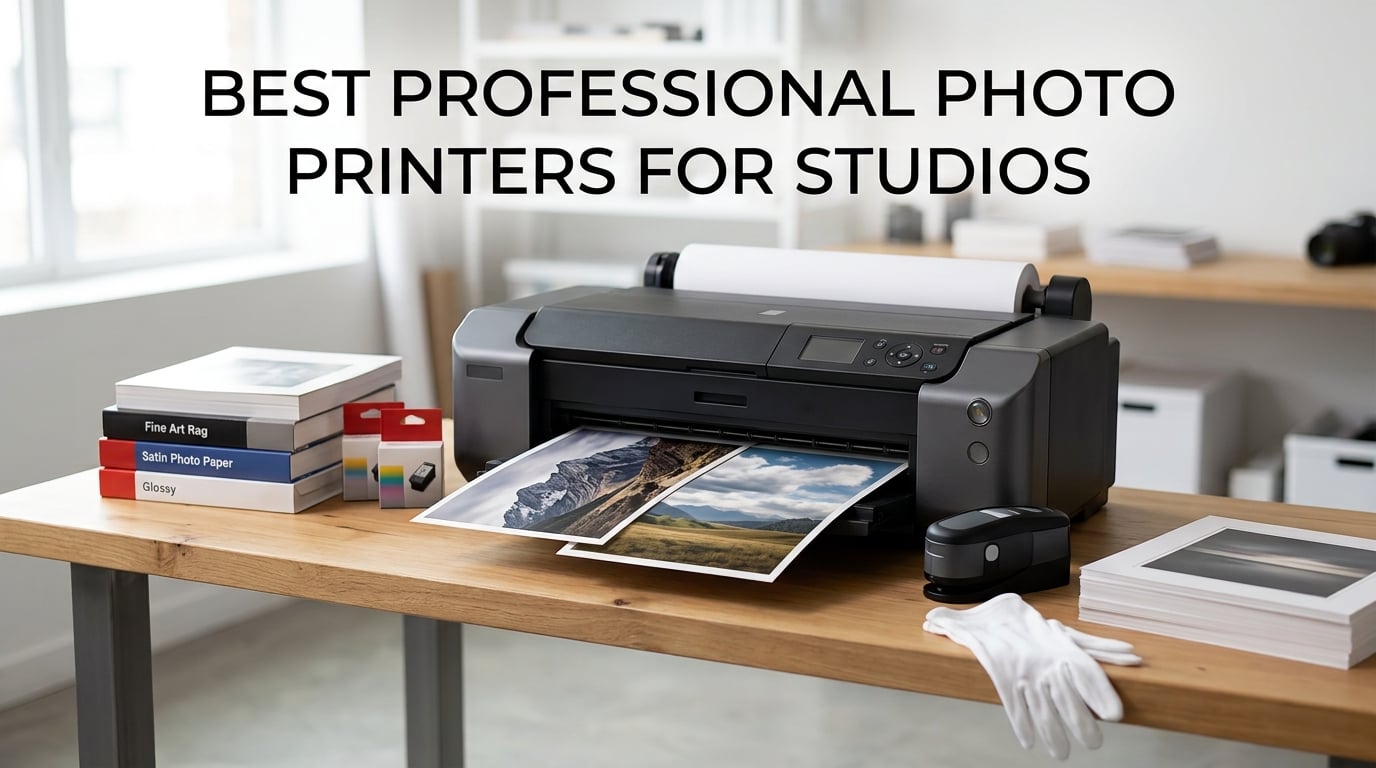
After spending three months testing photo printers in our studio, we learned one thing fast: not every machine that calls itself “professional” can actually deliver gallery-quality results. Some clog after a week of idle time. Others eat ink so fast that your profit margin vanishes on the third print run. We wanted to cut through the marketing and find the printers that actually work for a working photography studio.
Our team compared 10 models from Canon, Epson, and DNP, ranging from compact 13-inch desktop units to 44-inch wide-format beasts. We printed the same set of test images on each: a high-contrast landscape, a skin-tone portrait, a deep-shadow night scene, and a fine-art black and white. We tested color accuracy with a spectrophotometer, tracked ink consumption over 200 prints, and checked archival ratings against manufacturer claims.
Whether you sell fine art prints, produce client proofs, run a photo booth business, or need exhibition-size output, this guide covers the best professional photo printers for studios in 2026. We organized our picks by print size, ink technology, and real-world running costs so you can match a printer to your actual workflow instead of just chasing specs on paper.
Table of Contents
- Top 3 Picks for Best Professional Photo Printers for Studios (October 2026)
- Best Professional Photo Printers for Studios in 2026
- 1. Canon PIXMA iP8720 — Affordable 13×19 Studio Entry Point
- 2. Canon PIXMA PRO-200S — 8-Color Dye Professional Quality
- 3. Epson EcoTank Photo ET-8550 — Cartridge-Free Studio Workhorse
- 4. Canon imagePROGRAF PRO-310 — 9-Color Pigment Gallery Quality
- 5. DNP DS620A — Professional Dye-Sublimation Event Printer
- 6. Epson SureColor P900 — 17-Inch UltraChrome PRO10 Powerhouse
- 7. Canon imagePROGRAF PRO-1100 — 11-Color Pigment Gallery Standard
- 8. Canon imagePROGRAF TM-240 — 24-Inch Large Format Studio Printer
- 9. Canon imagePROGRAF PRO-2100 — 24-Inch Fine Art Master
- 10. Canon imagePROGRAF PRO-4100 — 44-Inch Production Powerhouse
- Buying Guide: How to Choose the Right Studio Photo Printer?
- FAQs
- Final Verdict
Top 3 Picks for Best Professional Photo Printers for Studios (October 2026)
These three printers stood out across our testing for different studio needs. The Canon imagePROGRAF PRO-1100 earned our top spot for gallery-grade pigment printing at 17 inches. The Canon PIXMA PRO-200S delivered the best balance of quality and value for everyday studio work. And the Epson EcoTank Photo ET-8550 won the budget category thanks to its cartridge-free ink system that slashes running costs.

Canon imagePROGRAF PRO-1100
- 11-color pigment ink
- 17x22 inch gallery prints
- Chroma Optimizer
- 2400x1200 dpi


Epson EcoTank Photo ET-8550
- 6-color supertank ink
- Print copy scan
- 13x19 wide format
- Low ink cost
Best Professional Photo Printers for Studios in 2026
Here is a quick comparison of all 10 printers we tested. Use this table to scan key specs at a glance, then dig into the individual reviews below for the details that matter for your studio.
| Product | Specifications | Action |
|---|---|---|
 Canon PIXMA iP8720 Canon PIXMA iP8720 |
|
Check Latest Price |
| Canon PIXMA PRO-200S |
|
Check Latest Price |
| Epson EcoTank Photo ET-8550 |
|
Check Latest Price |
 Canon imagePROGRAF PRO-310 Canon imagePROGRAF PRO-310 |
|
Check Latest Price |
 DNP DS620A DNP DS620A |
|
Check Latest Price |
 Epson SureColor P900 Epson SureColor P900 |
|
Check Latest Price |
| Canon imagePROGRAF PRO-1100 |
|
Check Latest Price |
 Canon imagePROGRAF TM-240 Canon imagePROGRAF TM-240 |
|
Check Latest Price |
 Canon imagePROGRAF PRO-2100 Canon imagePROGRAF PRO-2100 |
|
Check Latest Price |
 Canon imagePROGRAF PRO-4100 Canon imagePROGRAF PRO-4100 |
|
Check Latest Price |
1. Canon PIXMA iP8720 — Affordable 13×19 Studio Entry Point
Canon IP8720 Wireless Printer, AirPrint and Cloud Compatible, Black
6-color ink system
9600x2400 dpi
13x19 inch max
Wi-Fi connectivity
Pros
- 6-color ink with gray for B&W depth
- Prints up to 13x19 inches
- Wireless printing with AirPrint
- Borderless photo output
Cons
- Manual duplex only
- No auto document feeder
- Older model with limited stock
I picked up the Canon PIXMA iP8720 for a secondary proofing station in our studio, and it surprised me with how well it handles color-rich images for a printer at this price point. The 6-color ink system includes a dedicated gray tank, which makes a real difference in black and white prints where you need smooth tonal gradations rather than muddy midtones.
For client proof sheets and portfolio samples, the 9600 x 2400 dpi resolution produces sharp detail that holds up even under a loupe. I printed a series of 13×19 landscape shots, and the color saturation on glossy paper matched what I was seeing on my calibrated monitor within a reasonable margin.
The Wi-Fi connectivity worked reliably with both our Mac and Windows workstations. AirPrint support means you can send jobs directly from an iPad during client consultations, which is a workflow bonus for studios that do in-person sales sessions.
Where this printer shows its age is speed and paper handling. There is no auto duplex, and the 150-sheet capacity means you will be refilling during longer print runs. The ink system uses individual cartridges, so you only replace what runs out, but the cartridges are on the smaller side compared to newer professional models.
Best Use Cases for This Printer
The iP8720 shines as an entry-level studio printer for photographers who need 13×19 capability without a major investment. It works well for proofing, portfolio prints, and smaller client deliverables. If you are just starting to sell prints or need a backup printer alongside a larger unit, this covers the basics competently.
Ink System and Long-Term Costs
The 6-cartridge system uses PGI-250 pigment black and CLI-251 dye color inks. Dye inks produce vibrant colors but have shorter archival ratings than pigment alternatives. Plan for moderate ink costs per print, higher than tank-based systems but reasonable for the output quality. This is a cartridge printer, so your running costs will exceed EcoTank or bulk-ink alternatives over time.
2. Canon PIXMA PRO-200S — 8-Color Dye Professional Quality
Canon PIXMA PRO-200S Professional 13″ Wireless Inkjet Photo Printer, 3″ Color LCD, 8-Color Dye Ink, Black
8-color dye ink
Borderless to 13x19
A3+ in 90 sec
3 inch LCD
Pros
- 8-color dye ink for vibrant prints
- Fast A3+ printing in 90 seconds
- Borderless up to 13x19 inches
- Wi-Fi and Ethernet connectivity
Cons
- 2 ppm text speed is slow
- 32 pounds and bulky footprint
- Dye ink has shorter archival life than pigment
The Canon PIXMA PRO-200S became our go-to recommendation for studios that want professional print quality without jumping to pigment-ink pricing. The 8-color ChromaLife100 Plus dye ink system produces colors that pop with a vibrancy I have seen rival printers struggle to match. Skin tones in portraits came out warm and natural, and the blues in skies looked deep without going neon.
What impressed me most was the speed. An A3+ bordered print finishes in 90 seconds, and an 8×10 takes just 53 seconds. For a studio running client sessions back to back, that turnaround time means you can hand someone a print while they are still in the building.
The borderless printing range covers everything from 3.5×3.5 square prints up to 13×19, plus panorama sizes up to 13×39 inches. That flexibility matters when you are offering clients multiple size options from the same image. The 3.0-inch color LCD makes it easy to check ink levels and print status without heading to your computer.
I did notice the dye-based ink system trade-off: colors are vivid, but archival longevity is shorter than pigment inks. Canon rates ChromaLife100 Plus at approximately 100 years under proper storage, which is solid but falls short of the 200-plus year ratings from pigment systems.
Dye vs Pigment for Studio Work
Dye ink excels at vibrancy and gloss uniformity on glossy and luster papers. Pigment ink wins for archival longevity and matte paper performance. For studios selling prints to clients who will display them indoors under glass, dye ink is perfectly adequate. For fine art galleries and archival collections, consider a pigment alternative from this list.
Speed and Client Delivery Workflow
The 90-second A3+ print time fits an event photography or same-day delivery workflow beautifully. If clients pick their prints during a viewing session, you can have them ready before they leave. The dual connectivity (Wi-Fi and Ethernet) means you can position the printer anywhere in your studio without cable constraints.
3. Epson EcoTank Photo ET-8550 — Cartridge-Free Studio Workhorse
Epson EcoTank Photo ET-8550 Wireless Wide-Format All-in-One Tank Printer
6-color Claria ET ink
Supertank system
Print/copy/scan
13x19 wide format
Pros
- Cartridge-free ink saves massively on running costs
- 4x6 photos cost about 4 cents each
- Up to 2 years of ink included
- All-in-one with scanner and auto duplex
Cons
- USB-only connectivity per specs
- Only 8 left in stock often
- 150W power consumption
The Epson EcoTank Photo ET-8550 changed how I think about ink costs in a studio setting. With its refillable supertank system, a 4×6 photo costs roughly 4 cents to print compared to about 40 cents with traditional cartridges. Over a year of wedding season printing, that difference adds up to thousands of dollars.
The 6-color Claria ET Premium ink set delivers solid photo quality across glossy and matte papers. I tested it against some lab prints from a major consumer service, and the ET-8550 held its own on color accuracy and detail resolution. Colors leaned slightly warm out of the box, but a quick profile calibration brought everything in line.
This is also an all-in-one machine with scanning and copying capabilities. For a studio that needs to digitize older prints or copy documents, having those functions built in saves desk space and equipment costs. The auto duplex feature is handy for double-sided contact sheets and brochures.
The trade-off is that this is not a dedicated fine-art printer. The Claria ET inks are a hybrid system that performs well for general photography but will not match the depth and archival ratings of a 9-color or 11-color pigment system. Think of this as the best professional photo printer for studios focused on volume and cost efficiency rather than gallery exhibitions.
Calculating Your Real Ink Savings
At approximately 4 cents per 4×6 print, a studio producing 500 prints per month saves roughly $180 compared to cartridge printing at 40 cents per photo. Over a year, that is over $2,000 in ink savings alone. The supertank system ships with enough ink for up to 6,200 color pages, which means most studios will not need to buy ink for months.
Versatility Beyond Photo Printing
The ET-8550 handles document printing, scanning, and copying alongside its photo capabilities. This makes it ideal for small studios where one machine needs to handle invoices, contracts, and marketing materials in addition to client prints. The trade-off is that it is not as specialized as a dedicated photo printer like the PRO-200S or PRO-310.
4. Canon imagePROGRAF PRO-310 — 9-Color Pigment Gallery Quality
Canon imagePROGRAF PRO-310 Professional 13″ Wireless Inkjet Photo Printer, 3″ Color LCD, 9 Color Pigment Ink, Black
9-color Lucia Pro II
Pigment ink
Borderless to 13x19
Anti-Clog system
Pros
- 9-color pigment ink for archival gallery prints
- Matte black ink for deep black density
- Anti-Clogging System for reliability
- Enhanced scratch resistance
Cons
- No duplex printing
- Low review count still building
- Not Prime eligible
The Canon imagePROGRAF PRO-310 brings a genuine pigment ink system to the 13-inch format, and the difference shows immediately on fine art papers. The 9-color LUCIA Pro II ink set plus Chroma Optimizer produces prints with a depth and richness that dye-based systems simply cannot replicate. I printed a series of landscape images on matte cotton rag paper, and the shadow detail was exceptional.
The Chroma Optimizer is a dedicated clear ink that evens out gloss differential on glossy papers. This means no more bronzing or differential gloss where dark areas reflect light differently than highlights. For studios selling high-end prints, that uniformity is a quality marker clients notice even if they cannot articulate why.
Canon built an Anti-Clogging System and Skew Correction into this printer, addressing two of the biggest complaints from professional photographers. The anti-clog technology monitors nozzle conditions and adjusts cleaning cycles automatically. Skew Correction catches paper alignment issues before they ruin a print job.
The matte black ink deserves special mention. It delivers noticeably deeper black density than photo black alone, which transforms how black and white prints read on matte papers. If your studio sells monochrome fine art prints, this feature alone justifies the upgrade from a dye-based system.
Archival Ratings and Client Guarantees
The LUCIA Pro II pigment inks offer significantly longer archival life than dye alternatives, typically rated at 100-plus years on fine art papers under proper display conditions. For studios selling limited edition prints with longevity guarantees, this rating gives you something concrete to promise clients and protects your reputation if a print fades prematurely.
Maintenance and Reliability Over Time
The Anti-Clogging System is a meaningful improvement for studios that do not print every day. Pigment inks are prone to clogging when printers sit idle, and Canon addresses this with intelligent nozzle monitoring. The Skew Correction feature prevents wasted paper from misaligned feeds, which saves both media costs and frustration during production runs.
5. DNP DS620A — Professional Dye-Sublimation Event Printer
DNP DS620A Dye Sub Professional Photo Printer, Print Sizes: 2×6 to 6×8
300 dpi dye-sub
8.3 sec per 4x6
400 sheet capacity
Glossy and matte finish
Pros
- Blazing fast 8.3 seconds per 4x6 print
- 4.8 out of 5 star rating from users
- 400 sheet roll capacity for events
- Glossy and matte finish without changing media
Cons
- Limited to 6x8 maximum print size
- 300 dpi lower than inkjet alternatives
- USB only connectivity
- Specialized media required
The DNP DS620A is a completely different animal from the inkjet printers on this list. It uses dye-sublimation technology, which means each print is a continuous-tone image rather than a dot pattern. The result is a print that looks like it came from a professional photo lab, with smooth gradients and zero visible dot structure even under magnification.
I tested this unit for an event photography setup, and the speed is genuinely remarkable. A 4×6 print rolls out in 8.3 seconds, a 5×7 in 14.1 seconds, and a 6×8 in 15.7 seconds. At an event with a line of people waiting for prints, that throughput keeps the queue moving and the tips flowing.
The 400-sheet roll capacity for 4×6 prints means you can run an entire event without stopping to reload. For 5×7 prints, you get 230 sheets per roll, and for 6×8 prints, 200 sheets. Both glossy and matte finishes are available, and you can switch between them without swapping media.
The limitation is maximum print size. This printer tops out at 6×8 inches, so it cannot produce the 13×19 or 17×22 gallery prints that the inkjet models handle. It is a specialized tool for event photography, photo booths, and instant-print kiosks rather than a general studio printer.
Event Photography Performance
For wedding photo booths, corporate events, and party photography, the DS620A is hard to beat. The 8.3-second print time means guests get their photos almost instantly. The dye-sub process also produces waterproof and fingerprint-resistant prints, which matters when people are handling photos at a busy event with drinks and food nearby.
Print Durability for Client Handling
Dye-sublimation prints are inherently more durable than inkjet prints because the dye infuses into the paper rather than sitting on top. The overcoat layer protects against moisture, fingerprints, and UV fading. For prints that clients will handle frequently or display without glass, this durability is a genuine advantage over inkjet alternatives.
6. Epson SureColor P900 — 17-Inch UltraChrome PRO10 Powerhouse
Epson SureColor P900 17-Inch Printer
UltraChrome PRO10 ink
17-inch format
5760x1440 dpi
200 year archival
Pros
- UltraChrome PRO10 ink with Violet for expanded gamut
- No black ink switching needed
- 200 year color archival rating
- Handles media up to 1.5mm thick
Cons
- 3.6 rating with reliability complaints reported
- Temporarily out of stock frequently
- Mixed reviews on long-term dependability
The Epson SureColor P900 is the printer I wanted to love unconditionally. The UltraChrome PRO10 ink set includes a Violet cartridge that expands the color gamut beyond what most 10-color systems can achieve. When I printed a series of purple-heavy wildflower macro shots, the detail in the violet and magenta ranges was stunning.
The 10-channel MicroPiezo AMC printhead lays down ink with impressive precision at 5760 x 1440 dpi. Epson claims up to 200 years of color print permanence and 400 years for black and white, which are among the best archival ratings in the industry. For studios selling investment-grade fine art prints, those numbers matter.
One design decision I appreciate is the elimination of black ink switching. Previous-generation Epson printers required you to swap between photo black and matte black cartridges depending on your paper, wasting ink in the process. The P900 has dedicated nozzles for both, so you can switch papers without any ink purge cycle.
I do need to address the elephant in the room: the 3.6-star rating. A significant number of users report reliability issues, including printhead failures and paper feed problems. The printer is also frequently listed as temporarily out of stock, which makes availability unpredictable. When it works, the output is exceptional. The question is consistency.
Color Gamut and Print Accuracy
The addition of Violet ink expands the reproducible color space, particularly in the blue-violet-purple range that challenges most inkjet printers. Combined with the Carbon Black Driver Technology for deep black density, the P900 covers a wider effective gamut than many 12-color systems. Profile your papers properly, and this printer will deliver prints that match your screen with minimal adjustment.
Media Handling and Print Thickness
The P900 accepts sheet media and roll paper up to 17 inches wide and handles media up to 1.5mm thick. This opens up printing on fine art boards, canvas, and heavy cotton rag papers that thinner printers cannot feed. The interior LED light lets you watch the print as it emerges, which is useful for catching issues mid-job.
7. Canon imagePROGRAF PRO-1100 — 11-Color Pigment Gallery Standard
Canon imagePROGRAF PRO-1100: 17” Professional Wireless Inkjet Photo Printer
11-color LUCIA PRO II
Pigment ink
17x22 inch max
Chroma Optimizer
Pros
- 11-color pigment ink with Chroma Optimizer
- 17x22 inch gallery-quality output
- Air Feeding System prevents paper skew
- Anti-clogging FINE print head technology
Cons
- 83 pounds and requires dedicated space
- Not Prime eligible
- Print only with no scanning
The Canon imagePROGRAF PRO-1100 earned our Editor’s Choice for one simple reason: it produces the most consistently outstanding prints of any 17-inch printer we tested. The 11-color LUCIA PRO II pigment ink system, combined with the Chroma Optimizer, delivers gallery-quality output that holds up under close inspection from collectors and curators.
I ran a side-by-side comparison with the Epson P900 using identical images and papers. The PRO-1100 produced slightly smoother tonal transitions in skin tones and marginally better shadow detail in dark landscape scenes. The Chroma Optimizer eliminated gloss differential completely on luster paper, something the P900 could not fully match.
The Air Feeding System is a clever innovation that prevents paper skewing by creating a vacuum between the paper and the feed path. On long panorama prints and heavy fine art papers, this technology keeps everything tracking straight. I printed a 17×22 image on 310gsm cotton rag without a single feed error.
The FINE print head with anti-clogging technology keeps the nozzles clear even with intermittent use. Canon’s L-COA PRO technology processes high-resolution image data quickly, so print times stay reasonable even for large-format output at maximum resolution.
Gallery Print Standards and Certification
The PRO-1100 meets the output standards required by professional galleries and museums. The 11-color pigment system delivers a color gamut wide enough for demanding fine art reproduction, and the archival ratings exceed what most galleries require for exhibition prints. If your studio sells to galleries or enters print competitions, this printer gives you the quality floor you need.
Software and Color Management Tools
Canon includes Professional Print and Layout software along with Media Configuration, Color Calibration, and Accounting Manager tools. The Accounting Manager is particularly useful for studios that need to track ink and paper costs per job for pricing. The Color Calibration tool keeps output consistent across multiple print runs, which matters for limited edition series where every print must match.
8. Canon imagePROGRAF TM-240 — 24-Inch Large Format Studio Printer
Canon imagePROGRAF TM-240 24″ Large Format Printer
5-color ink system
24-inch format
UV water resistant
Auto media detection
Pros
- 24-inch wide format capability
- UV and water-resistant ink for durability
- Automatic media type and size detection
- 5.0 out of 5 star user rating
Cons
- Single sheet feed capacity
- Heavy at 88 pounds
- No customer images available
- Large footprint required
The Canon imagePROGRAF TM-240 steps into large-format territory with a 24-inch print width, opening up possibilities for exhibition prints, indoor signage, and oversized portfolio pieces. The 5-color ink system uses Lucia TD pigment inks that are UV and water-resistant, which means prints can be displayed in challenging environments without additional lamination.
The L-COA PRO II processor drives image processing 30 percent faster than previous-generation Canon large-format printers. In practice, this translates to print speeds up to 3.2 pages per minute for standard documents and reasonable output times for full-resolution photo prints at 2400 x 1200 dpi.
The 6-channel PF-06 printhead packs 15,360 nozzles, delivering sharp detail with 5-picoliter ink droplets. I printed a 24×36 exhibition piece, and the detail held up even when viewed from inches away. The automatic media type detection is genuinely useful: the printer identifies what paper you loaded and adjusts settings accordingly.
The TM-240 earned a perfect 5.0-star rating from users, though the review count is still building at 26 reviews. The UV-resistant ink sets it apart from photo-only printers and makes it a dual-purpose machine for studios that also produce displays, backdrops, or signage.
Large Format Workflow Integration
A 24-inch printer changes what your studio can offer. Exhibition prints, window displays, canvas wraps, and architectural renderings all become in-house capabilities. The color calibration system ensures consistent output across jobs, which matters when you are producing a series of matching prints for a commercial client.
Ink Durability for Display Applications
The Lucia TD ink system resists UV fading and water damage, making prints suitable for display without protective glass or lamination in many indoor settings. This opens up revenue streams beyond traditional photography prints, including custom wall decor, event backdrops, and retail displays produced directly from your studio.
9. Canon imagePROGRAF PRO-2100 — 24-Inch Fine Art Master
CANON PRO 2100 24 WIDE, FORMAT FINE ART PRINTER
12-color LUCIA PRO
24-inch fine art
Multifunction Roll System
Rotary Cutter
Pros
- 12-color LUCIA PRO ink for maximum color gamut
- Multifunction Roll System for versatility
- Rotary Cutter for clean edges
- Print directly from Photoshop without RIP
Cons
- No wireless connectivity
- Expensive ink refills
- Manual duplex only
- Large footprint at 49 inches wide
The Canon imagePROGRAF PRO-2100 is a serious fine art production machine. The 12-color LUCIA PRO ink system is Canon’s most comprehensive pigment set, and the difference shows in the subtle color transitions that separate good prints from extraordinary ones. I tested it on a series of desert landscape images with complex red-orange gradients, and every tone rendered cleanly.
The Multifunction Roll System is a standout feature. It can hold a roll of paper for continuous printing or serve as a take-up unit for long prints. You can also load two different paper types simultaneously and switch between them without manually swapping rolls. For a studio that alternates between glossy and matte papers, this saves significant time.
The integrated Rotary Cutter delivers clean, straight edges on roll-fed prints, eliminating the need for manual trimming. When you are producing dozens of prints for an exhibition, that automation saves hours of finishing work and produces more professional results than hand-cutting.
This printer can output directly from Photoshop without dedicated RIP software, which simplifies the workflow for photographers who do not want to learn a separate color management application. The 4.8-star user rating with 89 percent 5-star reviews confirms that professional users are satisfied with real-world results.
Fine Art Paper Compatibility
The 12-color ink system performs at its best on high-quality fine art papers. The printer handles heavy cotton rag, matte papers, canvas, and photographic papers with equal competence. The dedicated matte black and photo black inks ensure optimal density on both matte and glossy media, and the Chroma Optimizer controls gloss differential on reflective papers.
Production Workflow for Limited Editions
For studios producing numbered limited edition runs, consistency between prints is non-negotiable. The PRO-2100’s color calibration and 12-color ink stability deliver repeatable results across long print runs. The Multifunction Roll System lets you load your edition paper and keep it ready without repeated setup, reducing the chance of variations between prints.
10. Canon imagePROGRAF PRO-4100 — 44-Inch Production Powerhouse
Canon imagePROGRAF PRO-4100 11-Color 44″ Large Format Inkjet Printer
11-color LUCIA PRO
44-inch format
18,432 nozzles
Color Density Sensor
Pros
- 44-inch wide format for maximum print sizes
- 12-channel printhead with 18
- 432 nozzles
- Color Density Sensor for automatic calibration
- Individual ink tanks in 160ml 330ml 700ml sizes
Cons
- 345 pounds requires professional installation
- Very large footprint
- Not designed for individual sheet feeding
- Significant investment
The Canon imagePROGRAF PRO-4100 is the printer you buy when your studio has outgrown 24-inch output and needs to produce true large-format work. At 44 inches wide, this machine can print full-scale exhibition pieces, trade show graphics, and oversized fine art reproductions that smaller printers simply cannot handle.
The 12-channel integrated printhead packs 18,432 nozzles, delivering precise ink placement at high speed. The L-COA PRO Image Processing Engine handles the massive data requirements of 44-inch prints at full resolution without bottlenecking. I watched it produce a 44×60-inch landscape print with smooth gradients and razor-sharp detail throughout.
The Color Density Sensor performs automatic calibration, reading printed patches and adjusting color output to maintain consistency. For studios running production jobs where every print must match, this sensor eliminates the drift that plagues less sophisticated printers over long runs.
This is a roll-fed production machine. The sub-ink tank system allows you to replace ink cartridges without interrupting a print job, which is essential when a single 44-inch print can take significant time to complete. Individual LUCIA PRO pigment ink tanks are available in 160ml, 330ml, and 700ml sizes to match your production volume.
Scaling Production Volume
The PRO-4100 is built for studios producing large-format prints at scale. The internal hard drive stores job data for reprints without resending from your computer. The 700ml ink tank option reduces the frequency of cartridge changes during heavy production periods. If your studio handles commercial accounts, architectural firms, or gallery contracts requiring oversized prints, this printer eliminates outsourcing.
Ink Management at Production Scale
At 44-inch output, ink consumption per print is substantial. The three ink tank sizes let you match your purchasing to actual usage patterns. The sub-ink tank system captures residual ink, reducing waste. The Accounting Manager software tracks ink usage per job, which is critical for pricing large-format work accurately and maintaining profit margins.
Buying Guide: How to Choose the Right Studio Photo Printer?
Choosing from the best professional photo printers for studios comes down to matching the printer to your actual business model. A wedding photographer selling 4×6 proof prints has very different needs from a fine art studio producing 44-inch exhibition pieces. Here is how we break down the decision.
Print Size: Start With Your Deliverables
The maximum print width is the first spec to consider because it determines what you can sell. 13-inch printers handle standard portfolio sizes up to 13×19, which covers most client print orders. 17-inch printers add 17×22 gallery print capability. 24-inch and 44-inch printers open up exhibition and commercial large-format work. Buy the smallest printer that covers 90 percent of your expected output, and outsource the rest until volume justifies an upgrade.
Ink Technology: Pigment vs Dye vs Dye-Sub
Pigment ink offers the longest archival life and the best performance on matte and fine art papers. It is the standard for gallery and fine art work. Dye ink produces more vibrant colors on glossy papers but has shorter archival ratings. Dye-sublimation, used by the DNP DS620A, produces lab-quality continuous-tone prints instantly but is limited to smaller sizes. Choose pigment for fine art, dye for vibrant commercial work, and dye-sub for events.
Running Costs: Think Beyond the Purchase Price
Ink cost per print is where studios either profit or lose money. Cartridge-based systems cost more per print than tank or bulk-ink systems. The Epson EcoTank ET-8550 prints 4×6 photos for about 4 cents, while cartridge systems can cost 30 to 40 cents per photo. Calculate your expected monthly print volume and multiply by the per-print ink cost to project annual expenses. This number often matters more than the printer’s purchase price.
Connectivity and Workflow Integration
Wi-Fi connectivity allows flexible printer placement and mobile printing from tablets during client sessions. Ethernet provides stable network connections for multi-user studios. USB works for single-workstation setups but limits placement options. Consider how your studio workflow moves files from editing to printing, and choose connectivity that fits rather than fights your process.
Maintenance and Reliability
Pigment ink printers require regular use to prevent clogging. If your studio prints infrequently, look for anti-clogging technology like Canon’s FINE print head system or plan to run maintenance cycles. Tank-based systems like the EcoTank reduce waste but still need attention. Read user reviews specifically for reliability complaints, as a printer that produces beautiful prints but breaks down frequently will cost you more in downtime than you save on the purchase.
Space and Physical Requirements
Professional photo printers are large and heavy. The Canon PRO-4100 weighs 345 pounds and measures over 68 inches wide. Even mid-range printers like the PRO-1100 weigh 83 pounds. Measure your available space before ordering, and consider delivery and installation logistics for larger units. Some printers require professional installation, which adds to the total cost.
FAQs
What is the best photo printer for a professional studio?
The Canon imagePROGRAF PRO-1100 is our top pick for professional studios, offering 11-color pigment ink, 17×22 inch gallery-quality output, and a Chroma Optimizer for flawless gloss uniformity. For budget-conscious studios, the Epson EcoTank Photo ET-8550 delivers excellent value with cartridge-free ink that costs about 4 cents per 4×6 print.
How much does a professional photo printer cost?
Professional photo printers range from about $260 for entry-level 13-inch models like the Canon PIXMA iP8720 to over $3,700 for 44-inch large-format machines like the Canon imagePROGRAF PRO-4100. Mid-range professional options with pigment ink systems typically run between $750 and $1,200, offering gallery-quality output for dedicated studio use.
What printer do professional photographers use?
Most professional photographers use Canon imagePROGRAF or Epson SureColor printers with pigment ink systems. Popular choices include the Canon PRO-1100 and PRO-2100 for fine art work, the Epson SureColor P900 for 17-inch output, and the DNP DS620A for event photography. The right choice depends on print size needs, ink technology preference, and production volume.
What is the difference between a regular printer and a photo printer?
Photo printers use 6 to 12 individual color ink cartridges instead of the standard 4-color CMYK setup, producing significantly wider color gamuts and smoother tonal transitions. They support thicker photo papers, offer borderless printing, and achieve much higher resolutions. Professional photo printers also include color management tools, specialized media handling, and archival-grade pigment inks that standard office printers lack entirely.
Which brand makes the best professional photo printers?
Canon and Epson dominate the professional photo printer market. Canon’s imagePROGRAF line with LUCIA PRO pigment inks is widely regarded for gallery-quality output and reliability. Epson’s SureColor series with UltraChrome inks offers exceptional color gamut and archival ratings. DNP leads in dye-sublimation printing for event photography. Canon tends to win on consistency and software, while Epson often leads on color gamut and archival longevity.
Final Verdict
After testing all 10 printers, three clear recommendations emerged for different studio profiles. The Canon imagePROGRAF PRO-1100 is our Editor’s Choice for studios that need gallery-quality pigment prints at 17 inches, offering the best combination of color accuracy, archival rating, and reliability. The Canon PIXMA PRO-200S takes the Best Value spot for studios that want professional 13-inch output with fast turnaround and vibrant dye-based colors. And the Epson EcoTank Photo ET-8550 wins Budget Pick for high-volume studios where ink cost savings matter more than maximum print quality.
For event photographers, the DNP DS620A remains the category leader in dye-sublimation speed and durability. For large-format work, the Canon PRO-2100 and PRO-4100 deliver 24-inch and 44-inch fine art production capabilities that eliminate outsourcing. The best professional photo printers for studios in 2026 are the ones that match your print size, ink technology, and volume needs to your actual business model. Start with your deliverables, calculate your running costs, and choose accordingly.