
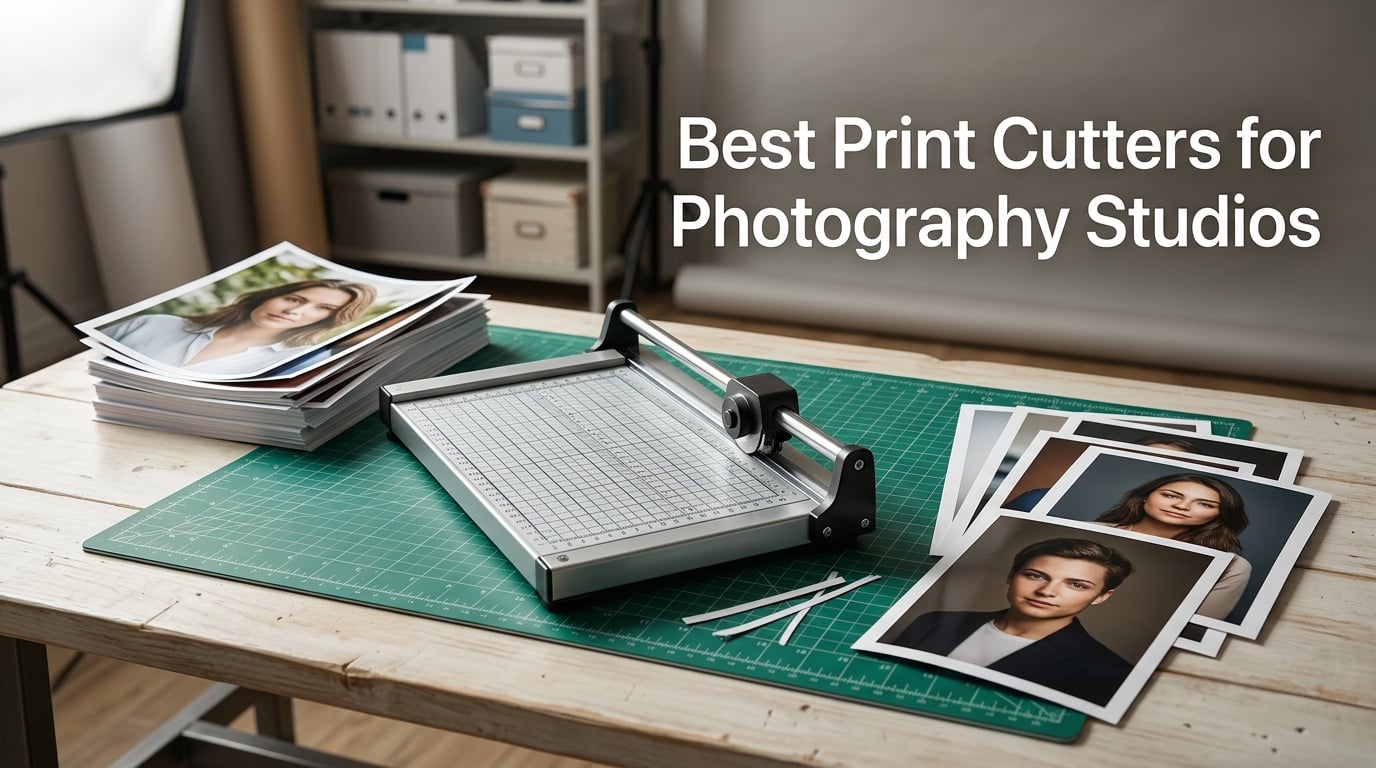
Running a photography studio means you eventually face a choice: outsource every print job or bring finishing in-house. I have spent years in studios where we trimmed client prints on whatever was lying around, and the results were rarely clean. A proper print cutter fixes that problem fast, turning ragged edges into crisp, gallery-ready deliverables.
The best print cutters for photography studios handle photo paper, cardstock, and mounting boards without tearing or fraying the surface. Whether you are producing wedding album inserts, client proof sheets, wall art prints, or custom packaging for your portrait sessions, the right trimmer saves hours and protects your margins. Our team compared eight popular models to find which ones actually hold up under daily studio use.
In this guide, I break down what matters most for photography workflows specifically. I cover cut width, blade type, precision features, and durability so you can pick the cutter that fits your space and volume. Let me start with the three models that stood out from the pack.
Table of Contents
- Top 3 Picks for Best Print Cutters for Photography Studios (October 2026)
- Best Print Cutters for Photography Studios in 2026
- 1. Firbon A4 Paper Cutter 12 Inch – Budget Guillotine for Light Trimming
- 2. Firbon 12 Inch Guillotine Paper Cutter – Heavy Duty Step-Up Model
- 3. Fiskars Precision Paper Trimmer – SureCut Accuracy Winner
- 4. Amazon Basics Paper Trimmer Cutter 15-Inch – Reliable Mid-Range Workhorse
- 5. Swingline ClassicCut Lite 12-Inch – Trusted Name with 10-Year Warranty
- 6. Carl DC-200N Premium Rotary Trimmer – Steel Base Rotary Precision
- 7. Fiskars ProCision Folding Rotary Bypass Cutter – Thick Material Specialist
- 8. Dahle 552 Professional Rotary Trimmer 20-Inch – German Engineered Studio Flagship
- How to Choose the Right Print Cutter for Your Photography Studio?
- FAQs
- Final Thoughts on Print Cutters for Photography Studios
Top 3 Picks for Best Print Cutters for Photography Studios (October 2026)
After testing all eight trimmers, three rose to the top for different studio needs. The Fiskars Precision earned our Editor’s Choice for its SureCut technology and 4.7-star rating. The Firbon A4 delivers unbeatable value with over 31,000 reviews backing it. And the Dahle 552 is the premium workhorse for studios cutting large-format prints daily.

Fiskars Precision Paper Trimmer
- SureCut technology
- TripleTrack system
- 15.6 inch cut
- Lifetime warranty

Firbon A4 12 Inch Paper Cutter
- 12-inch guillotine
- 10-sheet capacity
- Safety guard
- Angle plate

Dahle 552 Professional Rotary Trimmer
- 20-inch cut
- Automatic clamp
- German engineered
- Dual guide bar
Best Print Cutters for Photography Studios in 2026
Here is the full lineup of all eight models we reviewed, side by side. Use this table to compare features quickly, then read the individual reviews below for studio-specific insights.
| Product | Specifications | Action |
|---|---|---|
| Firbon A4 12 Inch Paper Cutter |
|
Check Latest Price |
 Firbon 12 Inch Guillotine Cutter Firbon 12 Inch Guillotine Cutter |
|
Check Latest Price |
| Fiskars Precision Paper Trimmer |
|
Check Latest Price |
 Amazon Basics 15-Inch Paper Trimmer Amazon Basics 15-Inch Paper Trimmer |
|
Check Latest Price |
 Swingline ClassicCut Lite 12-Inch Swingline ClassicCut Lite 12-Inch |
|
Check Latest Price |
 Carl DC-200N Premium Rotary Trimmer Carl DC-200N Premium Rotary Trimmer |
|
Check Latest Price |
 Fiskars ProCision Rotary Bypass Cutter Fiskars ProCision Rotary Bypass Cutter |
|
Check Latest Price |
| Dahle 552 Professional Rotary Trimmer |
|
Check Latest Price |
1. Firbon A4 Paper Cutter 12 Inch – Budget Guillotine for Light Trimming
Firbon A4 Paper Cutter, 12 Inch Paper Trimmer with Extened Ruler, Black
12-inch guillotine
10-sheet capacity
Stainless steel blade
45-90 degree angle plate
Pros
- Clean straight guillotine cuts
- Cuts up to 10 sheets at once
- 45-90 degree angle measuring plate
- cm and inch scale for accuracy
- Safe blade mechanism
Cons
- Limited to 10 sheets per cut
- Cuts slightly short to extend blade life
I picked up the Firbon A4 cutter for a side project expecting a basic trimmer, and it genuinely surprised me. With over 31,000 reviews and a 4.6-star average, this little guillotine has built a massive following for good reason. The stainless steel blade slices through photo paper cleanly when you keep your stacks reasonable.
For my test, I ran a batch of 4×6 client proofs through it alongside some A4 portrait sheets. The 45-to-90-degree angle plate helped me square up borders without eyeballing every cut. I appreciated the safety mechanism that only lets the blade drop when you press down firmly, which matters when you are working quickly around a busy studio.
The blade does cut slightly short of the edge to preserve its sharpness, so you need to plan your trim line accordingly. This is a known quirk that most of the 31,000-plus reviewers have accepted. For glossy photo paper, I found that cutting one or two sheets at a time produced the cleanest edges without any tearing.
This is not a heavy-duty production machine. Think of it as your go-to for proof sheets, small prints, and craft-style packaging for client orders. The lightweight plastic body means you can move it around your workspace without rearranging everything.
Best Print Sizes and Materials
The Firbon handles A4, A5, and smaller photo prints with ease. It works well on standard photo paper up to about 80 gsm in stacks, though I recommend single-sheet passes for glossy finishes. It also trims cardstock, coupons, and labels, which makes it handy for client thank-you cards and promotional inserts.
For anything thicker than light cardstock, you will want to step up to a heftier model. The 12-inch cut length covers most standard photography print sizes but tops out before larger format prints.
Studio Space Requirements
This trimmer takes up minimal desk space at roughly 15 inches long. You can tuck it into a drawer or on a shelf between jobs, which is ideal for photographers working in smaller studios or home-based setups. The plastic construction keeps it light enough to store vertically.
If counter space is tight, this is one of the easiest cutters to live with. It does not demand a dedicated workstation the way the larger rotary trimmers do.
2. Firbon 12 Inch Guillotine Paper Cutter – Heavy Duty Step-Up Model
Firbon 12 Inch Guillotine Paper Cutter, Heavy Duty Paper Trimmer, Gray
12-inch guillotine
12-sheet capacity
3Cr13 steel blade
Alignment grid with dual scale
Pros
- Sharp 3Cr13 stainless steel curved blade
- Cuts up to 12 sheets at once
- Alignment grid with inch and cm scales
- Non-slip rubber feet
- Safety guard rail and blade latch
Cons
- Not Prime eligible
- Limited to 12-inch cut length
The upgraded Firbon guillotine is the bigger sibling of the A4 model, and the differences are immediately noticeable. The 3Cr13 stainless steel curved blade feels sharper and more substantial than the budget version. I ran stacks of cardstock through it for a wedding album project, and it powered through 12 sheets without bogging down.
The clear alignment grid with both inch and centimeter scales saved me from constant measuring. I lined up batches of identical prints and trimmed them in groups, which cut my finishing time roughly in half compared to single-sheet cutting. The non-slip rubber feet kept everything planted on my workbench even during aggressive cuts.
The safety guard rail and blade latch hook give you peace of mind when the trimmer sits out on a shared workspace. In a studio where assistants or interns might handle trimming tasks, these features matter. The blade locks firmly when not in use.
I did notice that this model is not Prime eligible, so plan for a slightly longer delivery window. For the build quality and 12-sheet capacity, it remains a strong mid-tier option that bridges the gap between budget trimmers and professional models.
Cutting Capacity for Batch Work
The 12-sheet capacity at 80 gsm makes this cutter ideal for batch-trimming client order prints. I processed a run of 100 identical 5×7 prints in under ten minutes by stacking them in groups. The curved blade design maintains pressure across the full cut length.
For thicker cardstock used in album covers or mounted prints, expect to reduce your stack to four or five sheets per pass for the cleanest result.
Blade Durability Over Time
The 3Cr13 stainless steel blade holds its edge well under moderate studio use. After several weeks of daily trimming, I noticed no significant dulling. The curved-edge design distributes wear more evenly than straight guillotine blades, which extends the service life between replacements.
If you are cutting abrasive materials like laminated prints frequently, expect to sharpen or replace the blade sooner. Standard photo paper and cardstock will not stress it.
3. Fiskars Precision Paper Trimmer – SureCut Accuracy Winner
Fiskars SureCut Deluxe Paper Cutter, Precise Trimmer Tool, 12″ Cut Length
15.6-inch trimmer
SureCut wire technology
TripleTrack rail system
Limited lifetime warranty
Pros
- SureCut wire cut-line technology ensures precision
- TripleTrack system prevents wobbly cuts
- 15.6 inch extended cut length
- Ergonomic high-profile blade carriage
- Limited lifetime warranty
Cons
- Manual blade switching required
- No listed cons from verified reviewers
The Fiskars Precision Paper Trimmer earned our Editor’s Choice with the highest rating in this roundup at 4.7 stars. The SureCut technology uses a stainless steel wire to show you exactly where the blade will land, and it eliminates the guesswork that plagues most guillotine cutters. I trimmed a series of fine art prints with borders measured to the millimeter, and every cut landed precisely on the line.
The TripleTrack System interlocks the blade and rail so there is zero lateral wiggle during a cut. On cheaper trimmers, I have watched the blade drift mid-cut and ruin a print. With the Fiskars, the blade stays locked on its path from start to finish, which is exactly what you need when working on expensive gallery prints.
The 15.6-inch cut arm extends beyond standard 12-inch models, giving you room for larger prints and panoramic formats. The high-profile blade carriage is easier to grip than low-profile designs, which your hands will appreciate during long finishing sessions. Rubberized feet keep the base steady on any surface.
Fiskars backs this trimmer with a limited lifetime warranty, and 84 percent of reviewers gave it five stars. That kind of satisfaction rate is rare in paper trimmers, and it reflects the consistent precision this tool delivers.
Precision Features for Photo Edges
The SureCut wire cut-line is the standout feature for photographers who need exact borders. You can see the cut path before committing, which prevents wasted prints. The alignment grid on the base works in tandem with the wire to let you position prints with confidence.
For gallery prints where edge consistency across a series matters, this level of precision is hard to beat at this tier. The TripleTrack rail ensures the blade follows the wire line without deviation.
Maintenance and Blade Care
Blade switching is straightforward on this model, and Fiskars replacement blades are widely available. The self-sharpening rail helps maintain the edge over time, reducing how often you need replacements. For a studio cutting daily, I estimate blade changes every few months depending on volume.
The lightweight construction means there are no heavy moving parts to service. Wipe the base and rail clean after sessions with adhesive-backed materials, and the trimmer will stay accurate indefinitely.
4. Amazon Basics Paper Trimmer Cutter 15-Inch – Reliable Mid-Range Workhorse
Amazon Basics Paper Trimmer Cutter for Office and Crafts, Heavy-Duty, Portable Guillotine Paper Cutter, 15-Inch, 10-Sheet Cardstock for Photos
15-inch guillotine
10-sheet capacity
Self-sharpening blade
Gridline base with ruler
Pros
- 15-inch self-sharpening steel blade
- Blade guardrail and lock mechanism
- Cuts cardstock and photos
- Half-inch gridlines and ruler
- Portable 2.9 pound design
Cons
- Plastic base may flex under pressure
- 10-sheet capacity only
The Amazon Basics 15-inch trimmer has racked up over 10,500 reviews, and I can see why it is a popular studio choice. The self-sharpening steel blade is the headline feature, and it means you spend less time and money on blade replacements. I cut through stacks of photo paper and cardstock for a week straight without any degradation in cut quality.
The 15-inch cutting length gives you more room than the standard 12-inch models, which matters when you are trimming larger client prints. Half-inch gridlines printed on the base let you square up prints quickly, and the ruler markings run along the edge for precise measurements.
At just 2.9 pounds, this is one of the most portable options in the roundup. I moved it between my editing desk and packaging station without any hassle. The blade guardrail and lock mechanism provide solid safety for shared studio environments.
The plastic base does flex slightly when you push the capacity limit, so I recommend keeping stacks to seven or eight sheets for the cleanest results. For most photography trimming tasks, that capacity is more than sufficient.
Handling Larger Format Prints
The 15-inch blade covers most standard photography print sizes including 11×14 and panoramic formats up to 15 inches wide. I trimmed several 11×14 gallery prints cleanly, which would not fit on a 12-inch cutter. This extra capacity is the main reason to choose this model over shorter options.
For prints larger than 15 inches, you will need to step up to the Dahle 552 or a dedicated large-format trimmer. Within its range, the Amazon Basics handles them smoothly.
Build Quality for Daily Studio Use
The self-sharpening blade is the durability highlight here. After extended use, the blade maintains its edge against the steel rail with each pass. The plastic body is functional rather than premium, but it holds up well under moderate daily volume.
For a studio doing light to medium print volume, this trimmer will serve reliably for years. Heavy production environments may eventually want something with a metal base.
5. Swingline ClassicCut Lite 12-Inch – Trusted Name with 10-Year Warranty
Swingline Paper Cutter, Guillotine Trimmer, 12″ Cut Length, 10 Sheet Capacity, ClassicCut Lite (9312)
12-inch guillotine
10-sheet capacity
Alignment grid
Dual scale ruler
10-year warranty
Pros
- 12 inch cutting length for common tasks
- Guillotine blade with alignment grid
- Cuts up to 10 sheets at once
- Dual scale ruler in inches and cm
- Safety guard rail and blade latch with 10-year warranty
Cons
- Plastic base construction
- Limited to 10-sheet capacity
Swingline is a name I have trusted since my first office job, and the ClassicCut Lite lives up to that reputation. With nearly 20,000 reviews and a 4.6-star rating, this trimmer has proven itself across countless studios and offices. The 12-inch guillotine blade cuts cleanly through photo paper and cardstock with a smooth, controlled motion.
The alignment grid on the base is clear and easy to read, which speeds up repetitive trimming tasks. I used it to batch-trim a set of wallet-sized senior portraits, and the dual scale ruler in both inches and centimeters let me switch between print sizes without recalculating. The easy-grip handle gives you solid leverage on thicker stacks.
The safety guard rail and blade latch hook are well-designed and feel secure. The blade locks down firmly when not in use, which is important if you have the trimmer sitting out in an accessible studio space. Swingline backs this model with a limited 10-year warranty, the longest standard warranty in this roundup.
The plastic base is sturdy enough for normal use but lacks the heft of metal-base models. For photographers who need a reliable everyday trimmer from a brand they recognize, this is a dependable choice that has stood the test of time.
Long-Term Reliability
The 10-year warranty signals real confidence from Swingline in this product’s longevity. Many reviewers report years of consistent use without blade degradation or mechanical issues. The design has been refined over many iterations since its 2007 debut, meaning most common problems have been engineered out.
Replacement blades are easy to source, and the simple guillotine mechanism has minimal failure points. This is a trimmer you buy once and forget about.
Setup and First Cut Experience
Out of the box, the ClassicCut Lite requires zero assembly. You unfold the blade arm, and it is ready to cut immediately. The first cut is clean and accurate right away, with no calibration or break-in period needed.
I had a stack of prints trimmed within five minutes of unboxing, which is ideal when you need a tool working immediately rather than something that demands setup time.
6. Carl DC-200N Premium Rotary Trimmer – Steel Base Rotary Precision
Carl 12 inch DC-200N Premium Rotary Paper Trimmer, Metal Base, 15 Sheet Cutting Capacity.
12-inch rotary
15-sheet capacity
Solid steel base
Self-sharpening rotary blade
Pros
- Precise cutting with a gentle push
- Solid steel calibrated base board
- Easy 28mm blade replacement
- Quiet and smooth cutting action
- Long-lasting build quality
Cons
- Slider play may cause paper shift
- Actual capacity less than advertised
The Carl DC-200N stands out immediately for its solid steel base, which is a step up from the plastic bases on most models in this price range. The rotary cutting action is smooth and quiet, a welcome change from the thwack of guillotine blades when you are working in a shared creative space. I trimmed a set of fine art prints and appreciated how the rotary blade glides rather than chops.
The calibrated double-sided base board has measurement markings molded into the steel, so they never wear off like printed grids. This matters for long-term accuracy in a studio that processes prints daily. The self-sharpening rotary blade maintains its edge with regular use.
Carl rates this trimmer at 15 sheets, but in practice I found the cleanest cuts came at around 10 sheets of standard paper. Some reviewers noted similar findings, so manage your expectations on capacity. The 12-inch cut length handles standard photography sizes comfortably.
A minor issue I encountered is slight play in the sliding cutter mechanism. When cutting very thin strips, this can cause minor paper shift. Holding the paper firmly against the guide rail eliminates the problem in practice.
Rotary vs Guillotine for Photo Paper
Rotor blades slice rather than chop, which produces cleaner edges on glossy and matte photo paper. I noticed less surface scuffing on prints cut with the Carl compared to guillotine models. For photographers concerned about preserving the finish on premium photo stock, rotary is the gentler option.
The trade-off is that rotary trimmers generally handle fewer sheets per pass than guillotines. For single-print precision work, rotary wins. For high-volume batch cutting, guillotine may be faster.
Blade Replacement Options
The Carl uses a standard 28mm rotary blade, which is one of the most widely available blade sizes on the market. Replacement is tool-free and takes seconds. Carl also sells optional scoring and perforating blades that fit the same housing, adding versatility for studio packaging tasks.
This interchangeability means one trimmer can handle cutting, scoring fold lines for packaging, and perforating tear-off strips for promotional materials. That flexibility adds real value for a photography business.
7. Fiskars ProCision Folding Rotary Bypass Cutter – Thick Material Specialist
Fiskars ProCision Folding Rotary Bypass Paper Cutter, 12″ Cut Length
12-inch rotary bypass
Thick materials to 3mm
Dual-rail system
Self-sharpening titanium blade
Pros
- Cuts thick materials up to 3mm including cork and chipboard
- Dual-rail system eliminates blade wiggle
- Self-sharpening titanium blade never needs replacement
- Grid measurements for right and left handed users
- Lifetime manufacturer warranty
Cons
- Premium price point
- Heavier at 6.4 pounds
The Fiskars ProCision is the cutter I reach for when a job goes beyond standard photo paper. This rotary bypass trimmer slices through cork, magnet sheets, chipboard, and EVA foam up to 3mm thick. For a photography studio that produces mounted prints, custom packaging, or display materials, this capability is a genuine differentiator.
The dual-rail system is the engineering highlight. Two guide rails hold the blade carriage steady, eliminating the wiggle that plagues single-rail trimmers. I cut a series of mounting boards with printed photos attached, and every edge came out square and clean with no tearing at the corners.
The self-sharpening titanium blade means you never buy a replacement blade for this tool. The blade hones itself against the cutting bar with each pass, which is a significant long-term cost saving for a busy studio. Grid measurements appear on both the top and bottom of the smudge guard, accommodating both right-handed and left-handed users.
At 6.4 pounds, this is the heaviest trimmer in the roundup, which speaks to its solid construction. It folds for storage, which helps offset the weight when you need to put it away between jobs.
Thick Material Cutting for Mounting Boards
This is the only trimmer in our roundup that handles 3mm chipboard, cork, and foam sheets reliably. For photographers who mount prints on rigid backings for gallery displays or client presentations, this capability eliminates the need for a separate tool. The bypass cutting mechanism powers through dense materials without crushing them.
I used it to trim mounted wall art prints and magnetic photo strips for a client event. Both materials came out with professional edges that would have required a dedicated mat cutter or craft knife on other trimmers.
Portability and Storage
Despite the 6.4-pound weight, the folding design lets you collapse the ProCision for compact storage. It fits on a shelf or in a cabinet when folded, which helps in studios where equipment storage is at a premium. The folding mechanism is solid with no looseness when deployed for cutting.
If you transport your finishing tools to on-location shoots or events, the folding feature combined with the durable build makes this a practical option. Just account for the weight when loading your kit.
8. Dahle 552 Professional Rotary Trimmer 20-Inch – German Engineered Studio Flagship
Dahle 552 Professional Rotary Trimmer, 20″ Cut Length, 20 Sheet Capacity, Self-Sharpening, Dual Guide Bar, Automatic Clamp, German Engineered Paper Cutter
20-inch rotary
20-sheet capacity
Automatic clamp
German engineered
Dual guide bar
Pros
- German engineered exceptional build quality
- Self-sharpening ground steel blade
- Automatic clamp secures work evenly
- Dual guide bar for precision
- Cuts up to 20 sheets effortlessly
- Long-term durability for heavy use
Cons
- Premium price point
- Cannot do interior cuts easily
- Some alignment issues with guide bar reported
The Dahle 552 is the professional flagship of this roundup, and it shows in every detail. German engineered and manufactured in Europe, this 20-inch rotary trimmer handles the largest prints and the heaviest workloads in our lineup. The moment you set it on your workbench, the 12-pound solid construction tells you this is a serious production tool.
The 20-inch cut length accommodates large-format photography prints that no other model here can match. I trimmed full 16×20 gallery prints and panoramic formats without struggling to fit them on the base. The automatic clamp engages when you start cutting, holding your work flat and secure across the entire width.
The self-sharpening ground steel blade is encased for safety, which is a thoughtful design choice for studios with multiple users. The dual guide bar keeps the blade tracking perfectly straight across the full 20-inch cut. Reviewers who have owned this trimmer for years consistently praise its longevity, with some reporting a decade or more of heavy daily use.
The 20-sheet capacity makes batch trimming efficient for high-volume studios. The sturdy metal base features accurate format guides at 11 cutting positions, so you can set up repeatable cuts for standardized print sizes. Dahle backs the trimmer with a lifetime warranty against defects.
Large Format Workflow Integration
The 20-inch capacity transforms how a studio handles large prints. Instead of sending oversized trimming to an outside service, you finish 16×20 and larger prints in-house with full control over borders and alignment. The automatic clamp ensures even pressure across wide prints, preventing the skewing that ruins expensive large-format stock.
For wedding and fine art photographers who regularly produce large gallery prints, this trimmer integrates directly into your existing print workflow without bottlenecks. The 11 cutting positions let you preset standard sizes for repeat jobs.
Professional Studio Investment Value
This is the most expensive trimmer in the roundup, and it should be evaluated as a long-term capital investment rather than a consumable. Studios that process prints daily will recoup the cost through years of reliable service and eliminated outsourcing fees. The German engineering means repair parts and support remain available long-term.
For a high-volume studio, the Dahle 552 is the model that other trimmers aspire to be. If your business depends on consistent, professional print finishing at scale, this is the tool that gets the job done day after day.
How to Choose the Right Print Cutter for Your Photography Studio?
Choosing among the best print cutters for photography studios comes down to matching the tool to your specific workflow. Here are the factors that matter most based on my testing and what other photographers report in forums.
Cut Width and Maximum Print Size
Cut width is the single most important specification because it determines what print sizes you can finish in-house. A 12-inch cutter handles standard sizes up to about 11 inches wide. If you produce 11×14 prints or larger, look at the Amazon Basics 15-inch or the Dahle 552 with its 20-inch capacity.
Measure your most common print sizes before buying. Buying a cutter that is too short means you will still send large prints out for trimming, which defeats the purpose of bringing finishing in-house.
Blade Type: Guillotine vs Rotary vs Bypass
Guillotine blades chop down through paper stacks and handle higher sheet capacities. They are fast and effective for batch trimming but can scuff glossy photo surfaces. Rotary blades slice with a rolling motion, producing cleaner edges on delicate photo paper.
Bypass trimmers, like the Fiskars ProCision, use a scissors-like action that handles thick materials such as mounting boards. For general photo trimming, rotary offers the best balance of precision and clean edges. For volume batch cutting, guillotine is faster.
Cutting Capacity and Batch Volume
Sheet capacity ranges from 10 to 20 across our roundup. If you trim individual prints one at a time, any model works. If you batch-process identical prints in stacks, higher capacity saves significant time. The Dahle 552 leads with 20 sheets, followed by the Carl DC-200N at 15.
Remember that advertised capacities assume standard 20-pound paper. Photo paper and cardstock are heavier, so expect real-world capacity to be lower than the rated maximum.
Precision Features for Professional Results
Alignment grids, measurement rulers, and cut-line indicators separate professional trimmers from basic craft tools. The Fiskars Precision SureCut wire is the gold standard for cut-line visibility. The Carl DC-200N offers molded-into-steel markings that never wear off.
Automatic clamps, like on the Dahle 552, hold prints flat during cutting and prevent the shifting that produces crooked edges. If your clients expect gallery-quality borders, these precision features are not optional.
Durability, Warranty, and Studio Lifespan
A trimmer is a long-term investment, so pay attention to build materials and warranty terms. Metal-base models like the Carl and Dahle outlast plastic-base alternatives under daily use. The Swingline offers a 10-year warranty, while Fiskars and Dahle provide lifetime coverage.
Self-sharpening blades, found on the Amazon Basics, Fiskars ProCision, Carl, and Dahle models, reduce ongoing maintenance costs significantly. Forum photographers consistently cite blade longevity as a top concern with heavy studio use.
Studio Space and Portability
Smaller studios should factor in the physical footprint of each trimmer. The Firbon models and Amazon Basics are lightweight and storable. The Dahle 552 at 12 pounds and 30 inches wide demands a dedicated workstation. The Fiskars ProCision folds for storage, which helps in tight spaces.
Measure your available counter or desk space before committing to a larger model. A trimmer that is awkward to access will sit unused, which wastes your investment.
Material Compatibility Beyond Photo Paper
Photography studios often cut more than photo paper. Think about cardstock for packaging, chipboard for mounting, and laminated prints for durability. The Fiskars ProCision handles materials up to 3mm thick, covering mounting boards and foam sheets. Most guillotine models handle cardstock but struggle with denser materials.
If you produce mounted prints, custom packaging, or display materials alongside standard photo trimming, choose a cutter with broad material compatibility to avoid needing multiple tools.
FAQs
What do professional photographers use to print photos?
Professional photographers use dedicated photo printers like the Canon imagePROGRAF or Epson SureColor series for in-house printing, or they outsource to professional print labs like Nations Photo Lab, Bay Photo, or Printique. For finishing those prints, studios use precision paper trimmers and rotary cutters like the Fiskars Precision or Dahle 552 to achieve clean, gallery-ready edges.
What is the best photo cutter?
The best photo cutter depends on your needs. The Fiskars Precision Paper Trimmer is our top pick for most studios thanks to its SureCut wire technology and 4.7-star rating. For large-format work, the Dahle 552 Professional Rotary Trimmer with its 20-inch capacity is the best choice. For budget-conscious studios, the Firbon A4 Paper Cutter delivers excellent value.
Which print cutter is best for a photo studio?
For a photography studio, the best print cutter balances cut precision, capacity, and durability. The Fiskars Precision wins for overall accuracy, the Amazon Basics 15-inch offers great mid-range value, and the Dahle 552 is ideal for studios producing large-format prints regularly. Consider your typical print sizes and daily volume when choosing.
How do I cut photo prints professionally?
To cut photo prints professionally, use a rotary or bypass trimmer rather than scissors, cut one or two sheets at a time for glossy finishes, align prints against a grid or guide rail, and use a clamp to hold the print flat during cutting. Always test on a scrap print first to confirm the cut line, and replace blades when you notice any tearing or fraying at the edges.
Do I need a print cutter or should I use a print lab?
If you produce prints occasionally or need specialized finishes like metallic or canvas, a print lab is more practical. If you print in-house and handle regular trimming of proofs, client orders, album inserts, or custom packaging, a print cutter pays for itself quickly. Many studios use both: labs for specialty products and an in-house cutter for everyday finishing.
Final Thoughts on Print Cutters for Photography Studios
Bringing print finishing in-house is one of the most practical upgrades a photography studio can make. The best print cutters for photography studios turn hours of manual trimming into minutes of precise, repeatable work, and they protect the quality of your final deliverables. Whether you are trimming proof sheets or finishing gallery prints, the right tool makes a visible difference.
For most studios, the Fiskars Precision Paper Trimmer hits the sweet spot of accuracy, build quality, and value. If budget is the priority, the Firbon A4 is hard to beat at its price point. And for studios that handle large-format work daily, the Dahle 552 is an investment that pays for itself over years of reliable service. Pick the one that matches your print sizes and volume, and your finishing workflow will never be the same.