
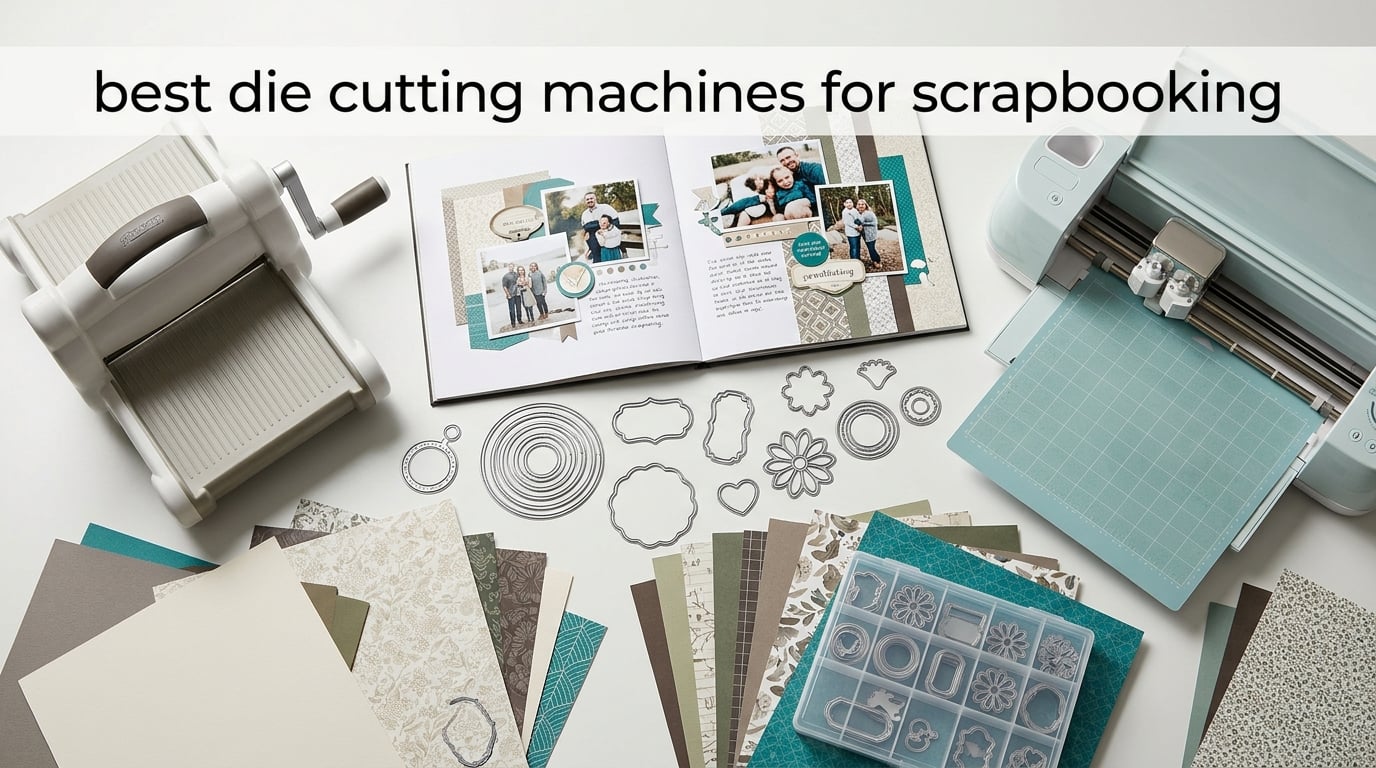
A die cutting machine is a tool that presses a metal die through material, or drives a computer-controlled blade along a digital file, to produce clean, repeatable shapes for scrapbook pages. If you have ever traced a title by hand and hoped the pencil marks stayed hidden under a photo, a machine removes that gamble entirely. We spent six weeks working through the current crop of manual and electronic cutters with 12×12 patterned paper, cardstock, chipboard and felt to work out which ones actually belong in a scrapbooking room.
This roundup covers the best die cutting machines for scrapbooking right now, from a hand-crank machine you can fold into a drawer to an electronic cutter with a built-in scanner and a 12 x 12 inch mat in the box. We scored each one on the things scrapbookers actually run into: how much paper fits through the opening, whether the cut is clean on the first pass, whether it embosses, and what the running costs look like once cutting pads start to wear out.
Two things shaped our list more than any spec sheet. First, page size. A standard scrapbook page is 12 x 12 inches, and a 6 inch opening means every full page gets trimmed before it goes through, which adds a step to every layout. Second, the die ecosystem. Spending the same amount on two machines does not give you two sets of dies, so a machine that only reads its own brand’s dies is a real long-term cost. We explain how we weighed both in the buying guide further down.
If your interest leans toward cutting vinyl and heat transfer for craft projects rather than paper layouts, our guide to the best vinyl cutting machines for crafters covers a different set of trade-offs.
Table of Contents
- Top 3 Die Cutting Machines for Scrapbooking in 2026
- Best Die Cutting Machines for Scrapbooking at a Glance in 2026
- 1. Brother ScanNCut SDX125E – Best Overall for Scrapbooking
- 2. Sizzix Big Shot Starter Kit – Best Manual All-Rounder
- 3. Sizzix Sidekick Starter Kit – Best Portable Machine
- 4. Cricut Joy Xtra – Best Die Cutting Machine for Beginners
- 5. Find Scrapblooms 6 Inch Manual Kit – Best for Travel
- 6. Find Scrapblooms A5 Gift Box Kit – Best All-in-One Bundle
- 7. Joelver Maker 9 Inch Manual Machine – Best Wide Opening
- 8. CraftGenes 6 Inch Manual Machine – Best for Deep Embossing
- 9. BiraBira Die Cutting and Embossing Machine – Best for Intricate Dies
- 10. Spellbinders Platinum – Best Die Compatibility
- Manual vs Electronic Die Cutters: Which Suits Scrapbooking Better?
- What to Look For When Buying a Die Cutting Machine for Scrapbooking
- Scrapbooking Details That Decide the Purchase: 12×12 Paper, Photo-Safe Materials and Die Storage
- Frequently Asked Questions
- Which Die Cutting Machine Should You Buy for Scrapbooking?
Top 3 Die Cutting Machines for Scrapbooking in 2026
The Brother ScanNCut SDX125E takes the top slot for scrapbooking because its 144 square inch active area and included 12 x 12 inch mat handle a full page without trimming, and the built-in scanner removes the guesswork from turning a printed sheet into stickers. The Sizzix Big Shot Starter Kit is the manual machine we recommend to the most people, holding a 4.7 rating across hundreds of owners and arriving with dies, a folder and cardstock in the box. The Cricut Joy Xtra is the easiest machine to start on, and it is the only one here that draws and foils alongside cutting.

Best Die Cutting Machines for Scrapbooking at a Glance in 2026
Every machine below is listed with the specification that matters most to a scrapbook layout. Read the opening width column first, because it decides how often you trim a full page before cutting.
| Product | Specifications | Action |
|---|---|---|
| Brother ScanNCut SDX125E |
|
Check Latest Price |
 Sizzix Big Shot Starter Kit Sizzix Big Shot Starter Kit |
|
Check Latest Price |
 Sizzix Sidekick Starter Kit Sizzix Sidekick Starter Kit |
|
Check Latest Price |
 Cricut Joy Xtra Cricut Joy Xtra |
|
Check Latest Price |
 Find Scrapblooms 6 Inch Manual Kit Find Scrapblooms 6 Inch Manual Kit |
|
Check Latest Price |
 Find Scrapblooms A5 Gift Box Kit Find Scrapblooms A5 Gift Box Kit |
|
Check Latest Price |
 Joelver Maker 9 Inch Manual Machine Joelver Maker 9 Inch Manual Machine |
|
Check Latest Price |
 CraftGenes 6 Inch Machine CraftGenes 6 Inch Machine |
|
Check Latest Price |
 BiraBira Die Cutting Machine BiraBira Die Cutting Machine |
|
Check Latest Price |
 Spellbinders Platinum Spellbinders Platinum |
|
Check Latest Price |
1. Brother ScanNCut SDX125E – Best Overall for Scrapbooking
Brother SDX125E ScanNCut Electronic Cutting Machine Scanner
144 sq in active area
5 inch touchscreen
Cuts up to 3mm
1 year limited warranty
Pros
- Widest working area in this roundup with a 12 x 12 inch mat in the box
- Built-in scanner turns drawings and printed sheets into cut files
- Automatic blade sensor removes blade depth setup
- Cuts paper to chipboard foam felt and balsa
- 682 built-in designs and 9 fonts
Cons
- Carries the highest cost of any machine in this roundup
- Needs a dedicated 120V surface so it is not portable
- Fine cuts on scrapbook paper still need test cuts
The thing that sets this machine apart for scrapbooking is area, not blade power. With 144 square inches of active surface and a standard 12 x 12 inch tack mat included, a full patterned sheet goes on the mat and stays on the mat for the whole cut. On every machine with a 6 inch opening we tested, that same page had to be trimmed in half and repositioned, which is fine for a card front and annoying for a double-page spread.
The built-in scanner is the second reason it ranks first. Owners draw or print a motif, slide it under the lid, and the machine converts it to a cut file that cuts printed stickers directly. That removes a step most electronic workflows need, and reviewers single out the scanner and the automatic material sensor as the features that made the purchase worthwhile.
The DX auto blade with its material sensor also removes the blade depth guessing that trips up new owners of other electronic machines. The 5 inch touchscreen lets you nudge placement on the mat before committing, and the built-in library covers 100 quilting patterns and 9 fonts, so a plain page can be decorated without opening a computer.
Material range is genuinely wide. The specification lists paper, vinyl, fabric, balsa wood, chipboard, foam and felt up to 3mm, and owners report clean chipboard letters as well as paper elements from the same machine. USB and wireless connectivity let you add your own files and free patterns when the built-in library runs out.
What you need to know before you buy
This is a desktop machine, not a portable one. It runs on 120 volts and measures 20.9 inches wide, so it claims a permanent spot on a craft table rather than a shelf. Plan the table footprint before you order.
Scrapbook paper still benefits from a test cut. Owners report that adhesion between the mat and thin patterned paper decides whether a fine detail releases cleanly, and the machine does not eliminate that step. Budget for a few sacrificial sheets of cardstock at the start.
Who should buy something else
If your crafting is mostly small cards, labels and gifts, the working area is generous for the job and you are paying for width you will not use. The Cricut Joy Xtra covers the same everyday projects at a fraction of the footprint.
Buyers who moved up from a manual crank tend to frame this as an automation purchase rather than a quality upgrade. What you are buying is repeatability and the scanner, not a cleaner edge. If repeatability is not the bottleneck in your process, a manual crank is the better value.
2. Sizzix Big Shot Starter Kit – Best Manual All-Rounder
Sizzix Big Shot Starter Kit (6″), White/Grey
6 inch opening
Metal body and gearing
Cuts and embosses
12.6 lbs machine
Pros
- Highest rating in this roundup at 4.7 with 85 percent five-star reviews
- Arrives with dies a folder pads and 40 sheets of cardstock
- Metal gearing holds up under years of regular use
- Handles cardstock tissue felt cork and balsa
- Works with Thinlits dies and embossing folders from other brands
Cons
- At 12.6 pounds it is heavy to move between rooms
- Thin embossing folders may need a shim to feed cleanly
- Cutting plates scratch and dull with use
The Big Shot is the machine most scrapbookers already recognise, and the starter kit version removes the usual first-day friction. In the box you get the machine, a cutting pad pair, the standard platform, a thin die adapter, a 10 pack of Thinlits dies, a multi-level embossing folder and 40 sheets of core colour cardstock. That is enough to make a finished layout before you buy a single additional die.
Build quality is the argument. The body and gearing are metal, not the all-plastic construction used by several budget manual machines here, and owners commonly report units lasting many years of daily cutting. Reviewers who work in craft retail and have handled most of the manual machines on the market point to the smaller Sidekick in the same family as the portable favourite, and the general read across craft forums is that Sizzix manual machines hold their value well.
The 6 inch opening is the compromise. It is wide enough for card fronts, journaling spreads, stencilling, stickering, quilting and small gift boxes, and it is the reason we still recommend this over a 2.5 inch machine. It is not wide enough for an untrimmed 12 x 12 page, so full-page work needs a trim first.
Material handling surprised us in a good way. The specification lists tissue and cardstock alongside felt, cork and balsa wood, so the same machine covers a paper layout and a cork embellishment without a second tool. It cuts and embosses in one pass, which saves a full sandwich cycle on title elements.
What you need to know before you buy
Weight is the practical issue. At 12.6 pounds plus a wide platform, this is a machine that lives in one room. If your craft space is a shared table that has to be cleared every evening, consider the folding options further down the list.
Two maintenance habits keep it performing. Thin embossing folders can need a shim to feed without a crease across the result, and the cutting plates pick up scratches and roughness over time. Reviewers who replace plates before they get rough report a cleaner cut and a noticeably easier feed.
Who should buy something else
If you have limited hand strength, a full crank across a 15.75 inch wide body is tiring over a long session. The BiraBira and the 6 inch manual kits on this list use a gear mechanism that changes how much force reaches the sandwich, and reviewers with grip issues report more comfort there.
Full-page scrapbooking is the other case. If most of what you make is 12 x 12 layout rather than cards, a 6 inch opening means a permanent trimming step. The Brother on this list removes that step entirely.
3. Sizzix Sidekick Starter Kit – Best Portable Machine
Sizzix Portable Manual Die Cutting & Embossing Machine for Arts & Crafts, Scrapbooking & Cardmaking, 2.5” Opening, One Size, Tim Holtz Sidekick Starter Kit
2.5 inch opening
2.6 pounds
Suction seal base
Manual crank
Pros
- Lightest manual machine here and fits in a drawer or a craft bag
- Suction base grips a smooth table while you crank
- Cuts 300gsm card cleanly and handles small intricate dies
- Owners report three to four years of daily use from the plates
- Works with Thinlits dies and Framelits dies
Cons
- 2.5 inch opening limits you to small dies only
- Suction cups lose grip on very smooth or uneven surfaces
- Handle rolls toward you which some users find awkward
At 2.6 pounds, the Sidekick is the machine that comes to a class, a crop night or a kitchen table. It measures 3.75 by 7.8 by 5.5 inches and the suction base grips a smooth surface so you can crank with one hand while the other holds the plate stack. Nothing in the kitchen needs to come off the counter first.
The honest framing is that this is a companion machine, not a replacement. With a 2.5 inch opening, anything wider than 2.5 inches or longer than 5 inches will not fit, so a page title, a large frame or a full card base is out of reach. What it does well is small intricate dies, border strips and layering detail, and reviewers frequently report using it more than their larger machine.
Cut quality at that size is good. It handles 300gsm card cleanly, which is heavier than most patterned scrapbook paper, and small details come out sharp because there is less material to push through. Compatibility covers Sizzix Thinlits dies, Framelits dies and embossing folders up to 2.5 inches wide.
Durability is a genuine strength here. Owners report three to four years of daily use on the cutting plates, and the machine is simple enough that there is little to break. A small minority of one-star reviews describe jamming and dies sticking in the plates, which usually traces back to a stack that was not quite square.
What you need to know before you buy
Surface matters more than with a weighted machine. The suction cups hold well on a flat laminate or wood table and lose grip on glass or a textured surface, so test it on your actual workspace before you commit to it as your only machine.
Plan for it to be a second machine. Owners who pair the Sidekick with a full-size machine describe the arrangement as natural: the small machine handles detail dies and borders while the larger one takes the full panel. The most common complaint by a wide margin is the 2.5 inch limit, not quality.
Who should buy something else
If you have never owned a die cutting machine and your goal is 12 x 12 layouts, start somewhere else. You would be buying the most restricted opening on this list as your first tool.
For a first machine in a small space, the 6 inch manual kits on this list fold or carry more easily than the 12.6 pound Big Shot and accept standard dies and folders. They are the better starting point when the machine will live in a cupboard between sessions.
4. Cricut Joy Xtra – Best Die Cutting Machine for Beginners
Cricut Joy Xtra – Smart Cutting Machine | Digital Content Bundle
95.94 square inch area
250 g weight
Cuts draws and foils
1 year warranty
Pros
- Cuts draws and foils in one machine through the Design Space app
- 250 g body is the lightest machine in this roundup
- Works with 50 plus materials including vinyl iron-on cardstock and stickers
- Print-Then-Cut handles full color stickers with most inkjet printers
- Free Design Space library includes 3000 plus images and 100 plus fonts
Cons
- Design Space and the optional Cricut Access subscription are needed for most designs
- Cuts a single sheet at a time with no multi-layer sandwich system
- Fine point blade and small area limit thick or large projects
The Joy Xtra is the shortest path from opening the box to a finished page. There is no plate stack to learn and no crank to pull. You load a sheet, pick a design in the Design Space app, and the machine cuts it. For someone starting scrapbooking in 2026 with no die collection, that removes nearly all of the early friction that makes people give up.
It also does more than cut. The same machine draws with a pen and applies foil, so titles, borders and hand-lettered style elements come from one device rather than three. Print-Then-Cut is the feature scrapbookers will use most: print a sheet on any compatible inkjet printer, stick it back on the standard mat, and the machine cuts only the printed marks with registration marks included.
The bundle includes the machine, fine-point blade, fine point pen, mini weeder, welcome card, USB cable, power adapter, practice materials and a Cricut Access trial for new subscribers. The free Design Space library already carries 3000 plus images and 100 plus fonts, which is enough to decorate a full set of pages before you touch a subscription.
Size is the quiet advantage. At 250 g it is the lightest machine on this list, and owners mention the quiet automatic operation as much as the size. In an apartment or a shared house it is the machine you can run at night without a neighbour knocking.
What you need to know before you buy
The software is part of the product, and that is a real commitment. Design Space is required for most designs, and owners who came from a manual machine rank the learning curve as the main reason for the 4.4 average rather than something closer to 5. Budget time for the first afternoon in the app.
There is also a single-sheet limit. The 95.94 square inch area handles one standard sheet per pass with no multi-layer sandwich system, so anything requiring stacked materials has to be done in stages. Combined with the fine-point blade, that rules out chipboard, heavy cardstock and thick fabric.
Who should buy something else
Buy a manual machine instead if you already own a large collection of brand-name metal dies. The Joy Xtra works from digital designs and does not read Thinlits or steel rule dies, so an existing die investment is worth nothing to it.
For heavy materials or large chipboard elements, move up within the electronic range or choose a manual machine with a wide opening. We cover the current Cricut lineup in more detail in our roundup of the best Cricut machines for crafters.
5. Find Scrapblooms 6 Inch Manual Kit – Best for Travel
6inch Manual Die Cutting Machine Kit, A5 Embossing Machine with Beginner Accessories for Scrapbooking Starter,Cardmaking,Paper Craft (Blue)
6 inch opening
Carbon steel internals
Takes A5 paper
No power required
Pros
- Carbon steel internals outlast the all-plastic budget machines
- 6 inch opening passes A5 paper and most standard dies
- Light enough for kids to use and to move between rooms
- Accepts dies and folders from many different vendors
- Plate stacking method is documented for both jobs
Cons
- Instructions are poorly written so first-time users struggle with plate order
- B plate warps after a few uses and can be hard to feed
- Small dies may need a second pass to cut through
This is the machine we would hand to someone who wants a full width 6 inch manual platform without buying a name brand machine. The internal frame is carbon steel rather than plastic, and that single choice is the difference between a machine that survives a few years of scrapbooking and one that cracks at the roller housing. Buyers who compared it against a more expensive machine they returned tend to rate this one favourably.
The plate stack follows the standard convention, with a 13mm base plate, a 5mm plate and 3mm plates. The documented stacks are simple: 13mm plus two 3mm plates plus a folder and paper for embossing, and 13mm plus 5mm plus paper plus die plus 3mm for cutting. Once that order clicks, the machine behaves predictably.
It handles most of what a scrapbook page needs. A 6 inch opening takes A5 sized paper and the standard dies and embossing folders sold across the market, and because it accepts third-party dies you are not locked into one brand’s catalogue. That matters more over five years than the difference in cut speed between manual machines.
Buyers also mention that it is light enough to move around the house and usable by children, which makes it a reasonable first machine for a family craft table. No electricity is required, so it works anywhere in the room.
What you need to know before you buy
Documentation is the weak point. Owners repeatedly report struggling to work out the plate order from the supplied instructions, and the fix is to look up a sandwich diagram before your first cut. Allow twenty minutes for that and the rest of the experience is straightforward.
The thin B plate warps after a few uses, which is common to acrylic plates across this class of machine. Flipping the plate over restores a flat feeding surface, and having a spare plate on hand avoids a ruined layout mid-project. Small dies can also need two passes to cut fully through.
Who should buy something else
If embossing is the main event rather than cutting, the BiraBira on this list uses a height adjustment gear instead of plate combinations, which removes the guessing that causes the complaints above. Deep embossing is also where the CraftGenes earns its place.
If you already own a machine and are unhappy with it, a second entry-level crank rarely fixes the problem. Reviewers who returned pricier machines for weak pressure tend to be satisfied with a carbon steel frame, which is the argument for this model, but the same frustration with a different brand is common.
6. Find Scrapblooms A5 Gift Box Kit – Best All-in-One Bundle
Find Scrapblooms Manual Die Cutting Machine,Embossing Machine for Card Making Crafting, 6″ Opening(Gift Box)
6 inch opening
ABS and steel body
Kits included in box
A5 paper
Pros
- Complete kit with cardstock dies stamps folders and every plate thickness
- ABS body with a steel roll system beats plastic-only machines
- Very light and compact so it travels to classes
- Two magnetic plates included which is unusual in this class
- Owners report card quality comparable to a full-size Big Shot
Cons
- Dies must run face down to avoid cutting the plate
- Acrylic plates warp slightly and need flipping
- Small 6 inch opening limits larger projects
The difference with this kit is what arrives in the box. You get 10 cardstock sheets, 2 die cut sets, 1 clear stamp set, 2 embossing folders, 2 of the 3mm plates, a 5mm plate, a 13mm plate and a magnet sheet. That is a full first project without a shopping trip, which makes it a strong gift as well as a sensible first purchase.
The body is ABS with carbon steel internals and a steel roll system, and the result is more cutting and embossing pressure than plastic-only machines of the same size. Reviewers who already own a Big Shot and a Gemini Jr. frequently rate this one as their favourite of the three, citing clean cuts, low weight and the accessory bundle rather than raw size.
Carrying is the practical win here. It is light and compact with a handle designed to be picked up, so it moves to a craft class or a weekend away without needing its own case. The 6 inch opening takes A5 paper easily, which covers card fronts, small scrapbook layouts and tag work.
Two magnetic plates are included, and that detail is unusual at this level. They help keep thin dies from shifting in the sandwich, which is one of the more common reasons small intricate dies fail to cut cleanly on manual machines.
What you need to know before you buy
Die orientation takes practice. The dies have to run face down so the cutting edge does not contact the plate, and getting that wrong on the first pass leaves a mark in the acrylic. Practice on scrap card until the orientation is automatic.
Acrylic plates warp slightly with use and need flipping, the same maintenance reality as the other manual machines on this list. Keep a spare 3mm plate if you cut often, because a warped plate can refuse to feed and stop a layout session outright.
Who should buy something else
Those who want to grow into quilting or large panel work should look at the 9 inch machine further down, which takes nearly all standard folders and dies in one pass. A 6 inch opening is a card and small layout size, not a page size.
If you already own a working 6 inch manual machine, this is a duplication rather than an upgrade. The bundle is compelling for a first purchase or a gift, and less compelling as a second machine in the same room.
7. Joelver Maker 9 Inch Manual Machine – Best Wide Opening
Joelver Maker Manual Die Cutting Machine,9″ Openning, Scrapbooking Machine Starter kit
9 x 12 inch active area
Manual hand crank
Folds flat
9 inch opening
Pros
- Widest manual opening in this roundup at 9 inches
- 9 by 12 inch active area suits scrapbook pages
- Takes nearly all standard embossing folders and dies from the market
- Folds flat and needs no batteries or electricity
- Starter set includes 20 plus steel dies folders and cutting pads
Cons
- Widest manual opening in this roundup means a heavy 19 pound body
- Plastic construction rather than metal
- No customer photos to gauge real-world cut quality
Width is the entire argument for this machine. A 9 by 12 inch active area is the closest any manual crank machine here comes to a full scrapbook page, and it means a title strip, a long border or a large frame element goes through in one pass instead of being split and reassembled. The 9 inch opening also takes nearly all standard embossing folders and dies on the market.
It folds flat for storage and needs no batteries or electricity, so the footprint problem is smaller than the weight suggests. The starter set is generous for a budget machine, with more than 20 steel dies, embossing folders and cutting pads included, which is enough to build several layouts while you decide whether it becomes your main machine.
Construction is the trade. This is a plastic body rather than the metal or carbon steel frames used by the Big Shot, the BiraBira and the 6 inch manual kits, so long-term durability is less certain. The 4.4 average across 184 reviews reflects a machine buyers are happy with, chosen for its size.
What you need to know before you buy
At 19 pounds this is the heaviest machine in the roundup, and that number matters more here than on a smaller machine because the wide platform has to be supported while you crank. It works on a desk; it does not travel to a class or move between rooms easily.
There is no customer photography for this listing, so real-world cut quality is harder to judge from the reviews alone. If clean intricate cuts are the priority, the BiraBira and Spellbinders on this list have far more owner feedback describing exactly that.
Who should buy something else
Anyone with grip or wrist limitations will find a 19 pound machine with a wide platform tiring. Buyers with hand strength issues consistently rate lighter crank systems more comfortable, and the gear-driven machines here reduce the force needed.
Full 12 x 12 page coverage is still not complete. A 9 x 12 inch area handles most page elements, but the electronic machine at the top of this list takes a full sheet without trimming at all. If unbroken page coverage matters more than price, that is the better answer.
8. CraftGenes 6 Inch Manual Machine – Best for Deep Embossing
CraftGenes 6 Inch Manual Die Cutting and Embossing Machine for Card Making
6 by 9 inch area
22 mm sandwich capacity
4.6 kg
Manual crank
Pros
- Embosses slightly deeper than a well known competing machine
- Handle turns smoothly with little effort and resists wrist strain
- Accepts third-party dies and folders including Sizzix and Cuttlebug designs
- Large accessory bundle with plates folders dies and cardstock
- Seller support is praised for answering setup problems
Cons
- Included 1.8mm magnetic plates are hard to separate and build into a stack
- Stack alignment must be exact or the sandwich will not feed
- Some owners report intermittent jamming and rough rollers
If embossing matters more than cutting, this is the machine to look at. Owners consistently report a deeper embossed result than a well known competing machine of the same class, and the depth is visible on textured cardstock where a shallow impression reads as a smudge. The handle also turns with notably little effort, which several reviewers point out as reducing wrist strain on long sessions.
The sandwich system handles up to 22mm of total thickness and cardstock up to 240gsm. That headroom is what allows a thick folder to press evenly rather than only marking the centre. The manual includes plate layering guidance for different folder thicknesses, which is more help than most machines at this level provide.
Compatibility is broad. It works with third-party dies and embossing folders from Sizzix, Cuttlebug and Provo Craft, so an existing collection transfers straight across. The body is high-impact ABS with stainless steel components, and the specification notes it is designed for cardstock and plain paper rather than adhesive-backed or laminated material.
Seen from the side, the handle height and the roller position are what separate this from the plastic-bodied kits further up the list. The stainless components are the reason the impression stays crisp after a season of use rather than fading into the cardstock.
What you need to know before you buy
The included 1.8mm magnetic plates are the main frustration. They are hard to separate and difficult to work into a usable stack, and the 4.2 average reflects that more than any cut quality issue. Read the layering guidance in the manual and build your first sandwich slowly.
Alignment has to be precise. If the stack is not square, the sandwich will not feed through, and a few owners report intermittent jamming or rollers that do not turn smoothly. Most of these problems resolve with tighter alignment and repeated attempts rather than a machine fault.
Who should buy something else
For cutting intricate metal dies rather than embossing, the BiraBira and Spellbinders on this list report cleaner first-pass results with fewer shims. Deep embossing is the strength here; fine die detail is not the headline.
Anyone cutting fabric, leather or adhesive-backed material should note the limitation in the specification. This machine is built for cardstock and plain paper, and forcing thicker material into the sandwich risks damaging the plates.
9. BiraBira Die Cutting and Embossing Machine – Best for Intricate Dies
BiraBira Die Cutting & Embossing Machine Feeding Slot: 6 1/4″, Adjustable
6 1/4 inch adjustable slot
Height adjustment gear
Folds to 10 x 6 x 9 in
13.8 lbs
Pros
- Height adjustment gear replaces mat and plate guesswork for a single sandwich
- Cuts intricate dies cleanly on the first pass without shims
- Works with all leading brands of acid etched dies steel rule dies and folders
- Suction cups keep it stable and the handle stores in the folded platform
- Folds down for compact storage
Cons
- Weighs 13.8 pounds
- so it suits a permanent setup spot
- Build and fold-out platforms feel lighter than a Sizzix Big Shot
- Thick folders need the 3D setting
The BiraBira solves the single most common manual machine complaint, which is plate math. Instead of stacking different plate combinations to reach the right pressure, a height adjustment gear sets the gap in one move, so you build a single sandwich and turn a dial. Owners who have used it for years call out clean consistent cuts with no shims, and that is exactly what intricate thin dies need.
First-pass cutting is the headline. Long-time Big Shot owners who switched report that delicate dies release cleanly without the repeated passes or shim sandwich that other platforms require. For scrapbook titles with fine interior cuts, that difference decides whether a page looks homemade or finished.
Compatibility is wide enough to matter. It works with all leading brands of acid etched dies, steel rule dies and embossing folders, and the 6 1/4 inch adjustable feeding slot with its platform takes 6 inch paper and similar sizes. The crank handle detaches and stores inside the folded platform.
The dial is the whole interface. Owners who moved from a plate-based machine describe the first week as an adjustment, then a permanent simplification, because a single gap setting replaces a shelf of shims and different plate thicknesses.
What you need to know before you buy
It weighs 13.8 pounds and is built to stay put. Suction cups hold it to a sturdy flat surface, which is a stable cranking position but not a portable one. It opens to 15 by 14.25 by 9 inches and folds to 10 by 6 by 9 for storage.
Construction is a compromise buyers mention. The platforms feel lighter than a Sizzix Big Shot, and a few owners question how the fold-out sections will hold up over years. The 4.5 average still puts it near the top of this list, so the cut quality outweighs the concern in most reports.
Who should buy something else
Thick embossing folders from brands like Spellbinders or Tim Holtz need the 3D setting on the gear, which is a small extra step. If deep embossing is your main interest rather than intricate cutting, the CraftGenes on this list is built for it.
Buyers who want brand-name metal durability in a permanent setup can justify the Big Shot instead, and buyers with a small storage space should look at a folding 6 inch manual kit. The BiraBira folds, but it is still a heavy machine once you lift it.
10. Spellbinders Platinum – Best Die Compatibility
Spellbinders Platinum Die Cutting and Embossing Machine (6 Inch Platform + Universal Plate System)
6 inch platform
Universal Plate System
Cuts and embosses together
10 pounds
Pros
- Universal Plate System accepts practically every die and folder on the market
- Detailed precise cuts with smooth edges and no die line in the result
- Can cut and emboss in the same pass
- Compact 6 inch platform that stores easily
- Upgrades into the BetterPress and Glimmer Hot Foil systems
Cons
- Higher cost than most manual machines on this list
- Universal Plate System needs the correct combination for each folder
- A few owners question platform and plate durability under heavy use
The Universal Plate System is the reason this machine exists. Rather than limiting you to one brand’s dies and folders, it accepts practically every die, folder and tool on the market, including thin steel rule dies that other platforms reject. Owners who already own machines in several brands consistently cite that compatibility as the deciding factor.
Cut quality is precise. The specification and owner feedback both point to detailed cuts with smooth clean edges and no die line visible in the finished card, and it cuts and embosses simultaneously, which saves a full cycle on title elements. The kit includes an exclusive 3D embossing folder and die set to get you started.
There is a growth path here too. The platform is compatible with the Spellbinders BetterPress Letterpress System and the Glimmer Hot Foil System, so a manual machine that starts as a die cutter can become a letterpress and foiling setup without changing hardware. The platform is compact at 5.12 by 13.62 by 6 inches for a manual machine.
Owners with crowded die collections call that compatibility the deciding factor, because a machine that only reads one brand’s folders forces a second collection and a second storage case within a year or two.
What you need to know before you buy
Compatibility does not mean automatic. The Universal Plate System still requires the correct plate combination for each folder thickness, so the learning curve is real even though the range is wide. The included guidance is worth reading before a first batch of cards.
This carries a higher cost than most manual machines on this list, and a few owners question how the platform and plates hold up under heavy daily use. The 4.5 average across 120 reviews shows strong satisfaction, but it is the smallest review base on this list, so treat the durability concern as unresolved rather than answered.
Who should buy something else
Beginners should start with a kit that includes dies, folders and cardstock, because the Platinum includes a folder and die set but you will still be choosing plates for the first dozen projects. The all-in-one kits earlier in this list remove that step.
If you want a single mechanism instead of a plate system, the BiraBira achieves the same broad compatibility with one adjustable gap and no plate combinations. It is a different answer to the same problem.
Manual vs Electronic Die Cutters: Which Suits Scrapbooking Better?
Manual is better for scrapbooking if you own metal dies and want them to keep working, and electronic is better if you want designs on demand without a catalogue. That is the short version, and the difference comes down to what the machine reads rather than how sharply it cuts.
Manual machines cut physical steel or acid etched dies through a sandwich of material and plates. Every die in your collection works, the machine keeps working with no software and no internet, and there is no subscription of any kind. The costs are physical: cutting pads dull, plates warp, and the crank takes effort.
Electronic machines read a file and drive a blade across a mat. Nothing wears out except the blade and the mat, the software updates itself, and designs are available the moment you need them. The costs are different: you buy into a software ecosystem, and the machine reads no metal dies at all.
Ecosystem lock-in is the part buyers underestimate. Design Space is required for most designs on the Cricut machine here, and the built-in library is generous enough that many owners never subscribe. But an SVG file you buy from elsewhere still needs to be cleaned up in that specific program before it will cut cleanly, and that is a recurring time cost rather than a one-off.
Workflow is the final difference. A manual machine produces one die-cut at a time, so a page with eight elements takes eight passes. An electronic machine runs the whole page from one file in a single pass, which is a large saving on a 12 x 12 layout. If your pages are element-heavy, that speed difference matters more than die ownership.
What to Look For When Buying a Die Cutting Machine for Scrapbooking
Start with opening width, because it is the one specification you cannot change later. A 6 inch opening handles cards and small layouts but trims a 12 x 12 page. A 9 inch opening takes most page elements whole. A 12 x 12 mat takes the page itself. Measure your actual projects before you decide.
If you expect to trim a lot of full pages by hand to feed a 6 inch opening, budget for it. Our roundup of the best brush hogs for rotary cutting covers the manual side of that job and is worth reading before you commit to a narrow machine.
Next, check die compatibility. Machines that accept third-party dies mean one die collection works everywhere, which lowers the true cost of a second machine. Machines tied to one brand’s dies limit you to that brand’s catalogue and accessories.
Embossing decides the platform. If you emboss, you need a folder and a plate system, and the height adjustment gear on the BiraBira removes the plate maths entirely. If you do not emboss, a simpler 6 inch crank does the job and costs less.
Storage and portability deserve more attention than most spec sheets give them. A machine that folds or weighs under 3 pounds can live in a drawer. One that weighs 19 pounds claims a table permanently. The biggest scrapbooking regret in our testing was not the cut quality, it was the machine taking over the dining table.
Noise and power are the last two. Electronic machines are quiet but need a dedicated 120V surface and a computer or app. Manual machines are loud in a rolling way and work anywhere, including a class, with no power at all.
Warranty length is a reasonable quality signal in this category. Longer coverage usually tracks metal gearing and steel internals, and it is a faster way to separate a machine built to last from one built to be inexpensive.
Scrapbooking Details That Decide the Purchase: 12×12 Paper, Photo-Safe Materials and Die Storage
Full page coverage is the detail most lists skip. A standard scrapbook page is 12 x 12 inches, so a 6 inch opening means trimming every sheet before it enters the machine, and a 2.5 inch opening means trimming twice. Only the electronic machine on this list takes a full sheet in one pass on its included mat.
Photo-safe materials deserve a straight answer. Metal dies and steel rule dies do not fade ink or damage photographs, and archival cardstock and photo-safe adhesive are the materials to look for in your own supplies rather than in the machine. The machine specification that matters is material thickness, since anything above 3mm will not pass through most sandwich systems.
Die storage is where a scrapbook collection becomes unmanageable. The starter kits here arrive with anywhere from a single cutting pad pair to 20 plus steel dies, and a working collection reaches several hundred pieces within two years. A labelled die case and a catalog of what you own prevents re-buying a shape you already cut last month.
Ongoing costs are predictable once you know the parts. Cutting pads dull and are replaced, acrylic plates warp and are replaced, blades on electronic machines lose sharpness, and electronic machines may carry an optional software subscription. Manual machines have no software cost at all, which is a genuine long-term saving for someone who already designs with dies.
If most of your designs come from your own imagination and a die collection, the cost difference between these two paths is smaller than it looks. If you want a library of designs on demand, the electronic route costs less over five years than you would expect.
Frequently Asked Questions
What is the best die cutting machine for scrapbooking?
The Brother ScanNCut SDX125E is the best overall choice for scrapbooking because its 144 square inch active area and included 12 x 12 inch mat cut a full page without trimming, and the built-in scanner converts printed sheets and drawings into cut files. For a manual machine, the Sizzix Big Shot Starter Kit holds a 4.7 rating and arrives with dies, an embossing folder and cardstock already in the box.
What die cutting machine cuts 12×12 paper?
The Brother ScanNCut SDX125E takes a full 12 x 12 inch sheet on its included standard tack mat without trimming. The Joelver Maker 9 inch manual machine offers a 9 by 12 inch active area, which covers most page elements but not a whole sheet. Every 6 inch and 2.5 inch manual machine on this list requires trimming a 12 x 12 page first.
Do I need a manual or electronic die cutter for scrapbooking?
Choose manual if you own metal dies and want them to keep working with no software and no subscription. Choose electronic if you want designs on demand, quieter operation and a whole page cut in a single pass from one file. Manual machines read dies from any brand, while electronic machines read digital files only and require their own design software.
Which die cutting machine is best for beginners?
The Cricut Joy Xtra is the easiest starting point because it cuts, draws and foils from a phone or tablet with no plate stack and no crank, and its free Design Space library already includes 3000 plus images and 100 plus fonts. If you would rather learn on metal dies, a manual starter kit that includes dies, folders and cardstock teaches the craft at a gentler pace.
Are die cutting machines worth it for scrapbooking?
They are worth it once you make more than a few pages a month, because they produce clean repeatable titles and embellishments that are difficult to cut by hand and difficult to keep consistent. The main ongoing costs are cutting pads, plates or blades, and optional software subscriptions on electronic machines. Manual machines carry no software cost at all.
What is a die cutting machine?
A die cutting machine is a tool that uses metal dies or digital designs to cut precise shapes from paper, cardstock, fabric, vinyl and other materials. Manual machines press a metal die through a sandwich of material and plates using a hand crank. Electronic machines use a computer-controlled blade to cut digital designs from mats or adhesive material.
Which Die Cutting Machine Should You Buy for Scrapbooking?
The Brother ScanNCut SDX125E is our pick for the best die cutting machines for scrapbooking, because a full 12 x 12 inch page goes on the mat and comes off the mat in one cut, and the scanner removes the tracing step that makes most electronic workflows slow. It is our editor’s choice in 2026, and it is the only machine here that needs no trimming for a full page.
If you want a manual machine instead, take the Sizzix Big Shot Starter Kit for the strongest overall rating and the most complete box, the BiraBira for intricate dies that cut cleanly on the first pass, and the CraftGenes when embossing is the main event. Start small with the Cricut Joy Xtra if you have never used a cutting machine and want results on day one.
Whichever you choose, the number that matters is the opening width, because it determines how often you trim. Measure your most common project first, then pick the machine that fits it without extra steps.