
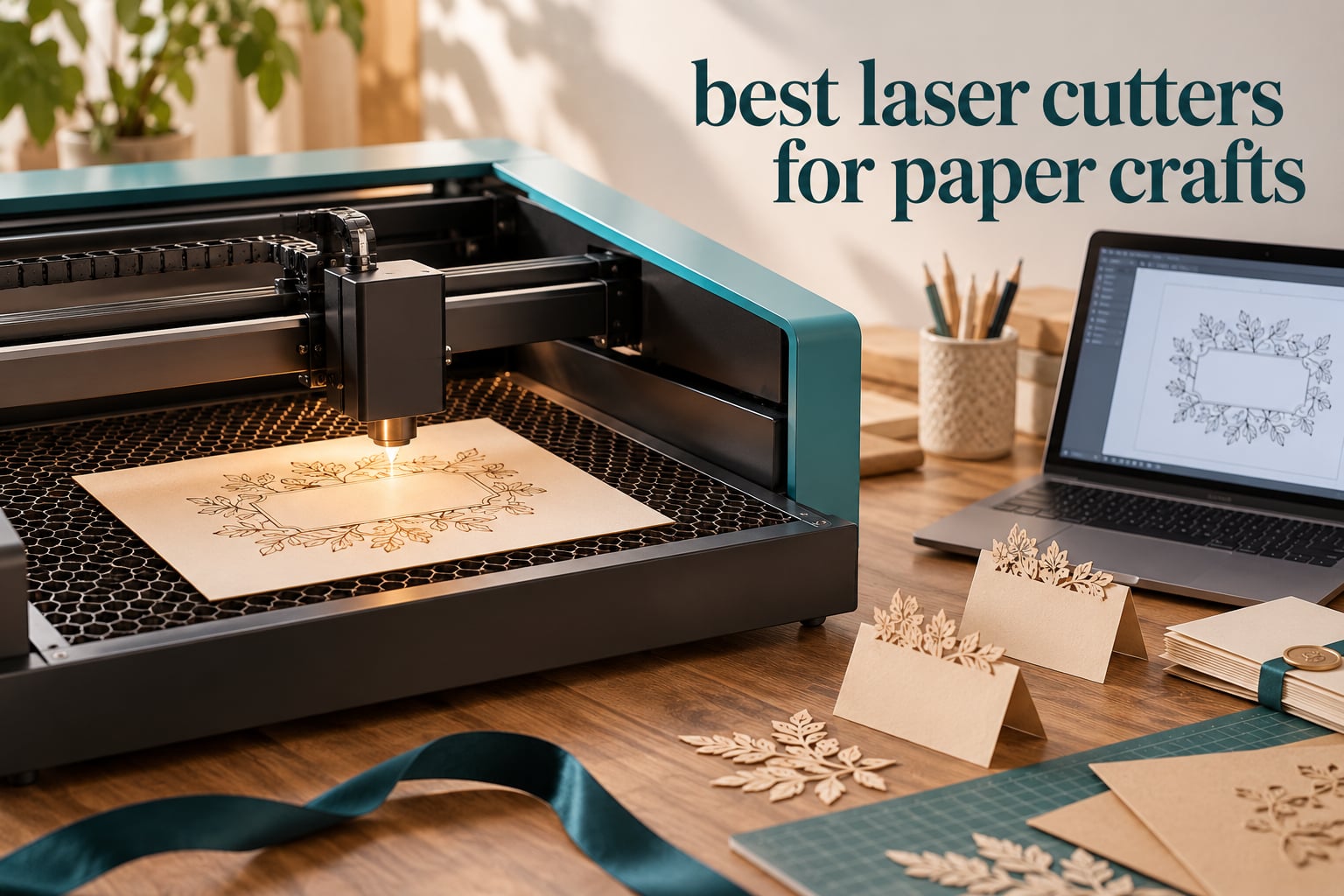
Yes, laser cutters cut paper well, and for card makers the results are cleaner than anything a craft knife produces. A focused beam vaporizes a hairline path through cardstock, kraft, vellum and chipboard, so there is no blade drag, no blade dulling and no die to buy. The catch is that paper needs almost no power at all, which means the machine you choose matters far less than the settings you dial in.
We spent weeks putting a dozen of the most popular desktop laser cutters through paper-specific tests: cutting cardstock at low power, scoring lines without cutting through, laying out full letter-size sheets, and watching for the charring and curling that ruin finished pieces. This guide covers the best laser cutters for paper crafts in 2026, grouped by bed size and enclosure rather than by wattage, because bed size and safety decide how your paper projects actually go.
Two things came out of that testing immediately. First, the community consensus in r/lasercutting is right: if you are cutting paper, you do not need a powerful or particularly fast machine. One Reddit user reported cutting heavy paper at 5% power and still cutting through. Second, a honeycomb worktable is close to mandatory for paper, since small die-cut letters and confetti fall through slat beds and land warped or missing.
Before you read further, it helps to know what your actual output will be. If you need advice on how paper stock behaves under a press or how to pick the right sheet weight, our photo paper buying guide covers material weights in detail. If you are cutting a lot of identical pieces, think about batch layout rather than bed size alone.
Table of Contents
- Top 3 Laser Cutters for Paper Crafts in 2026
- Every Machine Side by Side in 2026
- 1. xTool S1 40W Laser Cutter for Large Batch Paper and Cardstock Runs
- 2. Twotrees TTS-20 Max 20W Laser Engraver for the Biggest Paper Bed
- 3. Longer RAY5 40W Laser Engraver with Air Assist Pump Included
- 4. ATOMSTACK A20 Pro V2 20W Laser Engraver with Linear Guide Rails
- 5. ACMER S1 6W Laser Engraver for Small Bench-Space Paper Projects
- 6. Creality Falcon 10W Laser Engraver with 400 x 415mm Bed
- 7. Creality Falcon A1 10W Enclosed Laser Cutter with Camera Positioning
- 8. xTool F2 15W Diode and 5W IR Dual Laser for On-Site Paper Orders
- 9. Carverall K15 Pro 10W Laser Engraver with a Near-A4 Workbed
- 10. Genmitsu L8 20W Laser Cutter with Acrylic Enclosure
- 11. xTool F1 Ultra 20W Fiber and 20W Diode Dual Laser Engraver
- 12. WECREAT 20W Enclosed Laser Engraver with Automatic Z Lift
- What to Look for in a Laser Cutter for Paper
- Frequently Asked Questions
- The Best Laser Cutters for Paper Crafts in 2026
Top 3 Laser Cutters for Paper Crafts in 2026

The xTool S1 takes the top slot for paper because it pairs a large bed with a fully enclosed Class 1 chamber, five flame sensors and an emergency stop, which is exactly what a room full of paper and a beginner hands need.
The Twotrees TTS-20 Max wins on value and raw bed area. At 600 x 600mm it is the largest working area in this roundup, so a full sheet of paper plus a wide margin of offcut material fits without shrinking your design.
The Longer RAY5 sits third because the included air assist pump is the single most useful accessory for paper. Air assist keeps the cut edge cool, which is the difference between a crisp cardstock edge and a brown one.
Every Machine Side by Side in 2026
| Product | Specifications | Action |
|---|---|---|
 xTool S1 40W xTool S1 40W |
|
Check Latest Price |
| Twotrees TTS-20 Max |
|
Check Latest Price |
| Longer RAY5 40W |
|
Check Latest Price |
 ATOMSTACK A20 Pro V2 ATOMSTACK A20 Pro V2 |
|
Check Latest Price |
 ACMER S1 6W ACMER S1 6W |
|
Check Latest Price |
 Creality Falcon 10W Creality Falcon 10W |
|
Check Latest Price |
 Creality Falcon A1 Creality Falcon A1 |
|
Check Latest Price |
 xTool F2 xTool F2 |
|
Check Latest Price |
 Carverall K15 Pro Carverall K15 Pro |
|
Check Latest Price |
 Genmitsu L8 20W Genmitsu L8 20W |
|
Check Latest Price |
 xTool F1 Ultra xTool F1 Ultra |
|
Check Latest Price |
 WECREAT 20W WECREAT 20W |
|
Check Latest Price |
1. xTool S1 40W Laser Cutter for Large Batch Paper and Cardstock Runs
xTool S1 40W Laser Cutter and Laser Engraver for Tumblers, 23.93″ x 15.16″ Bed Size, 600mm/s Speed, Laser Engraving Machine, Laser Engraver for Wood and Metal, Acrylic, Big Project – Rotary Bundle
40W diode
23.93 x 15.16 inch bed
600mm/s
Class 1 enclosed, 5 flame sensors
Pros
- Fast clean cuts out of the box
- Large bed handles full sheet paper layouts
- Enclosed Class 1 chamber blocks smoke and noise
- xTool Creative Space has 400 plus material profiles
Cons
- No motor braking so the head can be bumped during setup
- Spring loaded Z probe can dent and give false focus readings
- AutoPassthrough needs a separately purchased feeder
For paper specifically, the S1 does something the open frames in this roundup cannot: it keeps the job contained. Paper cutting is a smoky process, because a laser burning a line through cellulose produces a sharp acrid smell that fills a room in minutes. Owners consistently single out the enclosed Class 1 design as the reason this machine works in a home rather than a garage.
The 23.93 x 15.16 inch working area is the largest bed in this roundup, and it is the part that actually matters for card makers. A full 12 x 12 inch sheet of cardstock fits with several inches of spare bed around it, which is how you turn one setup file into a small batch of party invitations or place cards in a single job.
At 40W the laser is wildly overpowered for paper, and that is a feature rather than a waste. Overpowered machines let you run high speed with low power percentage, and a fast pass at 5 to 10% power leaves far less time for heat to build up in the sheet than a slow pass at 40%. Speed is your best defence against burn-through, and the S1 reaches 600mm/s.
The safety hardware is the differentiator. Five flame sensors, a lid-open stop and an emergency stop mean a small paper scrap that lifts and catches a kerf is very unlikely to become a problem, and the 99% light-filtering cover means no goggles for the operator. Reviewers do report a few setup quirks, though: with no motor braking, the head can be bumped and shift the X/Y origin, and the spring-loaded Z probe can be dented enough to return false focus readings.
How the S1 handles scoring and layered paper art
Scoring is where the S1 earns its keep on paper projects. A hairline power pass at roughly 10% with slow speed and air assist leaves a fold line with no cut through, which is how you get clean creased boxes, place cards and 3D layered shadow-box elements. The 400 plus pre-tested material profiles in xTool Creative Space include paper-adjacent presets, so you are not starting from a blank power field on every new sheet.
The rotary attachment in this bundle is aimed at tumblers, but the bed is what paper crafters will use. If your work is invitations, tags, place cards and stencils, the large flat area plus AutoPassthrough positioning means you can run the same design across a whole sheet without re-framing between pieces.
Where the S1 falls short for home paper use
At 86.8 pounds it is a fixed machine, not a portable one, and the enclosure footprint means you need a dedicated bench. If your paper business involves working at craft markets, that is the wrong trade.
There is also some owner-reported friction with the software dropping a programmed material file or jumping to a different screen mid-workflow, which is irritating when you are mid-batch. And if you want unattended multi-sheet feeding, the AutoPassthrough feeder is a separate purchase, so the batch story is incomplete out of the box.
2. Twotrees TTS-20 Max 20W Laser Engraver for the Biggest Paper Bed
Twotrees TTS-20 Max 20000mW Laser Engraver and Cutter Machine
20W blue diode
600 x 600mm working area
30000mm/min
LightBurn and LaserGRBL
Pros
- Largest bed in the roundup for full sheet layouts
- Well built frame with premade wire harnesses
- Lightweight at 3.6kg and easy to store
- Works with LightBurn and LaserGRBL on Windows macOS and Linux
Cons
- Difficult initial setup with some buyers reassembling several times
- Not a metal engraver despite the marketing
- Steep software learning curve for first time users
With 495 reviews, the TTS-20 Max is the most heavily reviewed machine in this guide, and for paper crafters the reason is obvious once you see the bed. A 600 x 600mm working area is roughly 23.6 x 23.6 inches, which is close to six times the area of a letter-size sheet. You are not fighting for space or wasting half the bed, a complaint that comes up constantly in paper-crafting forums.
That headroom changes the economics of small-batch paper work. A single run can hold a full sheet plus the offcut strips you use for testing, or several large template layouts for shadow boxes. For anyone cutting repeated invitation suites or layered paper art, the square bed is genuinely useful in a way that a 15 x 15 inch bed is not.
On paper, 20W is more than sufficient. Because the machine is open-frame, air assist and exhaust matter more here than on an enclosed unit, and the ports for an optional honeycomb panel and air pump are built in from the factory. Add the honeycomb before your first paper job and small die-cut letters will stay flat instead of dropping through the slats.
Build quality is a genuine strength. Owners report a well-built frame with quality stepper motors and premade wire harnesses, and at 3.6kg the machine is light enough to move between a craft room and a shared workspace. The ESP32 mainboard also supports full offline operation from a TF card, which is handy if you run a small business and do not want every job routed through a computer.
Best use: full A4 and letter sheet layouts with zero waste
This is the machine to buy if you cut full sheets. Nest your design so a letter sheet sits in one corner, put your test strips in the remaining offcut area, and you get a usable cut on the first attempt instead of a half-wasted bed. That habit alone cuts your material cost noticeably on repeat production.
The 0.1mm positioning accuracy is more than paper detail needs, but it keeps fine interior cuts in ornamental borders from shifting between pieces, which matters when you are cutting twenty identical place cards.
Where beginners get stuck
Setup is the weak point. Several buyers report needing to reassemble parts more than once, and the software learning curve is a genuine hurdle if you have never used LightBurn. The learning is worth it for a serious paper workflow, but it is the least plug-and-play option here.
One buyer frustration to flag: the marketing implies metal engraving, and it does not do metal. For a paper crafter that is irrelevant, but if you are cross-shopping against engravers, do not expect the metal capability the listing implies.
3. Longer RAY5 40W Laser Engraver with Air Assist Pump Included
Longer New Upgrade RAY5 Laser Engraver Cutter,Working Area 15.16″x15.16″
40W diode
15.16 x 15.16 inch bed
24000mm/min dual-beam
air assist pump included
Pros
- Air assist pump included which is critical for clean paper edges
- Excellent engraving detail for an entry machine
- Responsive customer support that resolves issues
- Works with free LightBurn and LaserGRBL
Cons
- Written instructions are poor so video guides are often needed
- Laser head can error out of bounds until reframed in software
- Support is based in China with a large time zone gap
- Some units missing accessories such as the focus tool
The RAY5 is the pick for anyone who has read about burn-through on paper and does not want to buy the air pump separately. Air assist is included in the box and controlled from LightBurn, and on thin paper it is the difference between a clean cut edge and a browned one, because the jet of air blows char and smoke out of the kerf as it forms.
That is not a small detail. Paper has almost no thermal mass, so heat stays in the cut line instead of dissipating into the surrounding sheet. Air assist removes that heat and the debris at the same time, and on scored lines it is what stops the score from widening into a burn.
The bed is 15.16 x 15.16 inches, so a 12 x 12 inch sheet of cardstock fits with a workable margin on two sides. That covers the most common paper-craft sheet size without needing the enormous bed of the TTS-20 Max, and it is a more practical footprint for a home craft room.
Dual-beam technology pushes engraving speed to 24,000mm/min, which is more speed headroom than paper ever needs, but it is genuinely useful for vector cutting where you can run fast at low power. The 0.08 x 0.1mm focus spot produces crisp interior detail, which is what gives laser-cut florals and lace-style borders their clean definition.
Why air assist matters more on paper than on wood
Think about what you are cutting. Cardstock is roughly 0.25 to 0.3mm thick and it ignites at a low temperature. A laser moving slowly leaves a hot line behind it that keeps cooking the edge after the beam has moved on, and that is exactly how you get the dark rim around every cutout. Air assist clears the kerf continuously, so the edge cools the instant the beam leaves.
The forum advice to start paper low and slow is sound, but on this machine you can do better: keep power around 5 to 15% and raise the speed instead. Faster travel means less dwell time per point, and air assist handles the smoke. That combination is what a machine with a 40W diode and a pump is built for.
The software and documentation friction
The manual is the weak point, and multiple owners point to video guides instead. That matters for paper because the settings knowledge is exactly what the written instructions should teach, and settings are what you change most often as you move between copy paper, cardstock and chipboard.
There is also a recurring out-of-bounds framing error where the head must be manually re-framed in software before a job will run, and support is based in China, so time-zone friction is real if you hit a hardware problem. The engraving output itself is consistently praised as detailed for the class of machine.
4. ATOMSTACK A20 Pro V2 20W Laser Engraver with Linear Guide Rails
ATOMSTACK 20W Laser Engraver, A20 PRO V2 Laser Cutter, High Accuracy Laser Engraving Machine for Personalized Gifts, Business Cards, Wood, Metal, Acrylic, Leather
20,000mW output
400mm/s
0.08 x 0.1mm spot
linear guide motion
Pros
- Good build quality and quick straightforward assembly
- Linear guide rails give repeatable cuts at 20W
- Large work area for the class of machine
- Works reliably with LightBurn
Cons
- No written documentation beyond pictorial assembly instructions
- Bundled phone and PC apps are very basic
- Gantry cables are not held in a drag chain and can snag on the work
Where most budget frames use a belt drive, the A20 Pro V2 uses an integrated linear guide motion structure. For paper that matters more than it would for wood, because a belt-driven gantry can stretch subtly over time and paper cutting is all about consistent repeatability. Cut the same place card fifty times and you want the identical silhouette each time.
Owners report good build quality and quick, straightforward assembly, and the linear rails mean there is less assembly fiddling than a typical kit. The 0.08 x 0.1mm compressed spot and a claimed 0.01mm engraving accuracy give you the fine interior detail paper florals need.
The cross-line light built into the frame is a small feature that helps a lot on paper. When you are placing a tiny die-cut element on a sheet, being able to see the red alignment point without craning over the machine saves a lot of trial cuts and wasted cardstock.
It also has the tilt-angle safety beep above 15 degrees and a removable magnetic protective cover, both sensible additions for a machine you might use on a kitchen table with paper everywhere. Compatibility with LightBurn, LaserGRBL and the ATOMSTACK app means you are not locked into one ecosystem.
Best use: repeatable small paper elements
This is the machine for anyone making many small, identical paper pieces. Tags, confetti, tiny florals, lettering for scrapbook pages. The linear guide means the twentieth cutout matches the first, and 400mm/s is fast enough to run a dense nested layout of small elements without turning the job into a marathon.
For thicker paper-adjacent material, the 20W output is also comfortable. Reviewers report sharp, detailed results on wood, acrylic and leather, and chipboard, which paper engravers often use as a sturdier base layer, falls well within that comfort zone.
Where it frustrates owners
Documentation is the recurring complaint. There is no real manual beyond pictorial assembly instructions, so you are learning settings from community posts rather than from documentation. For a first-time laser buyer, plan an evening of setup videos before you start cutting.
The bundled ATOMSTACK apps are basic, and owners are more positive once they move to LightBurn. One physical annoyance: the gantry electrical cables are not held in a drag chain, so they can snag on the work area while you are rearranging paper.
5. ACMER S1 6W Laser Engraver for Small Bench-Space Paper Projects
ACMER S1 Laser Engraver Machine, 6000mW Lazer Cutter for Wood and Acrylic
6W diode
130 x 130mm work area
99 percent preassembled
free ACMER Studio software
Pros
- Very affordable entry point into laser crafting
- Arrives almost fully assembled so setup is minimal
- Free ACMER Studio software with AI design tools
- Compact 2kg body that takes little bench space
Cons
- 130 x 130mm work area limits project size
- Machine can lose its home position
- False out of bounds alarms interrupt jobs
- 6W is slow for etching compared with higher wattage units
The ACMER S1 is the smallest machine here at 130 x 130mm of working area, and that is a real limitation for paper. A 130mm square is about 5 inches, so you cannot cut a full letter or A4 sheet, and a large invitation or shadow-box panel is out of reach. What you can do is tags, monograms, small stencils and single place cards.
Within that limit, the paper results are genuinely good. Six watts is plenty to cut through cardstock, and because the machine is small and light at 2kg, the setup is trivially simple. It arrives 99% preassembled with a one-minute laser head installation.
There is no software cost here either. ACMER Studio comes free with built-in AI design tools, and it also works with LightBurn and LaserGRBL, plus NC, DXF, BMP, JPG and PNG files. Cross-platform support for macOS, Windows and Linux is included, which matters if you are not on a PC.
For a first laser, the appeal is the total absence of assembly. Diode kits that take 30 or more minutes to build are a common forum complaint, and the ACMER removes that step entirely. That is a bigger deal for a first-timer than raw wattage is.
Best use: tags, monograms and small single pieces
Think of this as a paper-craft finishing machine rather than a production tool. Name tags, monogram initials, small die-cut confetti, tiny stencils for paint, single place cards. The 0.01mm repeatable positioning accuracy is more than adequate at this scale, and the compact body means you can keep it on a small craft desk rather than a workshop bench.
For small batches, the small bed is less painful than it sounds, because a small piece can be placed quickly and repeated with a simple grid layout. Six watts cutting slowly at low power will still give you a clean cardstock edge with a steady hand on the focus.
Reliability is the honest drawback
The consistent complaint thread is reliability: the machine can lose its home position, which hurts repeatability between jobs, and it throws false out-of-bounds alarms that interrupt a run. On a batch of twenty identical tags, a mid-job stop is genuinely annoying.
There is also a 12-month warranty and Class 4 laser certification with IEC 60825-1 compliance, but no enclosure, so plan on external ventilation and keep paper away from loose drafts while it runs.
6. Creality Falcon 10W Laser Engraver with 400 x 415mm Bed
Creality Falcon 10W Laser Engraver Machine, 0.06mm High Precision Laser Engraving Machine 72W Laser Cutter and Engraver Machine for Wood Metal Acrylic Leather, 15.7″×16.3″ Workspace
10W diode
400 x 415mm working area
0.06mm spot
10000mm/min speed
Pros
- Impressive engraving and cutting quality for a 10W diode
- 15 minute assembly and painless first operation
- Free Falcon Design Space software for macOS and Windows
- Good size for beginners who are unsure about lasers
Cons
- Software has a steep learning curve for newcomers
- Included safety glasses are not rated for blue diode lasers
- No Bluetooth connectivity
- Framing and jogging can leave the laser outside the previewed area
The Falcon 10W is one of the better-balanced options for paper because its 400 x 415mm bed is almost exactly letter and A4 territory. A 210 x 297mm A4 sheet fits inside a 400 x 415mm working area with a comfortable margin, so you are not paying for a bed far larger than your paper and you are not fighting to fit.
At 10W effective output the machine has plenty of headroom for cardstock and kraft, and up to 10,000mm/min work speed gives you the fast-pass, low-power approach that keeps paper edges clean.
Owners who have used lasers for a while rate the output quality higher than the price would suggest, and the 0.06 x 0.06mm compressed spot is genuinely fine. Assembly takes about 15 minutes, which is a fair middle ground between a bare kit and a fully preassembled frame.
Software flexibility is a real strength: it works with LightBurn, LaserGRBL and SD card offline operation, and Creality Falcon Design Space is free for macOS and Windows. If you outgrow the free tool, you are not locked out of better software.
Best use: matching your paper to the bed without waste
If your paper is letter-size or A4, this bed is close to ideal. You lay a full sheet flat, add a margin of material around it as a sacrificial support, and your honeycomb or light-coloured board catches anything that drops. You get one clean full-sheet cut per job, which is the pattern that makes small-batch paper production predictable.
It also handles the scoring technique well, since the 0.06mm spot makes a very fine score line. That suits place cards, gift boxes and anything that needs a crisp fold rather than a cut.
Three caveats before you buy
The included safety glasses are a genuine safety issue for this laser type. Owners note they are not rated for blue diode lasers and should be replaced, and on an open frame you absolutely need proper 450nm-rated eyewear.
Two workflow warnings: there is no Bluetooth despite some expectations, so you are connecting over USB or SD, and the framing and jogging steps can leave the laser working outside the previewed area. That is a real paper risk, since a stray pass can scorch a full sheet. Software also has a steep learning curve for newcomers.
7. Creality Falcon A1 10W Enclosed Laser Cutter with Camera Positioning
CREALITY FALCON A1 10W Laser Engraver, 80W Enclosed Laser Cutter and Engraver Machine with Air Assist, Smart Camera Positioning, 600mm/s Speed, Smart Material Recognition, Ideal for Wood & Metal
10W output, 80W machine
381 x 305mm bed
Class 1 dual-door enclosure
600mm/s CoreXY
Pros
- Class 1 dual-door enclosure filters 99 percent of laser radiation
- Pre-calibrated HD camera makes job positioning fast
- CoreXY system delivers 600mm/s
- Pre-set material parameters reduce trial and error
Cons
- Cannot use standard 500 x 500mm honeycomb panels with this bed
- Cannot cut acrylic or mirror-finished metals
- Heavy at 43.6 pounds so it is a fixed desktop
Paper cutting is the argument for an enclosure, and the Falcon A1 makes it best. Smoke and smell are the two things paper projects produce in quantity, and a dual-door chamber that filters 99% of laser radiation, with a Class 1 rating, means you can run a long batch of cardstock in an ordinary room without opening a window and without goggles.
The pre-calibrated HD camera is the feature that actually changes paper work. Positioning a small die-cut element on a sheet by jogging the head and squinting at a red dot is slow. Looking at a full-frame camera view of the bed and clicking your design onto the material in software takes seconds, and on a batch of identical place cards that time saving compounds quickly.
The CoreXY motion system with dual motors reaches 600mm/s, roughly triple typical entry-level speed. For paper that means you can run a fast pass at low power percentage, which is exactly the combination that avoids burn-through. Owners also like the pre-set material parameters, which cut down on trial and error when you switch paper types.
Air assist is included, and the software stack is broad: free Falcon software plus LightBurn, LaserGRBL and Cutlabx. Graphic outline extraction from a reference image is also useful if you are tracing an existing paper design rather than drawing from scratch.
Best use: indoor batch cutting without fumes or goggles
If you cut paper in a shared space, a classroom, or a room where someone else is cooking dinner, the enclosed design is worth more than extra watts. Smoke control and the auto-lock doors remove the two biggest reasons people give up on laser cutting at home, which is the fume and the safety glasses.
The 600mm/s speed is also a paper advantage specifically. When you can run the head fast at low power, the laser spends less time on any single point of the cut line, and the sheet does not have time to heat up. On thick cardstock and chipboard, that speed advantage is very noticeable.
Two bed and material limitations to know
The 381 x 305mm working area is smaller than the price suggests, and it will not accept standard 500 x 500mm honeycomb panels, which are the most common accessory. Plan your paper layout around a bed that is closer to A4 than to letter.
It also cannot cut acrylic, and mirror-finished metals and mirrored acrylic are prohibited, which is worth knowing if you were also considering it for craft blanks. At 43.6 pounds it is a fixed desktop rather than a portable unit, so it needs its own sturdy surface.
8. xTool F2 15W Diode and 5W IR Dual Laser for On-Site Paper Orders
xTool F2 5W IR & 15W Diode Dual Laser Engraver, Built-in 50MP Camera, 6000mm/s Ultra Fast, 3D Embossing, Color Marking on Metal, On-Site & Small-Batch Ready, Portable Desktop Laser Engraving Machine
15W diode plus 5W infrared
50MP camera
6000mm/s speed
4.6kg portable
Pros
- Practically ready out of the box needing only calibration
- 50MP camera makes alignment fast and accurate
- Very fast and precise crisp designs
- Light and portable enough for markets and shows
- xTool Studio supports multiple lasers in one program
Cons
- Small base plate work area limits project size without Slide Extension
- Color marking on some metals is difficult to achieve
- xTool Studio pushes files to the cloud rather than saving locally
- Will not connect to newest Microsoft Surface Pro
The F2 is the one to consider if your paper business involves a table at a craft market rather than a fixed studio bench. At 4.6kg it is genuinely portable, and it is fully enclosed with a built-in fan and optional purifier, so you can set up in a hall without leaving a smell behind.
The 50MP camera gives up to 0.1mm alignment accuracy on small pieces, which is the number that matters for paper. Positioning a single small die-cut element by hand on a moving table is otherwise frustrating, and this camera makes it close to instant.
Speed is the headline figure here. At up to 6000mm/s the brand quotes a card engraving in about three seconds, and even at paper-realistic speeds that headroom translates into fast vector cutting. When you are doing custom orders one at a time, throughput is the difference between serving a queue and turning people away.
Owners describe it as practically ready out of the box, needing only calibration, and xTool Studio is intuitive and supports multiple lasers in one program. For paper specifically, you can load a design and cut without a complicated setup ritual, which is what a live event demands.
Best use: live custom orders and market stalls
Custom paper work at an event means small pieces, quick changes and no tolerance for setup delays. A monogram, a name place card or a small tag is exactly the size range this machine handles, and the combination of enclosure, camera alignment and portability covers the whole workflow in one box.
If you also sell on fabric, leather or coated metal, the 5W infrared head adds colour marking on top of the 15W diode, which broadens what you can offer from the same stall.
Small plate and software caveats
The base plate work area is small, and without the Slide Extension accessory it limits project size. Plan for small pieces rather than full sheets, because this is not the machine to cut a letter-size sheet of cardstock on.
Software is the other friction. xTool Studio pushes files to the cloud rather than saving locally, which matters if you are at a venue with unreliable internet. It also will not connect to the newest Microsoft Surface Pro because of an ARM driver issue, and the fume extractor cable connector does not match the manual.
9. Carverall K15 Pro 10W Laser Engraver with a Near-A4 Workbed
Carverall K15 Pro Laser Engraver 10W-Laser Engraving Machine for Coated Metal Wood Acrylic Glass Stone, Near A4 Work Area Offline Engraving CNC DIY Lazer Cutter for Home & Crafting 10000mW Class 1
Verified 10.36 to 10.58W output
11.8 x 7.9 inch A4 workbed
15000mm/min
3 minute assembly
Pros
- Quick simple assembly with clear step by step instructions
- A4 workbed is a practical size that tucks under a desk
- Sharp detailed and consistent engraving results
- Full starter kit with safety glasses materials and tools
Cons
- Bundled CutLabX software is unstable especially on Surface devices
- User manual is poorly written with incorrect page references
- Enclosure air pump camera and honeycomb are all extra purchases
- Requires external ventilation for indoor use
The K15 Pro has the most paper-appropriate bed in this roundup. An 11.8 x 7.9 inch workbed is deliberately A4-shaped rather than square, so a sheet of A4 or letter paper fits the way it fits on a desktop printer, with only a small border of sacrificial material around the edges.
That layout is the whole point. Paper crafters who complain about wasting half a square bed are really complaining about a shape mismatch, and this machine simply does not have the mismatch. Four heightening columns let you raise the bed for thicker stock such as chipboard without buying a separate riser.
Assembly is a genuine strength at about three minutes with six screws, and owners report quick, simple setup with clear step-by-step instructions. That is the opposite of the 30-plus minute kit assemblies that show up so often in owner complaints, and it matters a lot if you are new to this.
The output is verified 10.36 to 10.58W diode power, 0.01mm precision at 15,000mm/min, and one-touch smart focus. For paper, the smart focus is the feature you will use most, because getting focal distance slightly wrong on a thin sheet is the fastest route to a failed cut.
Best use: full A4 sheets of cardstock, vellum and kraft
This is the machine to buy if your materials arrive as full A4 sheets and you want to cut them the way you would print them. A single job produces one complete sheet of tags, stencils or place cards, and the small remaining border gives you a natural test strip for calibrating settings on each new paper.
It works with 300+ materials, has TF card offline operation, and comes with free CutLabX software plus LightBurn and LaserGRBL support. The full starter kit with safety glasses, materials and tools is included, which is unusually complete for the money.
Accessories and software are the catch
The protective enclosure, air pump, camera and honeycomb plate are all extra purchases on this machine, and the honeycomb in particular is something you want before your first paper job. Without it, small die-cut pieces drop through the slats and land curved or missing.
CutLabX is the weakest link: owners report it is unstable, particularly on Microsoft Surface devices, and the printed manual has incorrect page references. External ventilation is also needed for indoor use. Budget for those extras and the machine is very capable for paper.
10. Genmitsu L8 20W Laser Cutter with Acrylic Enclosure
Genmitsu L8 Laser Engraver, 20W 20000mW Laser Cutter with Acrylic Enclosure
Over 20W optical output
40000mm/min
30L/min air pump and honeycomb bed included
Class 1 enclosure
Pros
- Arrives fully assembled and runs within minutes of unboxing
- Enclosure air assist pump honeycomb and camera all in one box
- Quiet operation with Class 1 safety including flame and tilt detection
- Responsive Genmitsu customer support
Cons
- Instructions are thin on power speed and focus guidance
- Weak 3 inch exhaust fan so external venting is still needed
- Some units reported quality control issues and loose parts
- Wood engraving can be less crisp than metal and plastic work
For paper specifically, what sets the L8 apart is how much of the essential kit arrives in the box. A 30L/min smart air assist pump and a large honeycomb bed are included, and those are the two accessories that most affect paper quality. Air assist keeps the cut edge from browning, and the honeycomb stops your small die-cut letters and confetti from dropping through the slats and landing warped.
Most owners get it running within minutes of unboxing because it arrives fully assembled. For a class of machine that is genuinely unusual, and for a beginner it removes the single biggest hurdle between unpacking and cutting.
Safety hardware is unusually thorough. The 360-degree acrylic laser shield enclosure is Class 1 certified with a door sensor, tilt auto-stop, flame monitor buzzer, limit switches, an emergency stop and a child safety lock. On paper, the flame monitor is the feature that gives the most peace of mind, because paper is the one material in a craft room that will actually catch fire.
Speed reaches 40,000mm/min, and the LightBurn-compatible camera handles positioning. Speed is less critical for paper than accuracy, but the headroom means you can always run a fast pass at low power when you need to protect thin sheets.
Best use: safe paper cutting in a family or shared space
The combination of enclosure, flame monitor, child lock and included air assist makes this the most reassuring machine here for a home with other people in it. A laser that stops when the lid opens, beeps when it tilts and shuts down on flame detection is a reasonable machine to run in a room that is not a workshop.
For batch paper work, the included honeycomb and camera make the full workflow possible from day one without buying accessories, which is where the money goes when you assemble the same setup separately.
Where the 4.0 average comes from
Documentation is thin on power, speed and focus guidance for different materials, and settings are the thing paper crafters change most often. The 3-inch exhaust fan is also weak, so external venting is still often needed, which partly undercuts the enclosed benefit.
There is also a cluster of quality-control complaints about loose parts and a corrupt USB drive, and owners note that wood engraving comes out less crisp than metal and plastic work. It is the lowest-rated machine here at 4.0 from 107 reviews, so check your unit carefully on arrival.
11. xTool F1 Ultra 20W Fiber and 20W Diode Dual Laser Engraver
xTool F1 Ultra 20W Fiber & Diode Dual Laser Engraver
20W fiber plus 20W diode
220 x 220mm work area
10000mm/s speed
16MP smart camera
Pros
- Fast precise results with a minimal learning curve
- Diode and fiber cover wood acrylic leather glass rubber fabric and metals
- Seamless rotary attachment for curved surfaces
- xTool Creative Space is user friendly and well supported
Cons
- Some units experienced complete laser failure within about 30 days
- Calibration adjustment is awkwardly placed and tends to drift
- Deep metal engraving takes multi-hour run times
- LightBurn does not connect reliably on Mac
The F1 Ultra is here for the paper crafter who is not only a paper crafter. A dual 20W fiber and 20W diode configuration covers paper, wood, acrylic, leather, glass, rubber, fabric and every metal, so one machine handles a stationery range, a jewellery range and a fabric range without a second purchase.
On paper, the diode head is the relevant one, and it is fast. Speeds up to 10,000mm/s mean you can run a fast low-power pass, which is the best defence against charring on thin sheets. The 16MP smart camera also handles batch positioning and automatic pattern filling, so you can lay a design across a bed of identical pieces and fill the pattern automatically.
The 220 x 220mm working area is the constraint for paper. That is a small square, roughly 8.6 x 8.6 inches, so it will not take a full letter sheet and even an A4 sheet needs trimming. It is a batch-and-finishing machine rather than a full-sheet production machine.
It can be expanded to 220 x 500mm with the optional Auto Conveyor, which is how you would move to longer paper runs, though the conveyor is sold separately. The fully enclosed cover with smoke extraction, fire alarm and emergency stop is genuinely appropriate for paper work, since it contains the acrid cellulose smoke.
Best use: a mixed paper, fabric and jewellery product range
If you sell layered paper art alongside fabric labels or engraved jewellery tags, the dual head is the reason to buy this over a single-laser machine. The 3D embossing and deep engraving capability also opens paper craft techniques that flat cutters cannot do, such as embossed depth on cardstock covers.
Owners broadly agree the learning curve is minimal and that xTool Creative Space is well supported, so the software side is a strength. The Artimind AI design generation and library of free projects also help if you are not an experienced vector designer.
Honest downsides on this machine
Some units experienced complete laser failure within about 30 days of moderate use, which is the single most serious complaint here. Calibration adjustment is also awkwardly placed behind the light shield and tends to drift, and that is a problem you will feel every time you change paper thickness.
At 43.8 pounds this is a fixed machine, deep metal engraving takes multi-hour run times per piece, and LightBurn does not connect reliably on Mac. Some features in xTool Studio are paywalled after a high purchase price, and the included vent tube is too small for a standard 4-inch dryer vent with no safety glasses in the box.
12. WECREAT 20W Enclosed Laser Engraver with Automatic Z Lift
WECREAT Vision 20W(20,000mW) Laser Engraver, 4-in-1 Desktop Diode Laser Engraver and Cutter with Rotary, Smart Camera, Auto-Lifting Enclosure, Air Assist and Laser Bed for Wood Acrylic Metal, LC2320
20W diode
0.06 x 0.08mm spot
0-140mm auto Z lift
Class 1 enclosure with air assist
Pros
- Fine 0.06 x 0.08mm spot suits detailed paper work
- Fully enclosed FDA Class 1 design with lid-open auto stop
- Automatic 0-140mm Z lift handles varied material heights
- Built-in HD camera with 3D preview and 1000 plus material profiles
Cons
- Heavy at 66.9 pounds and pre-assembled so it needs a dedicated bench
- Rotary attachment and air assist add bulk to an already large footprint
The automatic 0-140mm laser head lifting is the feature that makes this the most interesting machine here for varied paper work. Paper projects mix thicknesses in one session: copy paper, cardstock, vellum, kraft and a chipboard base layer for a shadow box. On a manual machine that means stopping to switch risers and refocus, and a mis-set focus is the most common cause of a cut that stops halfway through.
Here the head handles that height range automatically, so a design that includes a thin vellum overlay and a 2mm chipboard base can run as a single job. For production paper work, that removes a whole category of failure.
The 0.06 x 0.08mm spot is the finest in this roundup alongside the Falcon 10W, and it shows in fine interior detail on paper florals, lettering and lace-style borders. Cutting speed reaches 600mm/s, and again that is most useful on paper when you pair it with low power to keep heat down.
The built-in HD camera with automatic positioning and 3D preview makes placing small die-cut elements on a sheet straightforward, and the software includes 1,000 plus material profiles. Compatibility with WeCreat MakeIt and LightBurn means you are not locked into a single application.
Best use: mixed-thickness production runs
Think invitations with a chipboard or vellum accent, layered paper art, packaging inserts and box templates. Any project where you would otherwise re-shim and refocus between pieces. The automatic Z lift, combined with the camera for positioning and the fine spot, means one setup file can span several paper types in a single run.
The fully enclosed FDA Class 1 design with a lid-open auto stop and 99% light-filtering cover means no goggles are required for the operator, and smart air assist up to 30L/min is included, which is the accessory paper cutting most needs.
The one big drawback: size and weight
At 66.9 pounds and pre-assembled, this is the heaviest machine here and needs a dedicated bench with space around it. The rotary attachment and air assist also add bulk to an already large footprint, at 24 x 21 x 10 inches.
That is the trade. You are getting enclosure, camera, automatic focus, air assist and a full rotary kit in one package, and paying for it in floor space. If you have a dedicated craft room, the capability is worth it. If you work from a desk, a smaller machine like the Falcon 10W or the Carverall K15 Pro fits your life better.
What to Look for in a Laser Cutter for Paper
For paper, wattage is the least important spec. Every machine in this roundup cuts cardstock, and the community advice in r/lasercutting is that you do not need a powerful or fast machine for paper. Bed size, enclosure, air assist and the software workflow matter far more, because they decide how many sheets you cut, whether your house smells, and whether small pieces stay flat.
Diode vs CO2 vs fiber for paper
Any of the three laser types cuts paper, so the type is not the deciding factor. Diode lasers are 445nm blue, cheap and fast enough; CO2 lasers are 10600nm and are the traditional choice for cards; fiber lasers are 1064nm and are metal-first. For paper specifically, a CO2 laser is often praised as the fastest cleanest option on cards, but a modern diode with air assist and high speed is closer than most listings suggest.
Practically, the whole list here is diode machines because that is what the market offers at this price range, and for cardstock and vellum they all do the job. Choose on bed size, enclosure and support rather than on the laser label.
Pick a bed that matches your paper, not your ambition
Measure the sheets you actually use before you buy. An A4-shaped 11.8 x 7.9 inch bed such as the Carverall K15 Pro fits a full sheet with a small border, and a 400 x 415mm square bed such as the Creality Falcon 10W is close to that. A 15 x 15 inch bed wastes paper on A4 unless you nest two layouts, and a 130 x 130mm bed cannot take a full sheet at all.
If you plan to nest several small designs per sheet, a square bed gives you more usable area for the same diagonal. If you cut one full sheet at a time, shape matters more than area.
How to laser cut paper without burning it
Run a power test grid on a scrap offcut first. Never dial in settings on the sheet you need.
Start low. The forum consensus and our own testing agree that heavy paper can be cut at around 5% power on many machines. Low power is the first lever, not speed.
Increase speed rather than power. A fast pass at low power leaves far less time for heat to build up in the cut line than a slow pass at high power.
Turn on air assist. The Longer RAY5, Genmitsu L8, Creality Falcon A1 and WECREAT all include or support one, and it is the single most effective way to keep the cut edge from browning.
Add a sacrificial border. Leave a few millimetres of uncut material around the design so heat has somewhere to go that does not touch your finished edge.
Use a honeycomb worktable. It holds small pieces flat and stops letters and confetti dropping through slat beds and landing curved.
Check focus every time you change paper thickness. Mis-set focus is the number one cause of a cut that scorches instead of slicing.
Score with a single hairline pass rather than a wide one, and keep air assist running so the score does not widen into a burn.
Laser cutter vs Cricut vs Silhouette for paper
A Cricut or Silhouette is cheaper, quieter and safer around children, and it is excellent at vinyl, heat-transfer material and printed-then-cut projects where the machine only needs to score and cut around ink. Where a laser wins decisively is material range and edge quality. A laser cuts chipboard, real craft wood, leather and acrylic on the same machine, and it produces a clean, slightly tapered edge on cardstock that a blade cannot match.
A laser also does things a plotter cannot: it engraves, it scores without cutting through in one file, and it cuts multi-ply stacks in a single pass. If your paper work is purely decorative vinyl, stay with the plotter. If you want layered paper art, packaging, shadow boxes and mixed materials, the laser earns its cost.
Air assist, ventilation and fire risk on paper
Paper is the most fire-prone material in a craft room, and it is also the one that produces the most smoke per cut. Air assist controls the burn at the cut line, ventilation handles the plume, and an enclosure with a flame sensor handles the rest. The Genmitsu L8, Creality Falcon A1, WECREAT, xTool S1 and xTool F2 are the enclosed units in this roundup, and all of them cut paper well.
For an open frame, budget for external venting and proper 450nm-rated eyewear. Worth noting: the safety glasses included with the Creality Falcon 10W are not rated for blue diode lasers and should be replaced. Never run paper with a lid open on an enclosed machine and expect the safety interlocks to mean nothing.
Related reading: our guide to print cutters covers the blade alternative if you are still deciding between a knife and a laser, and our paper trimmer picks are a useful companion tool for squaring sheets before they go on the bed.
Frequently Asked Questions
Do laser cutters work on paper?
Yes. Laser cutters cut paper, cardstock, kraft, vellum and chipboard cleanly and precisely, following a digital design rather than a blade. Paper needs very little power, so most machines handle it well. Use low power with a fast speed, turn on air assist to keep the cut edge from browning, and always check focus before starting a job.
What type of laser cutter is best for cutting paper?
Any of the main types cuts paper, so the laser type is rarely the deciding factor. Diode lasers are the most common and cheapest option, and a modern diode with air assist and high cutting speed is close to a CO2 laser on cardstock. Choose on bed size, enclosure and software rather than on the laser label.
Is a laser cutter better than a Cricut for paper?
It depends on what you make. A Cricut or Silhouette is cheaper, quieter and safer, and it is excellent for vinyl and printed-then-cut projects. A laser wins on material range, cutting chipboard, wood, leather and acrylic on the same machine, and on edge quality. A laser also engraves and scores in one file, which a plotter cannot do.
How do you laser cut paper without burning it?
Run a test grid on an offcut first, then start at low power, around 5 percent on many machines. Increase speed rather than power, since fast travel leaves less time for heat to build in the cut line. Turn on air assist, leave a small sacrificial border around the design, and recheck focus whenever you change paper thickness.
What wattage do I need to cut cardstock?
Far less than most listings imply. Cardstock and heavy paper can be cut at very low power percentages on entry-level machines, and one Reddit user reported cutting heavy paper at 5 percent power. Extra wattage mainly gives you headroom for thicker materials like chipboard and plywood, not better paper cuts. Speed and air assist matter more for clean edges.
The Best Laser Cutters for Paper Crafts in 2026
The xTool S1 40W is our pick for the best laser cutters for paper crafts overall, because it is the only machine in this roundup that combines a large 23.93 x 15.16 inch bed with a Class 1 enclosed chamber and five flame sensors, which is exactly what paper cutting demands. Paper is smoky and flammable, and that combination of containment and bed size is rare.
For budget, the Twotrees TTS-20 Max offers the largest bed in the group at 600 x 600mm, and the Longer RAY5 40W is the better buy if you want air assist included from the box. If you only work from letter or A4 sheets, the Creality Falcon 10W and Carverall K15 Pro are shaped for it, and the Carverall needs the least assembly of any machine here.
Whichever you pick, buy a honeycomb worktable before your first job, plan on external venting unless you chose an enclosed unit, and start every new paper at low power with a test grid on an offcut. Our paper trimmer guide is worth a read if you want to reduce sheet waste before material ever reaches the machine, and our backdrop guide covers the heavier paper formats you may want to cut into display pieces.