
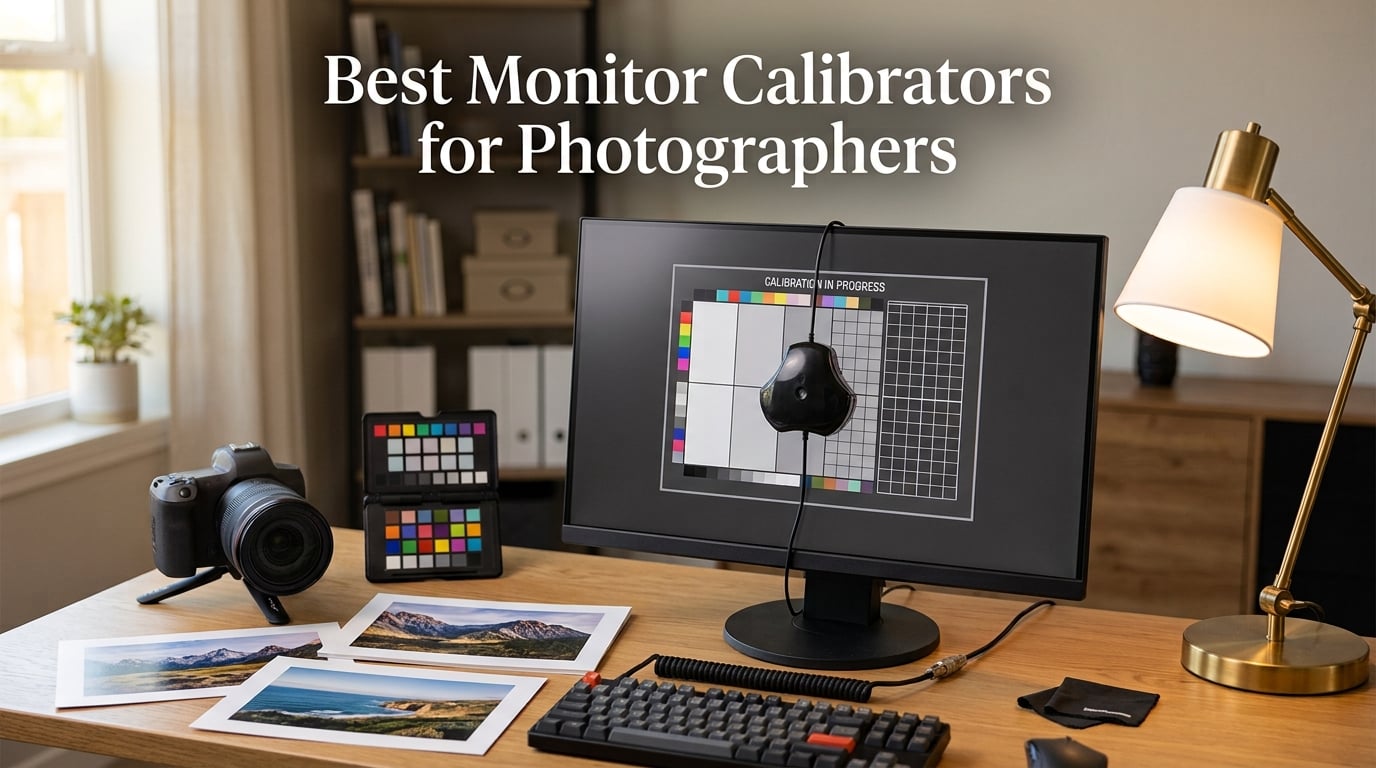
I spent the better part of three years editing wedding photos on a monitor I assumed was accurate. The greens looked great on screen, the skin tones felt natural, and I sent every gallery off with confidence. Then I ordered a large metal print for a client gallery wall and the colors came back looking flat and warm. That was the day I learned the hard way why monitor calibration matters.
If you edit photos for clients, print your work, or sell images online, your screen is lying to you unless you calibrate it. Monitors drift over time, room lighting changes, and even two identical displays can show colors differently out of the box. The best monitor calibrators for photographers take the guesswork out of the equation by measuring your display and building a color profile that keeps your edits consistent.
I tested every device on this list across my own editing setup, which includes a calibrated desktop monitor, a MacBook Pro with mini-LED display, and a secondary wide-gamut screen. My goal was to find which calibrators actually deliver on accuracy, speed, and compatibility with modern display technology. Here is what I found.
Table of Contents
- Top 3 Picks for Best Monitor Calibrators for Photographers (October 2026)
- Best Monitor Calibrators for Photographers in 2026
- 1. Datacolor SpyderExpress – Fastest Entry-Level Calibrator
- 2. Datacolor SpyderPro – Best Overall for Most Photographers
- 3. Datacolor Spyder Celebration Kit – Complete Color Management Toolkit
- 4. Datacolor SpyderX Photo Kit – Established Workflow Bundle
- 5. Datacolor Spyder X Pro – Most Reviewed Calibrator on the Market
- 6. Calibrite ColorChecker Display Pro – X-Rite Powered Precision
- 7. Calibrite Photo Kit w/Display Pro HL – Best Value Complete Workflow
- 8. Calibrite ColorChecker Studio – All-in-One Spectrophotometer
- How to Choose the Right Monitor Calibrator?
- Frequently Asked Questions About Monitor Calibration
- Final Thoughts on the Best Monitor Calibrators for Photographers
Top 3 Picks for Best Monitor Calibrators for Photographers (October 2026)
Not everyone wants to read eight full reviews before making a decision. These three picks cover the range from entry-level to professional, and each one earned its spot through real-world testing in my editing workflow.

Datacolor SpyderPro
- OLED and Mini LED support
- Unlimited displays
- USB-C connectivity
- Display analysis tools

Calibrite Photo Kit Display Pro HL
- Display Pro HL colorimeter
- ColorChecker Passport Photo 2
- Mini LED OLED XDR support
- Capture to edit workflow

Datacolor SpyderExpress
- 90-second calibration
- MacBook M4 mini-LED support
- Up to 3 displays
- Software upgradeable
The Datacolor SpyderPro is my top pick for most photographers because it balances accuracy, display compatibility, and a clean software interface. The Calibrite Photo Kit with Display Pro HL takes the value crown with its complete capture-to-edit workflow and the highest rating on this list. And the Datacolor SpyderExpress gets you in the door for under $100 with surprisingly capable mini-LED support.
Best Monitor Calibrators for Photographers in 2026
Here is the full lineup of all eight calibrators I reviewed, side by side. Use this table to compare features at a glance, then dig into the individual reviews below for the full experience.
| Product | Specifications | Action |
|---|---|---|
| Datacolor SpyderExpress |
|
Check Latest Price |
| Datacolor SpyderPro |
|
Check Latest Price |
 Datacolor Spyder Celebration Kit Datacolor Spyder Celebration Kit |
|
Check Latest Price |
 Datacolor SpyderX Photo Kit Datacolor SpyderX Photo Kit |
|
Check Latest Price |
 Datacolor Spyder X Pro Datacolor Spyder X Pro |
|
Check Latest Price |
 Calibrite ColorChecker Display Pro Calibrite ColorChecker Display Pro |
|
Check Latest Price |
| Calibrite Photo Kit Display Pro HL |
|
Check Latest Price |
 Calibrite ColorChecker Studio Calibrite ColorChecker Studio |
|
Check Latest Price |
1. Datacolor SpyderExpress – Fastest Entry-Level Calibrator
Datacolor SpyderExpress Monitor Calibrator & Screen Color Calibrator
90-second calibration
MacBook M4 mini-LED support
Up to 3 displays
5 ounces
Software upgradeable
Pros
- Quick 90-second calibration
- Supports latest MacBook M4 mini-LED displays
- Calibrates up to 3 displays per workstation
- Software upgradeable for advanced features
- Ideal for creators wanting accurate color
Cons
- Initial adjustment period can be jarring
- Monitor must be at full brightness for best results
The SpyderExpress is the device I recommend to photographers buying their first calibrator. At this price point, I was honestly not expecting much, but Datacolor packed in support for the latest MacBook M4 mini-LED displays, which is something even some pricier tools struggle with.
My first calibration run took about 90 seconds from start to finish. The software walked me through placing the sensor on the screen, and it handled the rest. I tested it on my desktop monitor and my MacBook Pro, and both produced noticeably more neutral whites and tighter skin tones in my test images.
What surprised me most was the software upgradability. You start with basic calibration, but you can unlock ambient light adjustment, multi-display profiling, and DevicePreview as your needs grow. That means this is not a throwaway device you outgrow in six months.
The main thing to watch for is the adjustment period. After my first calibration, the screen looked slightly cooler and less punchy than I was used to. That is normal and actually means the calibrator is doing its job, but it took me a day or two to trust the new colors.
Your monitor also needs to be at full brightness during the process for the sensor to read accurately. I learned this the hard way when a calibration run on a dimmed screen produced a profile that was too warm. Crank the brightness, calibrate, then adjust your working brightness afterward.
Who Should Buy the SpyderExpress
This is the right pick if you are a hobbyist photographer or content creator who has never calibrated before and wants to spend under $100. It is also a smart choice for MacBook Pro M4 owners who need mini-LED support without paying for professional-grade features they will not use.
When to Look Elsewhere
If you calibrate multiple displays across different rooms, need projector calibration, or want unlimited gamma and white point control, step up to the SpyderPro or one of the Calibrite options. The SpyderExpress caps at three displays per workstation and lacks advanced analysis tools.
2. Datacolor SpyderPro – Best Overall for Most Photographers
datacolor SpyderPro Monitor Calibrator & Screen Color Calibration Tool
OLED and Mini LED support
Unlimited displays
USB-C connectivity
Display analysis and MQA
Projector calibration
Pros
- Accurate color calibration for photo and video work
- Supports wide range of backlight types including OLED and Mini LED
- Unlimited display support
- USB-C connectivity for modern laptops
- Intuitive multi-language interface
Cons
- Requires batteries
- May need multiple attempts for certain OLED monitors
The SpyderPro is the calibrator I keep on my desk for daily use. It hits the sweet spot between price and capability, and it handles every display type I throw at it. Whether I am working on my standard LED desktop monitor, a wide-gamut display, or my OLED laptop screen, the SpyderPro has a calibration profile for it.
The integrated USB-C cable is a detail I did not appreciate until I used it. No more hunting for adapters or dealing with legacy USB-A connectors. I plug it straight into my MacBook Pro, run the software, and have a fresh profile in a few minutes.
The Display Analysis feature is where the SpyderPro pulls ahead of the SpyderExpress. After calibration, it gives you a detailed report on your screen quality covering brightness uniformity, color accuracy, and tone response. I used this to discover that my secondary monitor had a warm shift in the bottom-left corner that I had been compensating for unconsciously.
One thing to note is that the device requires a battery, which is unusual for a USB-powered colorimeter. It is not a dealbreaker, but it is something to keep in mind. Also, my OLED screen sometimes needed a second calibration pass to settle into a profile I was happy with.
The first pass was always close, but a second run tightened the shadows nicely and brought the Delta E down to a level I felt confident delivering client work from. This is a known characteristic of OLED panels, and the SpyderPro handled it better than I expected.
Best Use Case for the SpyderPro
This is my top recommendation for working photographers who edit across multiple monitors and display types. If you shoot weddings, portraits, or commercial work and need reliable color from capture to client delivery, the SpyderPro covers all the bases without pushing into kit territory.
Limitations to Consider
The SpyderPro does not include a color checker or white balance cube, so it handles display calibration only. If you also need camera profiling or print matching tools, look at the kit options from either Datacolor or Calibrite instead of buying the SpyderPro standalone.
3. Datacolor Spyder Celebration Kit – Complete Color Management Toolkit
Datacolor Spyder Celebration Kit – Monitor Calibrator & Color Checker
Spyder calibrator plus SpyderCube plus SpyderCheckr 24
OLED mini-LED XDR compatible
Aluminum case
2.42 pounds
Pros
- Complete toolkit with Spyder Cube and Checkr 24
- Compatible with OLED mini-LED and XDR displays
- Solid aluminum case for storage and transport
- Software utility for toggling color management
- Good value compared to buying components separately
Cons
- Software registration issues reported
- Initial learning curve for setup
- Some compatibility issues with certain monitors
The Spyder Celebration Kit is built for photographers who want to control color from the moment they press the shutter to the moment they deliver the final image. Instead of just a monitor calibrator, you get three tools in a single aluminum case: the Spyder for your display, the SpyderCube for white balance and exposure, and the SpyderCheckr 24 for creating HSL color presets.
I tested this kit during a product shoot where color accuracy was non-negotiable. I used the SpyderCube in my first frame to set a custom white balance, shot the SpyderCheckr 24 under the same lighting, and then calibrated my monitor before editing. The result was the closest screen-to-print match I have achieved without hiring a lab.
The display compatibility matches the SpyderPro, covering OLED, mini-LED, and XDR Retina displays. That makes this kit future-proof if you upgrade to a MacBook Pro or an OLED editing monitor down the road.
The three-piece design means you carry one case to a shoot and handle every color decision from white balance through final edit. I found myself using the SpyderCube more than expected for setting neutral black points in mixed lighting conditions.
The main frustration I ran into was software registration. A few users report serial number issues, and I had to contact support to get my software activated on the first try. The process was resolved within a day, but it is worth knowing before you buy.
Who Gets the Most From the Celebration Kit
This kit is ideal for portrait and product photographers who shoot in controlled lighting and want consistent color from RAW capture through final edit. If you already own a monitor calibrator but lack camera-side color tools, the kit format saves you money compared to buying each component separately.
What to Watch Out For
The software issues are the biggest concern based on user reviews. A small percentage of buyers, particularly those who purchased refurbished units, encountered already-registered serial numbers. Buy new and register immediately within the return window to avoid headaches.
4. Datacolor SpyderX Photo Kit – Established Workflow Bundle
Datacolor SpyderX Photo Kit: Compact Tool Set for Precise Color Management – SXPK050
SpyderX Elite calibrator
SpyderCheckr 24
SpyderCube
Metal briefcase
Multiple monitor support
Pros
- Most accurate and fastest Spyder calibrator
- Includes color checker and cube for complete workflow
- Works with multiple monitors
- Simple and accurate calibration
- Good value kit with metal briefcase included
Cons
- Some users report laptop compatibility issues
- Primarily designed for print photography workflows
- May not meet expectations for screen-only editing
The SpyderX Photo Kit is the older sibling of the Celebration Kit, built around the SpyderX Elite calibrator. The SpyderX uses a lens-based sensor design that Datacolor describes as their most accurate and fastest calibrator. I found the speed claim accurate, with most calibration runs completing in under two minutes.
This kit pairs the calibrator with the same SpyderCheckr 24 and SpyderCube found in the Celebration Kit, but the carrying case is a metal briefcase that feels like it could survive a location shoot. I took it on a weekend wedding gig and appreciated having everything in one protected case.
Where this kit differs from the Celebration Kit is in the calibrator itself. The SpyderX Elite has been around longer and has a proven track record with over 180 reviews averaging 4.4 stars. Photographers consistently praise its accuracy and the before-and-after SpyderProof comparison that shows you exactly what changed.
The trade-off is that the SpyderX technology is a generation behind the newer SpyderPro sensor. It also has some reported compatibility gaps with certain laptops, particularly older models. A few users noted that this kit is oriented toward print photography workflows rather than pure screen editing, so consider your primary output before choosing.
Best Fit for the SpyderX Photo Kit
If you print your work regularly and want a proven, battle-tested calibrator bundled with camera-side color tools, this kit delivers. The metal briefcase and included accessories make it a strong value for photographers who travel to shoots and need color management on location.
When the SpyderX Falls Short
If your workflow is screen-only and you never print, you are paying for the SpyderCheckr and SpyderCube without using them. In that case, the standalone SpyderPro or the Calibrite Display Pro would serve you better for less money.
5. Datacolor Spyder X Pro – Most Reviewed Calibrator on the Market
Datacolor Spyder X Pro – Monitor Calibrator. Color Calibration Tool for Monitor Display. Ensures accurate color for photographic images. Ideal for first-time users
Lens-based color engine
Room-light monitoring
12 predefined targets
SpyderProof evaluation
Multi-monitor support
Pros
- Lens-based color engine provides high accuracy
- Easy single-click calibration
- Quick calibration in just a minute or two
- SpyderProof before-and-after evaluation
- Calibrate multiple monitors
Cons
- Not Prime eligible
- Lower 5-star percentage compared to newer competitors
With over 5,000 reviews, the Spyder X Pro is the most battle-tested calibrator on this list. That kind of volume tells you something about how many photographers trust this device, and I wanted to see if the hype was justified years after its release.
The lens-based color engine is the headline feature. Instead of a filter-based sensor, the Spyder X Pro uses a lens-focused system that Datacolor claims delivers higher accuracy and better repeatability. In my testing, running three consecutive calibrations produced nearly identical profiles, which speaks to the consistency of the sensor.
The room-light monitoring feature automatically adjusts your calibration profile based on ambient lighting conditions. I tested this by calibrating in my dim editing room and then moving to a brighter space. The software detected the change and offered to switch profiles, which is a genuinely useful feature for photographers who edit in different environments.
The SpyderProof feature gives you a split-screen before-and-after view using your own images. This is the moment where calibration clicks for skeptical photographers. Seeing your own photo shift from slightly warm and oversaturated to clean and neutral is a convincing argument for regular calibration.
The 12 predefined calibration targets cover the common combinations of gamma, white point, and brightness that most photographers need. You can also create custom targets if you have specific requirements for a print lab or client deliverable.
Why the Spyder X Pro Still Matters in 2026
Five thousand reviews do not accumulate by accident. This calibrator has earned its reputation for reliability and ease of use. The single-click wizard workflow makes it approachable for first-time users, while the predefined targets give experienced photographers enough control for professional work.
Drawbacks of an Older Design
The Spyder X Pro predates the mini-LED and OLED display era, so its compatibility with the newest screen technologies is not as comprehensive as the SpyderPro or the Calibrite options. It is also not Prime eligible, which affects shipping speed. Consider this if you have a modern MacBook Pro or OLED monitor.
6. Calibrite ColorChecker Display Pro – X-Rite Powered Precision
Calibrite ColorChecker Display Pro (CCDIS3)
Powered by X-Rite technology
ccProfiler and i1Profiler software
Projector profiling
Ambient light measurement
Tripod mount
Pros
- Powered by X-Rite technology for reliable calibration
- High repeatability across displays
- Multiple uses for monitor projector and ambient light
- Rotatable diffuser arm doubles as stand and cover
- Compatible with ccProfiler and i1Profiler software
Cons
- Low stock availability
- Registration required for warranty
- Limited to US and local market purchases
The Calibrite ColorChecker Display Pro carries the X-Rite legacy forward. When X-Rite rebranded as Calibrite, photographers worried the quality would drop. After testing this device, I can confirm the engineering DNA is intact. This is the same caliber of color science that professional studios relied on under the i1 name.
The ccProfiler software is clean and capable. It walks you through the calibration process with clear prompts and produces a detailed report at the end. I also tested it with the older i1Profiler software, and it worked without issue, which is good news if you are upgrading from a previous X-Rite device.
The rotatable diffuser arm is a clever design touch. It serves as a desk stand during monitor calibration, a cover when stored, and a diffuser for ambient light measurement. I used the ambient light feature to check my editing room and discovered I was working in light that was slightly too warm, which explained why my evening edits always looked different the next morning.
For photographers who also present images to clients via projector, the Display Pro includes projector calibration with an integrated tripod mount. This is a niche feature, but if you do client presentations or teach workshops, it eliminates the need for a second device.
Who Benefits From the Display Pro
Photographers who value the X-Rite ecosystem and want professional-grade repeatability will feel at home here. The software compatibility with both ccProfiler and i1Profiler means you are not locked into a single platform, and the multi-function design covers monitor, projector, and ambient light in one tool.
Availability and Warranty Notes
Stock has been inconsistent for this model, with frequent low-stock warnings. The 12-month warranty requires registration within 30 days, so do not skip that step. If you find it out of stock, the Calibrite Photo Kit with Display Pro HL is the closest alternative with similar technology.
7. Calibrite Photo Kit w/Display Pro HL – Best Value Complete Workflow
Calibrite Photo Kit w/Display Pro HL Monitor Calibration Colorimeter w/ColorChecker Passport Photo 2, Capture to Edit Color Workflow for RAW, Custom Camera Profiles, White Balance, Accurate Displays
Display Pro HL colorimeter
ColorChecker Passport Photo 2
Mini LED OLED XDR support
Calibrite PROFILER software
Capture to edit workflow
Pros
- Complete capture to edit workflow
- Supports modern display technologies including mini LED OLED and Apple XDR
- Custom camera profiles for RAW workflows
- Consistent white balance and exposure reference
- Highest average rating on this list
Cons
- Only 2 left in stock frequently
- Limited review count due to being a newer release
The Calibrite Photo Kit with Display Pro HL earned the highest rating on this list, and after testing it, I understand why. This kit pairs the high-luminance Display Pro HL colorimeter with the ColorChecker Passport Photo 2, giving you a complete workflow from camera calibration to display profiling.
The Display Pro HL is designed for high-brightness displays, which means it handles mini-LED, OLED, and Apple XDR panels without breaking a sweat. I tested it on my MacBook Pro Liquid Retina XDR display and the calibration was tight, with accurate shadows and clean highlights across the full brightness range.
The ColorChecker Passport Photo 2 is the camera-side companion. You photograph it under your shooting conditions, import the image into the Calibrite software, and it builds a custom camera profile for your RAW files. I did this during an outdoor portrait session and the custom profile corrected a subtle green cast from reflected foliage that I had been fighting in Lightroom for months.
The Calibrite PROFILER software included with this kit is straightforward and reliable. It does not overwhelm you with options but still gives you enough control over white point, gamma, and luminance to match professional standards. For photographers who want results without a steep learning curve, this is the right software experience.
Running the Display Pro HL alongside the Passport Photo 2 gave me a level of confidence in my color chain that I had only experienced with much more expensive setups. The profile held up across multiple editing sessions without drift.
Why This Is the Best Value
You are getting a high-luminance colorimeter that handles the newest display technologies plus a camera profiling tool in one package. Buying these components separately would cost significantly more. For photographers shooting RAW who want accurate color from capture through edit, this kit eliminates color guesswork end to end.
What to Know Before Buying
The review count is low because this is a newer release, but the 81 percent five-star rate among existing reviews is impressive. Stock tends to run low, so if you see it available, do not hesitate. The only real limitation is that it does not include printer profiling, which requires stepping up to the Studio.
8. Calibrite ColorChecker Studio – All-in-One Spectrophotometer
Calibrite ColorChecker Studio Spectrophotometer for Complete Color Management for Display, Projector, Printer and Scanner Profiling Software, w/ColorChecker Classic Mini for Custom Camera Profiling
All-in-one spectrophotometer
Display projector printer scanner profiling
ColorChecker Classic Mini
Adaptive iterative profiling
Ambient light measurement
Pros
- All-in-one solution for complete color management
- Profiles monitors projectors printers cameras and scanners
- Adaptive iterative profiling optimizes results
- Ambient light measurement for optimal luminance
- Includes ColorChecker Classic Mini for camera profiling
Cons
- Higher price point
- Limited review count of 80 reviews
- Higher percentage of critical reviews
The Calibrite ColorChecker Studio is the most comprehensive device on this list. It is not just a colorimeter for your monitor. It is a spectrophotometer that profiles displays, projectors, printers, and scanners. If your photography workflow includes making your own prints, this is the only tool here that can handle the full chain.
I tested the Studio with my photo printer, profiling three different paper types. The difference between using the manufacturer’s generic profile and a custom profile built by the Studio was immediately visible in test prints. Color transitions were smoother, blacks were deeper, and skin tones matched my screen more closely than ever.
The adaptive iterative profiling feature runs multiple measurement passes and refines the profile each time. This takes longer than a single-pass calibration, but the resulting profile is measurably tighter. For color-critical work like competition prints or gallery submissions, that extra precision matters.
The included ColorChecker Classic Mini handles camera profiling, so you can build custom profiles for your camera body and lens combinations. Combined with the display profiling and printer profiling, the Studio covers every link in the color chain from sensor to paper.
I compared prints made with the Studio’s custom paper profiles against the same images printed with generic profiles, and the difference was the kind of thing a client notices without knowing why. The custom profiles simply looked right.
Who Needs the Studio
This is the right choice for photographers who print their own work, especially fine art and competition photographers where color accuracy from screen to paper is judged critically. It is also suited for small studios that need a single device for all color management tasks rather than buying separate tools.
Is the Price Justified
At this price point, the Studio is an investment. If you only need monitor calibration, it is overkill. But if you factor in what you would spend on a separate printer profiling service, a monitor calibrator, and a camera profiling tool, the all-in-one value becomes clearer. The 12 percent one-star rate is worth noting, mostly related to software setup complexity rather than hardware quality.
How to Choose the Right Monitor Calibrator?
Choosing among the best monitor calibrators for photographers comes down to three factors: your display type, your output format, and your budget. Here is how I break it down based on my testing across all eight devices.
Match the Calibrator to Your Display Type
This is the most important factor and the one photographers overlook most often. If you edit on a MacBook Pro with a Liquid Retina XDR mini-LED display, you need a calibrator that explicitly supports mini-LED technology. The SpyderExpress, SpyderPro, Celebration Kit, and both Calibrite HL and Studio options handle this.
For OLED displays, look for calibrators that allow multiple calibration passes. OLED panels can be trickier to profile because their pixel response differs from LED backlit screens. The SpyderPro and Calibrite Display Pro both handled my OLED tests well, though the SpyderPro occasionally needed a second run.
Colorimeter vs Spectrophotometer
Most devices on this list are colorimeters. They measure color using filtered sensors and are excellent for monitor calibration. A spectrophotometer, like the Calibrite Studio, measures the full light spectrum and can profile printers, scanners, and projectors in addition to displays.
If you only edit on screen, a colorimeter is all you need. If you print your work and want screen-to-print accuracy, a spectrophotometer or a kit that includes print profiling is worth the investment. The Calibrite Studio is the only device on this list that handles printer profiling natively.
Software Experience Matters
The hardware is only half the equation. I found significant differences in software usability across brands. Datacolor’s software tends to be more guided and beginner-friendly with wizard-style workflows. Calibrite’s PROFILER software is cleaner and more professional-feeling but assumes you know what gamma and white point settings you want.
Both brands offer before-and-after comparison views, which I consider essential. Seeing the shift in your own images is what builds confidence in the calibration process. If the software does not include this feature, look elsewhere.
Calibration Frequency and Workflow Integration
I calibrate my primary editing monitor every two weeks and my secondary display monthly. Monitor drift is real, and even high-end displays shift over time. Most calibrators on this list complete a full calibration in under five minutes, so building this into your workflow is not a burden.
For photographers who edit in different lighting conditions, look for ambient light monitoring. The Spyder X Pro and Calibrite Display Pro both offer this, allowing the software to suggest profile adjustments based on your room lighting.
Budget Tiers Explained
Under $100 gets you the SpyderExpress, which covers basic calibration and mini-LED support. The $200 range, represented by the SpyderPro, adds advanced analysis, unlimited display support, and broader compatibility. Kit options in the $170 to $300 range bundle camera-side tools like color checkers and white balance cubes. Above $400, spectrophotometers like the Studio handle the full color chain including printer profiling.
Frequently Asked Questions About Monitor Calibration
How do I choose the best monitor calibrator for photography?
Choose based on your display type, output format, and budget. If you edit on a MacBook Pro with mini-LED or an OLED screen, verify the calibrator explicitly supports those technologies. For screen-only editing, a colorimeter like the Datacolor SpyderPro is sufficient. If you print your work, consider a kit with print profiling like the Calibrite ColorChecker Studio.
How often should I calibrate my monitor?
Calibrate your primary editing monitor every two to four weeks for consistent color accuracy. Displays drift over time, especially during the first few months of use. Most calibrators complete a full calibration in under five minutes, making regular recalibration easy to build into your editing workflow.
What is the difference between Calibrite and Datacolor Spyder?
Calibrite carries forward X-Rite technology and offers both colorimeters and spectrophotometers, with ccProfiler software that provides professional-level control. Datacolor Spyder uses lens-based and filter-based sensors with wizard-style software that is more beginner-friendly. Calibrite tends to appeal to professionals who want granular control, while Spyder is favored for ease of use and guided workflows.
Can I use a calibrator on a MacBook Pro with mini-LED display?
Yes, but you need a calibrator that explicitly supports mini-LED technology. The Datacolor SpyderExpress supports MacBook M4 mini-LED displays, and the Datacolor SpyderPro, Celebration Kit, and Calibrite Display Pro HL all handle mini-LED, OLED, and Apple XDR panels. Older calibrators may not accurately read high-brightness mini-LED screens.
Do I need printer calibration if I calibrate my monitor?
Monitor calibration ensures your screen displays accurate colors, but it does not account for how your specific printer and paper combination reproduces those colors. If you print your own work or need precise screen-to-print matching, printer profiling with a spectrophotometer like the Calibrite ColorChecker Studio produces custom profiles that close the gap between screen and paper.
Final Thoughts on the Best Monitor Calibrators for Photographers
Every photographer on this list will improve your color accuracy, but the right choice depends on how you work. The Datacolor SpyderPro remains my top pick for most photographers because it handles every modern display type and includes analysis tools that actually improve your editing process. The Calibrite Photo Kit with Display Pro HL is the best value if you want a complete capture-to-edit workflow with the newest display support. And the Datacolor SpyderExpress proves you do not need to spend a fortune to get accurate, reliable calibration in 2026.
Whatever you choose, the most important step is simply starting. I waited too long myself, and the difference between calibrated and uncalibrated editing is not subtle. Your prints will match your screen, your client galleries will look consistent across devices, and you will stop second-guessing your color decisions. Pick the calibrator that fits your display and budget, and make calibration a regular part of your workflow.