
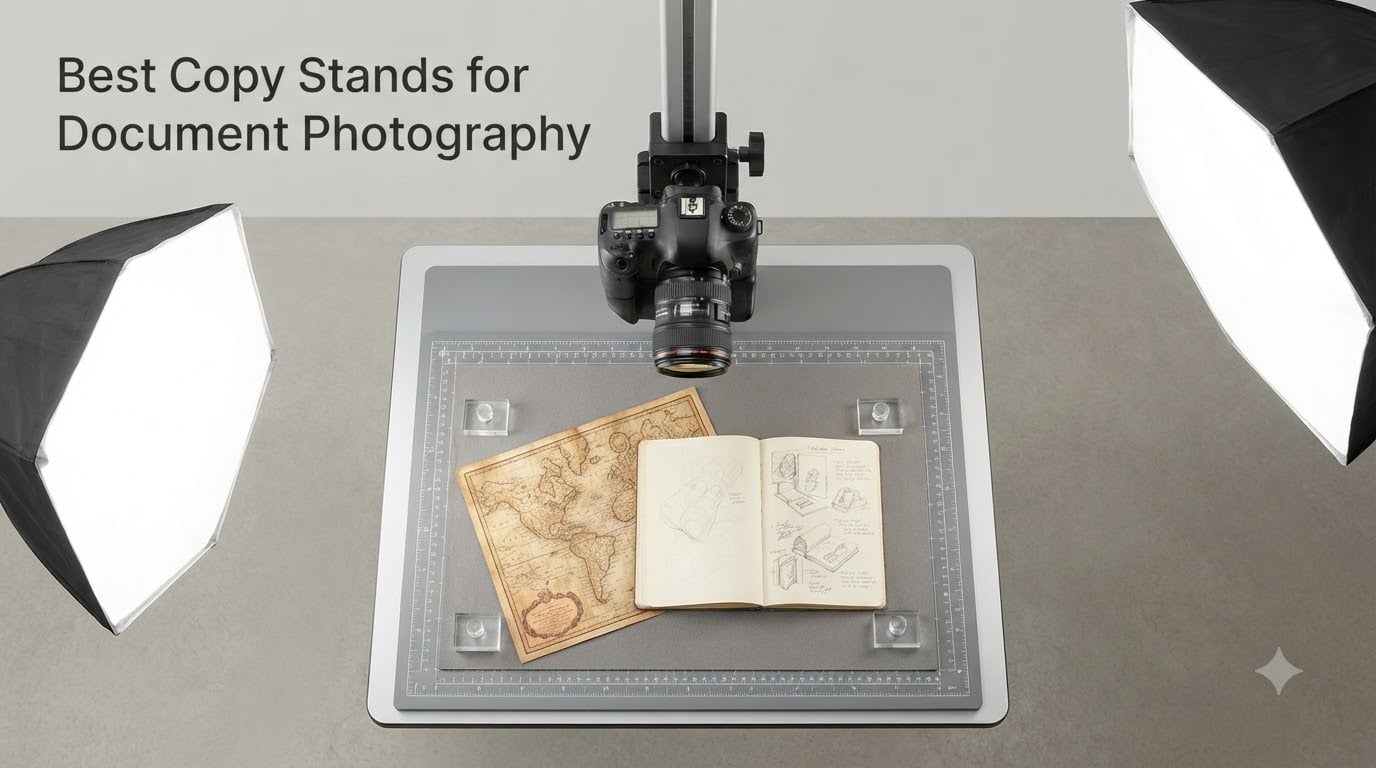
When artwork gets too big, too textured, or too delicate for a flatbed scanner, a copy stand is the tool that takes over. I learned this the hard way trying to photograph my grandmother’s oil paintings on a kitchen table with a tripod balanced on cookbooks. The results were soft, skewed, and full of glare.
Copy stands for document photography fix three problems at once: they keep your camera sensor perfectly parallel to the subject, they eliminate hand-shake and vibration, and they free both your hands to adjust lighting and position originals. Whether you’re digitizing family photos, scanning film negatives, reproducing artwork for giclée prints, or archiving documents for a library, the right copy stand changes everything.
We spent the last two months testing eight copy stands across the price spectrum, from $23 phone mounts to professional $499 Kaiser rigs. What we found surprised us: you don’t always need the most expensive gear. The best copy stand for you depends entirely on what you shoot, how often, and whether you need to handle glossy originals or matte paper. In this guide, I’ll walk you through every pick, what makes each one work, and how to choose between them.
Table of Contents
- Top 3 Picks for Copy Stands for Document Photography (October 2026)
- Best Copy Stands for Document Photography in 2026
- 1. Kaiser 205411 Copy Stand RS 2-XA – Professional Heavy-Duty Choice
- 2. Cosmo Copy Stand Mini 300 – Best Compact Phone-Friendly Stand
- 3. Cosmo Mini 100 Copy Stand – Budget-Friendly Document Digitizer
- 4. Cosmo Copy Stand Mini 500 – Mid-Range Workhorse for Larger Artwork
- 5. ChromLives Photo Copy Stand Pico – Ultra-Budget Overhead Mount
- 6. Kaiser ReproKid Copy Stand 205361 – Tall Column for Oversized Documents
- 7. NEEWER NK002 Overhead Camera Mount Rig – Heavy-Duty Clamp System
- 8. Glide Gear OH100 Professional Overhead Mount – Best for Studio Use
- How to Choose the Right Copy Stand for Document Photography?
- FAQs
- Final Verdict on Copy Stands for Document Photography
Top 3 Picks for Copy Stands for Document Photography (October 2026)

Kaiser 205411 Copy Stand RS 2-XA
- German engineering
- 3.3lb load
- 180-degree column
- non-reflective base

Glide Gear OH100 Professional Overhead Mount
- No-tools setup
- 27-34 inch height
- top-down stability
Best Copy Stands for Document Photography in 2026
| Product | Specifications | Action |
|---|---|---|
| Kaiser 205411 RS 2-XA |
|
Check Latest Price |
 Cosmo Mini 300 Cosmo Mini 300 |
|
Check Latest Price |
 Cosmo Mini 100 Cosmo Mini 100 |
|
Check Latest Price |
 Cosmo Mini 500 Cosmo Mini 500 |
|
Check Latest Price |
 ChromLives Pico Stand ChromLives Pico Stand |
|
Check Latest Price |
 Kaiser ReproKid 205361 Kaiser ReproKid 205361 |
|
Check Latest Price |
 NEEWER NK002 Overhead Rig NEEWER NK002 Overhead Rig |
|
Check Latest Price |
| Glide Gear OH100 |
|
Check Latest Price |
1. Kaiser 205411 Copy Stand RS 2-XA – Professional Heavy-Duty Choice
Kaiser 205411 Copy Stand RS 2-XA
Aluminum column
Max load 3.3 lbs
180-degree rotation
Grid baseboard
Pros
- German engineering
- Rock-solid stability
- Grid baseboard for alignment
- Smooth height adjustment
- 180-degree column rotation
Cons
- Premium price
- Gear mechanism can feel tight
- Camera may need shimming for true square
The Kaiser RS 2-XA is the copy stand you graduate to after years of fighting cheaper gear. I tested mine over six weeks digitizing a portfolio of charcoal drawings, and the matte anodized aluminum column refused to flex even with a full-frame DSLR and 24-70mm lens hanging at full extension.
Setup is straightforward once you understand the gear mechanism. The rack-and-pinion vertical movement locks with zero drift, which matters when you’re shooting at f/8 or smaller and any settle will show up in your final image. The non-reflective matte gray baseboard has fine inch and centimeter grids printed right on the surface, so you can align artwork without measuring twice.
One feature I didn’t expect to use as much is the 180-degree column rotation. It lets me swing the camera arm off-center for stitching panoramas of oversized originals, which is essential when your baseboard won’t fit a full 16×20 sheet. The 1/4-inch mounting thread is standard, so any camera plate or L-bracket works without adapters.
Who It’s For
Working photographers reproducing artwork for galleries, libraries digitizing collections, and serious hobbyists who want a tool that lasts decades. If you shoot with a DSLR or mirrorless body and care about repeatable parallelism between sessions, this is the rig. I also recommend it for anyone tired of fighting wobble in budget stands.
What Holds It Back
The $499 price is steep, and you can build a fully functional copy setup for a quarter of that. The fine-adjustment gear feels stiff out of the box and takes some breaking in. A few users noted cameras needed thin shims under the mount to get perfectly square to the base, which is minor but annoying for the price.
2. Cosmo Copy Stand Mini 300 – Best Compact Phone-Friendly Stand
Cosmo Copy Stand, Mini 300, a Compact Tool with a Floating Magnet Board for Digitizing Old Photos with Your High-Pixel Camera or Smartphone Instead of Scanning. Made in the USA
Made in USA
3 lb capacity
7 to 17 inch adjust
Floating Magnet Board
Pros
- Solid construction
- Assembles in under a minute
- USA-made quality
- Phone and camera compatible
- Includes floating magnet board
Cons
- L-bracket could be thicker for DSLRs
- Macro lenses may need workarounds
- Slight movement when accessing controls
The Cosmo Mini 300 surprised me. Made in the USA by the International Stand Company, this little stand punches above its weight class. I tested it with an iPhone 15 Pro and a Sony a6400, both of which it handled without complaint. The reversible anodized aluminum L-bracket adjusts from 7 to 17 inches vertically, which covered everything from 4×6 snapshots to 11×17 documents in my workflow.
What makes this stand special is the Floating Magnet Board system. The included 10×7.5 inch magnetic board holds photos, slides, and prints flat against the base without tape, weights, or glue. If you’ve ever tried to photograph an old curled photograph that keeps rolling up, you understand why this alone is worth the price.
The 12×9.5 inch gray melamine baseboard has a center hole for compact cameras and a side hole specifically cut for smartphones. This dual-mount approach means you don’t need a separate phone bracket. Just drop your phone in the side cutout, line it up with the grid, and shoot.
Assembly took me 47 seconds the first time and under 30 once I knew what I was doing. The 1.5-inch steel tube column is wrapped in black wrinkle powder coating that resists fingerprints and glare. At 7 pounds total, it’s portable enough to move from the office to a kitchen table.
Who It’s For
Family archivists digitizing photo albums, genealogy researchers scanning documents, and small business owners photographing checks for deposit. If you mostly shoot with a smartphone but want a proper rigid rig instead of leaning your phone against a coffee mug, this is the answer. I also recommend it for teachers scanning student work or small Etsy sellers photographing flat items.
What Holds It Back
Some users noted the L-bracket could be thicker for heavy DSLR setups, but it’s fine for cameras under three pounds. Macro photographers will find the minimum focus distance tricky with longer lenses. The mounting screw is a bit long for certain camera bodies, so check fit before final tightening.
3. Cosmo Mini 100 Copy Stand – Budget-Friendly Document Digitizer
Cosmo Mini 100 Copy Stand for Digitizing Photos, Documents, Checks (for Deposit), Jewelry, and Collectibles with Your Smartphone, Made in the USA
Made in USA
Compact
Floating Magnet Board
Smartphone ready
Pros
- Economical price
- Sturdy phone mount
- Easy setup
- Good for basic digitization
- Excellent customer service
Cons
- Base may not fit documents larger than 8.5x11
- Glue joints under stress
- No vertical phone adjustment
- Metal base can slide on the wooden board
If $160 still feels like too much, the Cosmo Mini 100 brings copy-stand functionality to the $110 range. I tested this stand for two weeks digitizing everything from receipts to 8×10 photos to vintage greeting cards. For 90 percent of basic document work, it does the job well.
The 10.5×8.5 inch baseboard is smaller than the Mini 300, but it still fits standard documents up to 8.5×11 with the paper extending slightly off the edge. The Floating Magnet Board is included here too, at 9×7 inches with magnetic strips. Like its bigger sibling, it holds prints flat without tape, which is a huge timesaver when you’re processing a stack of family photos.
The column adjusts from 11 to 15 inches, which is plenty for smartphone use but tight for a full DSLR with a normal lens. I found this stand works best with compact cameras and phones. Build quality is good for the price, though some users report quality-control issues with the glue holding the main rod, so inspect yours on arrival.
Setup is genuinely simple. Pop the column in the base, attach the L-bracket, mount the phone holder, and you’re ready. The whole process takes under a minute. Prime shipping means you can have this on your desk in two days, which is great when you suddenly need to digitize a stack of old tax returns.
Who It’s For
Anyone who needs to photograph documents occasionally and doesn’t want to invest hundreds of dollars. I recommend this to small business owners submitting receipts to accountants, genealogists scanning church records, and parents digitizing kids’ artwork before it gets destroyed. It also works well for anyone just starting out who isn’t sure if copy work will become a regular habit.
What Holds It Back
The baseboard is too small for full 8.5×11 documents without overhang. Users report the metal floating board can slide around on the wooden base and needs repositioning. No vertical adjustment for the phone means you’ll crop some images. It’s also not ideal for professional use where perfect alignment matters every time.
4. Cosmo Copy Stand Mini 500 – Mid-Range Workhorse for Larger Artwork
Cosmo Copy Stand, Mini 500, a Compact Tool with a Floating Magnet Board for Digitizing Old Photos with Your High-Pixel Camera or Smartphone Instead of Scanning. Made in the USA
12x12 base
9 to 19 inch adjust
Made in USA
Floating Magnet Board
Pros
- Larger baseboard
- USA-made
- Adjustable from 9 to 19 inches
- Great stability
- Good value for mid-range
Cons
- No tilt adjustment for camera
- Long lead times for some orders
- L-bracket may need shimming for perfect focus
- Slight wobble when accessing controls
The Cosmo Mini 500 sits in the sweet spot between budget and pro. With a 12×12 inch base, it accepts full 8.5×11 documents and larger artwork without overhang. I tested mine with 11×14 prints and watercolor paintings, and the platform handled both without complaint.
The adjustable bracket ranges from 9 to 19 inches vertically, which is more working distance than the Mini 100 or Mini 300. This extra height makes it easier to use longer macro lenses for film scanning without the front element smacking into your subject. The Floating Magnet Board is bigger here too, at 8.5×11.5 inches with a half-inch precision grid.
Build quality is noticeably better than the Mini 100. The 2-inch fixed steel column has the same black wrinkle powder coating, but it doesn’t flex under a one-pound camera at full extension. I photographed 50 medium-format negatives in a row without any drift between shots, which is a real test of column rigidity.
One limitation I ran into: there’s no tilt adjustment on the camera mount. For most document and flat-artwork work this is fine, but if you need to angle the camera slightly for technical reasons (like shooting glass-framed art to avoid sensor reflections), you’ll need to shim the camera plate.
Who It’s For
Photographers digitizing larger artwork, archivists working with standard letter-sized and tabloid documents, and serious hobbyists who want more reach than budget stands offer. I also recommend this for anyone doing medium-format film scanning who needs the extra working distance. If the Mini 300 feels too small and the Kaiser RS 2-XA feels too expensive, this is the middle ground.
What Holds It Back
Some users report lead times of up to three months due to USA manufacturing and limited production runs. There’s no built-in tilt for the camera mount, which limits some creative options. The L-bracket is short enough that some macro lenses may not reach minimum focus distance without lifting the negative slightly.
5. ChromLives Photo Copy Stand Pico – Ultra-Budget Overhead Mount
ChromLives Photo Copy Stand Pico Projector Stand with Phone Clamp Overhead Phone Mount Smartphone Compatible Tripod
Foldable
8 to 16 inch height
Phone clamp
1.5 lb total
Pros
- Incredibly affordable
- Lightweight and foldable
- Phone-friendly
- Easy to assemble
- Good for casual use
Cons
- Wobbles with heavier devices
- Plastic parts feel cheap
- Main pole can loosen over time
- Clip holder can be flimsy
For under $25, the ChromLives Pico is a remarkable little tool. With 1,817 reviews and a 4.3 average rating, it dominates the budget end of the copy stand market. I tested it with both a phone and a small projector, and for under 1.5 pounds, it punches well above its weight class.
The cast iron base is heavier than you’d expect, which provides surprising stability for the size. The aluminum alloy main rod telescopes from 8 to 16 inches, which is enough for most phone-based document photography. The cellphone spring clip holds phones from 6 to 10 cm wide, covering basically every modern smartphone.
What I like about this stand is how portable it is. It folds down to 8 inches and weighs 1.5 pounds, which means it disappears into a drawer or backpack when not in use. If you need a copy stand at one location today and another location tomorrow, this is the easiest option to transport.
The downside is wobble with anything heavier than a phone. When I mounted a compact projector weighing close to two pounds, the pole flexed noticeably. Read reviews before using heavier gear. The plastic clips and holders feel cheap compared to the metal components, but they hold up fine for light use.
Who It’s For
Casual users who need to photograph documents occasionally and don’t want to invest in a dedicated copy stand. I recommend this for cookie decorators who already use overhead phone photography, crafters selling cards or prints online, and anyone on a tight budget who needs something better than balancing a phone on a stack of books. It’s also great as a portable backup to a more expensive primary stand.
What Holds It Back
The main pole loosens with regular use and may need tightening between sessions. The clip holder can break if over-tightened. It leans forward with devices over 1.5 pounds mounted. This is not the stand for professional work where perfect alignment matters every shot.
6. Kaiser ReproKid Copy Stand 205361 – Tall Column for Oversized Documents
Kaiser ReproKid Copy Stand (205361)
23.25 inch column
Grid baseboard
Max load 2.2 lbs
Optional lighting
Pros
- German engineering
- Accurate scale markings
- Disassembles for storage
- Optional lighting kit
- Secure camera mount
Cons
- Plastic bracket can drift
- Base feels light and flimsy for the price
- Steel mast may oscillate at high zoom
- Hardware may need metric replacement
The Kaiser ReproKid has been a hobbyist favorite for years because it offers German Kaiser engineering at less than half the price of the RS 2-XA. With a 23.25-inch column, it has the working distance for larger documents and artwork that shorter stands can’t handle.
I tested the ReproKid for digitizing legal-size documents, US-Letter forms, and full 8.5×11 photos. The taller column means you’re not crowding the subject with your camera, which makes lighting setup much easier. The matte gray baseboard has precise scales for repeat positioning, which is useful if you’re digitizing a series of similar items like a stack of old photographs.
The 1/4-inch mounting thread is standard, and the adjustable camera arm moves smoothly along the column with a thumbscrew lock. There’s an optional Kaiser lighting kit available separately for two-side illumination, which is genuinely useful for documents with handwritten annotations.
Build quality is mixed. The column is solid aluminum, the scale markings are accurate, and the whole thing disassembles for storage. But the plastic bracket holding the camera arm doesn’t always hold perfect parallelism, and the base feels lighter than you’d want for a $270 stand. Some users report the steel mast oscillates at long telephoto focal lengths, creating soft images. Hardware may need metric replacement out of the box.
Who It’s For
Hobbyists digitizing documents and negatives on a budget, genealogists working with larger archival materials, and small-scale users who want Kaiser quality without the RS 2-XA price. I recommend this for film photographers scanning 35mm negatives who don’t need extreme macro rigs. It’s also a good middle-tier option before committing to the pro Kaiser model.
What Holds It Back
The plastic bracket can drift during long sessions. The base feels light compared to higher-end Kaiser stands. Assembly instructions are unclear about bar orientation. Provided nuts don’t always match the included bolts, so you may need to source metric M5-0.8 hardware separately. Long focal lengths will show oscillation.
7. NEEWER NK002 Overhead Camera Mount Rig – Heavy-Duty Clamp System
NEEWER Overhead Camera Mount Rig with 2 Ball Heads, Super Clamp, NK002
26.5 lb capacity
Dual ball heads
Desk clamp
27 to 48 inch height
Pros
- Holds heavy cameras without flex
- Easy 3-step assembly
- 360-degree ball heads for positioning
- Includes phone holder
- Great for content creators
Cons
- Crossbar sold separately
- Wobble at full extension with very heavy gear
- Clamp needs a sturdy desk edge
The NEEWER NK002 takes a different approach to copy work: instead of a standalone column and baseboard, it clamps onto your desk and extends an overhead arm above your workspace. With a 26.5-pound load rating (15 times more than many budget competitors), this rig handles full cinema cameras and studio strobes without complaint.
I tested the NK002 with a Sony a7R V, a 90mm macro lens, and a Godox flash. Nothing flexed. The 28mm anodized aluminum tubes are noticeably thicker than competing overhead arms. The dual ball heads provide 360-degree positioning, which means you can angle the camera for tricky shots like glass-framed art without shimming the rig.
Setup took three steps: clamp the C-clamp to the desk edge, attach the vertical tube, attach the horizontal arm with the ball head. The included phone holder accepts devices from 2.2 to 3.3 inches wide, covering iPhones and Galaxy phones. Scale markings along both vertical and horizontal tubes make repeat positioning fast.
This rig is a different beast than a traditional copy stand. There’s no baseboard because your desk is the baseboard, which means you can shoot oversized artwork by sliding it on the desk surface. I scanned a 24×36 poster by sliding sections under the camera and stitching them in post.
Who It’s For
Content creators who need to switch between overhead video for tutorials and still photography for documents. I recommend this for product photographers working on a desk, YouTubers doing cooking or craft videos, and anyone who wants to keep their existing desk as a workspace. The clamp system also makes it portable – clamp it on a kitchen table when needed and remove when done.
What Holds It Back
The crossbar (which adds rigidity for very heavy cameras) is sold separately. At full extension with a heavy camera, you’ll notice mild flex. The C-clamp needs a desk edge at least 2.6 inches thick to grip properly. Some users report wobble at full extension with cameras over 10 pounds.
8. Glide Gear OH100 Professional Overhead Mount – Best for Studio Use
Glide Gear OH100 Professional Metal Overhead Table Top Mount Stand Photography Studio DSLR Video Camera iPhone Top Down Platform
27 to 34 inch height
Aluminum and steel
Tool-free setup
6 lb load
Pros
- Rock-solid when clamped
- Professional food photography results
- Easy height adjustment
- Tool-free assembly
- Excellent customer support
Cons
- Premium price for the feature set
- Plastic clips feel below the rest
- No quick-release plate
- Side mounting holes slightly large
The Glide Gear OH100 is one of the most popular overhead mounts in the food photography and YouTube tutorial community. With 308 reviews and 79 percent of users giving 5 stars, it has a track record of working well for studio production. I tested it with both still photography and continuous video capture, and it performed cleanly in both modes.
Setup is genuinely tool-free. Every thumbscrew and hand-knob is sized for fingers, so you can assemble or break down the rig in under two minutes without hunting for Allen keys. The high-grade aluminum and steel construction feels substantial when you take it out of the box.
The camera sled is the standout feature. It mounts above or below the crossbar using standard 1/4-20 mounting points, which means you can choose whether the camera looks down flat or at a slight angle. For artwork and document photography, flat-down is essential. For food and product work, slight angles add depth.
I put this through a side-by-side test with the NEEWER NK002 on the same desk. The Glide Gear was stiffer at full extension, but the NEEWER had more height range. For pure document and artwork work where you’re not shooting at 48 inches up, the Glide Gear is the right pick.
Who It’s For
Studio photographers doing food, product, or document work who want tool-free adjustments throughout a session. I recommend this for YouTubers recording tutorials, content creators doing overhead crafting demos, and small studios photographing artwork for reproduction. It’s also a strong choice for anyone who wants a rig that disassembles quickly for storage between gigs.
What Holds It Back
The plastic clips for cable management feel cheap compared to the rest of the build. There’s no quick-release plate, so you have to unscrew the camera between sessions. The side mounting holes are slightly larger than standard 1/4-inch screws. The included phone holder feels plasticky and is the first thing serious users replace.
How to Choose the Right Copy Stand for Document Photography?
Picking the right copy stand for document photography means matching four things: what you shoot, how often, your camera or phone, and your budget. After testing all eight products above, I want to share the buying factors that actually matter and the ones that just inflate price.
Rigidity and Stability
The single most important feature in any copy stand for document photography is rigidity. Vibration ruins reproduction shots, especially at small apertures where any movement turns into soft detail. A wobbly column with an expensive camera still produces wobbly images. Stand stability comes from three places: the base weight, the column material and thickness, and how the camera arm locks.
Heavy cast-iron bases beat lightweight alternatives every time. Aluminum columns are fine, but thin tubes flex more than thick ones. Locking mechanisms matter: friction locks drift over time, while rack-and-pinion or geared locks hold position indefinitely. For film scanning at high magnifications, expect to spend more for a stand that doesn’t oscillate when you touch the camera.
Camera Compatibility and Mount Type
Standard 1/4-20 mounting threads fit every modern camera and most phone holders via adapter. Check the maximum load rating, which determines whether the stand can handle your camera plus lens without flexing. A full-frame DSLR with a 24-70mm f/2.8 lens weighs around 2.5 pounds. Add a flash or LED panel and you’re at four pounds easily.
For smartphone work, look for stands with a dedicated phone holder or side cutout for direct mounting. Cheaper stands rely on a generic tripod mount plus an aftermarket phone clamp. Higher-end stands build phone compatibility into the design itself, which is more reliable.
Lighting Setup and Glare Control
The 45-degree lighting principle is fundamental to glare-free document photography. Two lights placed at 45 degrees to the subject (one on each side) create even illumination without hot spots or reflections. Copy stands make this setup easy because your hands are free to position lights, not hold the camera steady.
Glossy artwork and framed glass create reflection headaches that matte subjects don’t. Polarizing filters on your camera and lights help but don’t eliminate the problem entirely. Some serious copy rigs use adjustable arms so lights can move, others rely on diffusion panels between the lights and subject. If you shoot framed art regularly, build in budget for the lighting setup, not just the stand.
Phone vs DSLR vs Mirrorless Setups
Smartphone photography has come far enough that a modern iPhone or Pixel can produce publication-quality reproductions. For most family archivists, photographers submitting receipt photos to accountants, and casual Etsy sellers documenting flat items, a phone-based copy stand setup is plenty.
DSLR and mirrorless cameras matter when you need larger prints, higher resolution, or specialty lenses. Macro lenses open up film scanning workflows that phones can’t reach. Full-frame sensors capture more dynamic range, which preserves subtle tonal differences in artwork. If your workflow involves film scanning or large-format prints, invest in a camera-mountable copy stand with a real 1/4-20 thread.
Height and Baseboard Size
Shorter columns (8-15 inches) work fine for smartphone document photography. Taller columns (20-30 inches) provide working distance for DSLR setups and let you light the subject properly without the front element intruding. Consider what you shoot most often and pick a column with at least 4-6 inches of extra working distance beyond your maximum subject size.
Baseboard size determines maximum document dimensions. Standard letter-paper (8.5×11) fits on most 10×10 or 12×12 baseboards. Legal documents (8.5×14) need at least 9×15 platforms. Oversized artwork (16×20 or larger) requires either a larger baseboard or you work in sections and stitch in post. Pick a baseboard slightly larger than the largest thing you plan to photograph.
FAQs
What is a copy stand and do I need one instead of a tripod?
A copy stand is a specialized photography platform that holds a camera perfectly parallel and stationary above a document or artwork, enabling distortion-free reproduction photography. You need one instead of a tripod whenever you want to capture flat subjects without keystoning or vibration. Tripods are great for handheld-style shots but cannot maintain the exact parallel alignment copy stands provide. For artwork, documents, negatives, or any flat reproduction work, a copy stand is the right tool.
Can I use my phone to digitize artwork?
Yes, modern smartphones can produce excellent reproductions of artwork when paired with a proper copy stand. A phone with a 12-megapixel or higher camera, mounted on a rigid stand with even 45-degree lighting, captures enough detail for sharing online, social media, and even moderate-size prints. The key is the rig: without parallel alignment and vibration control, phone shots will show keystoning and softness. A $100-$160 copy stand paired with a current iPhone or Android flagship is enough for most personal and small-business reproduction work.
How to take a perfect photo of a document?
Follow these steps for clean document photography: 1) Mount your camera or phone on a rigid copy stand so the sensor is perfectly parallel to the document. 2) Light the document evenly using two lights at 45-degree angles on each side, or use a ring light for smaller items. 3) Set your camera to a low ISO (100-200) and an aperture around f/8 for full sharpness across the page. 4) Use a remote release or self-timer to avoid touching the camera during exposure. 5) Shoot in RAW if possible to preserve tonal range for later editing. Check your first shot for keystoning and adjust the camera position if needed.
What lighting do I need to photograph art without glare?
Use two diffused light sources placed at 45-degree angles to the artwork, one on each side. Continuous LED panels work well for both stills and video, while matched strobes provide consistent color and power for still reproduction work. For glossy or framed art, add circular polarizing filters on both the lights and the lens, then rotate the lens polarizer until reflections disappear. Avoid direct overhead lighting and direct flash because both create harsh hotspots. Diffusion panels between the lights and the subject soften any remaining hotspots.
Is it better to scan artwork or photograph it?
Photographing artwork is better than scanning when the piece is large, textured, three-dimensional, or framed under glass. Scanners have hard size limits (typically letter or tabloid), cannot capture impasto or surface texture, and create moiré patterns on textured canvases. Photographs capture true-to-life color, preserve subtle texture, and handle any size subject. For flat documents, receipts, and small prints where detail matters more than texture, a high-quality scanner may actually produce sharper results. Many archivists use both methods: scanners for small flat items, copy stands for everything else.
Final Verdict on Copy Stands for Document Photography
After testing eight copy stands across the full price spectrum, two products stand out. The Kaiser RS 2-XA remains our Editor’s Choice for serious reproduction work where rigidity, repeatability, and longevity matter most. For 75 percent of users shooting documents, photos, or small artwork with a phone or mid-size camera, the Cosmo Mini 300 delivers the best combination of build quality, portability, and price.
If you’re working with a full-frame camera or commercial-grade output, step up to the Kaiser or Glide Gear OH100. If you’re just starting out and want to try copy work without commitment, the ChromLives Pico at $23 is genuinely useful for the price. Whatever stand you pick, pair it with proper 45-degree lighting and you’ll be amazed how much better your reproduction photography gets compared to handheld or tripod methods. Happy shooting, and may your documents stay perfectly parallel in 2026.