
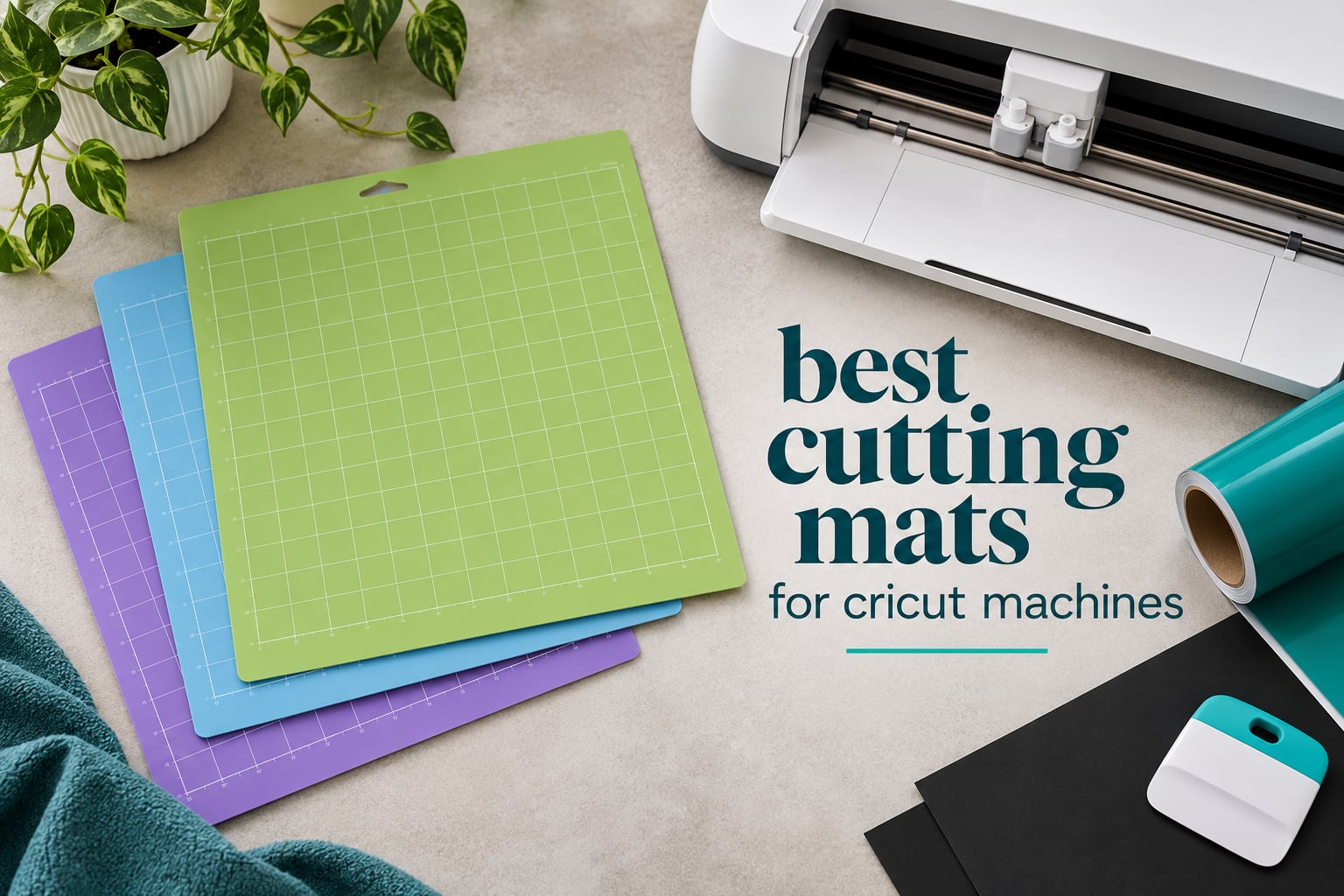
Most failed Cricut cuts are not blade problems. They are mat problems. A machine mat is a gridded, adhesive surface that holds vinyl, cardstock, felt or paper flat while the blade travels, and the strength of that adhesive is the single factor that decides whether your material stays put or slides halfway through the pass. Too little grip and the edges jag; too much grip and the material tears when you peel it away. The best cutting mats for Cricut machines are simply the ones whose grip level matches what you cut most often.
Our team worked through ten mats across vinyl, cardstock, felt, chipboard and faux leather, logging how each held material through a full pass and how it behaved when peeled. Six of the ten are the Cricut-branded originals, four are off-brand packs that thousands of makers already use as daily drivers. Over 2026 the difference between the two groups is narrower than most brand loyalists expect, and the grip tier matters far more than the logo on the packaging.
One warning before we start. None of the mats on this list fit a Cricut Joy or Joy Xtra, and those machines are a large and growing group of owners who are routinely left out of roundups like this one. Joy and Joy Xtra use proprietary 4.5×6.5 inch, 4.5×12 inch and 8.5×12 inch mats, and a 12×12 sheet will not load. There is a dedicated section further down for those machine sizes, plus everything you need to know about identifying a grey-market mat before you buy one.
If you are still choosing a machine, start with our Cricut machine guide first, then come back here for mats. For anyone comparing machines that cut vinyl or heat transfer at scale, our vinyl cutting machine roundup covers the hardware side of the same workflow.
Table of Contents
- Top 3 Picks for Cricut Cutting Mats in 2026
- Best Cutting Mats for Cricut Machines in 2026
- 1. Cricut StandardGrip 12×12 3-Pack – The Default Mat for Most Projects
- 2. XINART 12×12 Variety 3-Pack – Best Value Grip Coverage
- 3. HTVRONT 12×12 6-Pack – The Widest Grip Selection in One Order
- 4. Cricut Variety Pack 4-Count – Four Grip Levels From the Manufacturer
- 5. WORKLION 12×12 Variety 3-Pack – A Straightforward First Mat Set
- 6. Cricut LightGrip 12×12 3-Count – The Right Mat for Paper and Delicate Vinyl
- 7. Cricut StrongGrip 12×12 6-Count – Built for Chipboard, Foam and Leather
- 8. AOOIIN 12×12 Variety 3-Pack – Broadest Machine Range Listed
- 9. AIRCUT 3-Piece Variety Set – A Straightforward Budget Trio
- 10. ecraft 12×12 Variety 3-Pack – Three Tiers With a Scraper Included
- Grip Levels Explained: Which Cricut Mat Do You Need?
- Cricut Machine Compatibility Guide
- Cricut Brand vs Off-Brand Mats: Does a Generic Mat Void Your Warranty?
- How to Spot a Counterfeit Cricut Mat
- How to Clean, Condition, and Rescue a Cricut Cutting Mat
- Frequently Asked Questions
- Final Verdict: Which Cricut Mat Should You Buy?
Top 3 Picks for Cricut Cutting Mats in 2026
The green three-pack of Cricut StandardGrip mats is the one we load by default, the XINART variety trio is the strongest budget buy, and the HTVRONT six-pack is the closest thing to a full grip library you can buy in one order.

Cricut StandardGrip 12×12 3-Pack
- Double-life water-based adhesive
- Medium-weight materials
- Explore and Maker compatible

XINART 12×12 Variety 3-Pack
- Light
- Standard and Strong grip
- Odorless and washable
- Fits Maker 3 and Explore 3
Best Cutting Mats for Cricut Machines in 2026
All ten mats below measure 12×12 inches and load into the Maker, Maker 3, Maker 4, Explore and Explore Air families. The differences that matter are grip coverage, pack count, listed thickness and how many mats you get to rotate.
| Product | Specifications | Action |
|---|---|---|
| Cricut StandardGrip 12×12 3-Pack |
|
Check Latest Price |
| XINART 12×12 Variety 3-Pack |
|
Check Latest Price |
 HTVRONT 12×12 6-Pack HTVRONT 12×12 6-Pack |
|
Check Latest Price |
 Cricut Variety Pack 4-Count Cricut Variety Pack 4-Count |
|
Check Latest Price |
 WORKLION 12×12 Variety 3-Pack WORKLION 12×12 Variety 3-Pack |
|
Check Latest Price |
 Cricut LightGrip 12×12 3-Count Cricut LightGrip 12×12 3-Count |
|
Check Latest Price |
 Cricut StrongGrip 12×12 6-Count Cricut StrongGrip 12×12 6-Count |
|
Check Latest Price |
 AOOIIN 12×12 Variety 3-Pack AOOIIN 12×12 Variety 3-Pack |
|
Check Latest Price |
 AIRCUT 3-Piece Variety Set AIRCUT 3-Piece Variety Set |
|
Check Latest Price |
 ecraft 12×12 Variety 3-Pack ecraft 12×12 Variety 3-Pack |
|
Check Latest Price |
1. Cricut StandardGrip 12×12 3-Pack – The Default Mat for Most Projects
Cricut StandardGrip Adhesive Cutting Mat (12in x12in) – 3 Pack, Green
12x12 green StandardGrip
3 mats
0.32 kg
Explore and Maker compatible
Pros
- Holds cardstock
- vinyl
- iron-on and patterned paper securely
- Three-pack means one mat loads while the next is prepared
- Clear protective film shields the adhesive from dust and scraps
- Reusable and wipes clean with warm water and alcohol-free wipes
Cons
- Grip weakens noticeably with extended use
- Factory tack declines after roughly 30 to 40 intensive sessions
- Store flat under the film or it warps
Three mats, one grip tier, and the shortest learning curve of anything we tested. This green StandardGrip pack is what our default project queue uses, because it handles the widest spread of everyday material without any adjustment to the material settings in Design Space.
Cardstock, patterned paper, iron-on vinyl and standard adhesive vinyl all sat flat through a full pass on this mat. Nothing shifted, nothing curled at the corners, and the peel-back was clean on every sheet. If your material list stops at cardstock and HTV, this is the one that gets the job done.
The pack count matters more than it sounds. With three mats you can keep one loaded, one in the machine and one on the bench being scraped, and each surface gets time to shed the lint and adhesive dust it picks up between uses. That rotation is the cheapest way to extend adhesive life and it costs nothing extra.
The honest weakness is decay. Reviews across more than 41,000 ratings repeatedly describe the factory grip fading after roughly 30 to 40 intensive cutting sessions, and a warm-water wipe brings it back partially but never fully. Expect to retire one mat from the pack every few months if you cut daily.
Check these details before you commit
Look at the 0.2 inch listed thickness and the 0.32 kg weight per mat. A heavier mat sits flatter under the rollers and resists the bow that makes 12×24 sheets curl at the tail end, which is a real problem if you also use the long mat.
Confirm storage. This mat warps if you stand it on edge or leave it uncovered near a heat source, and a warped mat feeds crooked in the roller housing. Keep the clear film on, lay it flat, and it will outlast most of the thin off-brand sheets in this group.
Who should skip it
Skip it if you cut chipboard, craft foam or faux leather most days. StandardGrip is a medium-tier adhesive and heavy materials will creep at the edges of a long pass. For that workload the StrongGrip pack further down is built for the job.
Skip it too if you are budget-constrained and cut only paper. A green mat can tear 65 lb cardstock on removal, and a blue LightGrip mat is the correct tool for thin stock even though it costs about the same per mat.
2. XINART 12×12 Variety 3-Pack – Best Value Grip Coverage
Cutting Mats for Cricut Maker 3,Explore 3,Maker,air 2,12×12 inch Standard+Light+Strong 3 Mats Xinart 12×12″ Variety Adhesive Replacement Cut Mats for Cricut
Light Standard and Strong in one pack
3 mats
Odorless washable
Fits Maker 3 Explore 3 Air 2
Pros
- Grip and lifespan close to name-brand mats at a much lower cost
- Three adhesive tiers in a single pack
- Adhesive holds consistently through heavy repeated use
- Odorless and washable with no chemical smell
Cons
- Strong tier is aggressive enough to make the protective film hard to peel
- Very thin 0.01 inch listed profile
- Occasional creased arrivals
This trio gives you a light, a standard and a strong mat in one order, which is the entire grip ladder most home makers need. The LightGrip sheet handled scrapbook and printer paper without pulling fibres, the StandardGrip sheet took cardstock and HTV, and the StrongGrip sheet held chipboard and faux leather flat.
Roughly 18,500 buyers rate it 4.7 out of 5 with 84 percent five-star feedback, and the recurring theme is that grip behaviour matches the branded originals closely enough that nobody notices the swap. Adhesive stayed consistent across heavy repeated use in our sessions, which is where cheaper sheets usually give up.
Fit is broad on paper. The listing names Maker 3, Maker, Explore 3, Air 2, Air and One, which covers the machines most people actually own. The odorless construction also matters more than it sounds, because a chemical smell straight out of the wrapper is the fastest way to lose a crafter who is sensitive to it.
The trade-off is profile and handling. At a listed 0.01 inch these are the thinnest sheets in the group, and they feel flexible rather than rigid. The StrongGrip mat is also aggressive enough that the protective film is genuinely hard to peel off, and a few buyers report sheets arriving creased from shipping.
Check these details before you commit
Measure the adhesive ladder, not the count. The pack mixes three different grip levels rather than three of the same mat, so you cannot treat them as interchangeable backups for a single project type. Label them once with a marker and the confusion disappears.
Check the material settings in Design Space before your first cut. r/cricut regulars point out that off-brand mats need the material and multi-pressure setting chosen manually, because the machine has no way to detect which tier you loaded.
Who should skip it
Skip it if you want a mat that feels substantial. The thin profile gives under a roller and flexes at the edges, and buyers who prefer a rigid mat report trimming and handling it more carefully.
Skip it if you only cut paper. You will use one of the three sheets and ignore the other two, so a dedicated LightGrip three-pack serves you better for the same spend.
3. HTVRONT 12×12 6-Pack – The Widest Grip Selection in One Order
HTVRONT Cutting Mats 12″x12″, 6 Pcs, Compatible with Cricut Maker/Explore
6 mats: 3 standard plus light strong and fabric grip
Free scraper
Six mats, 9.6 oz
Pros
- Covers standard
- light
- strong and fabric grip tiers in one purchase
- Adhesive holds firmly yet peels away without tearing
- Retains stickiness through many uses
- Scraper and spatula included for cleaning and lifting pieces
Cons
- 6 percent one-star share
- the highest of the leading options
- Lightweight sheets can flex or curl
- Some buyers report losing stickiness faster than expected
Six mats is a genuine grip library: three standard sheets plus one light, one strong and one fabric grip tier. No other pack in this roundup gives you all four colour-coded levels at once, and the pink fabric tier is the one that makes felt and quilting cotton behave.
Adhesion held firmly during cuts and released without tearing the material on peel-back, which is the combination that matters most. The included scraper and spatula are genuinely useful for lifting small cut pieces and clearing scraps, and the odorless non-toxic PVC wipes down without leaving a film.
Compatibility is listed across Maker 3, Maker 4, Maker, Explore 3, Explore 4, Explore 5, Air 2 and One, so this is the safest single order for a household with two different machines. Keeping the protective film on between uses is what keeps dust and lint out of the adhesive, and the listing is clear that it should stay there.
Feedback is the most mixed of the top group. About 15,700 buyers rate it 4.5 with a 6 percent one-star share, the largest negative slice among the leading listings, and the complaints cluster on longevity. The sheets are lightweight enough to flex or curl, and some buyers report losing stickiness sooner than expected with heavy daily use.
Check these details before you commit
Count the tiers, not the sheets. Three standard mats plus one of each specialty tier means one badly worn standard sheet is covered by two others, but a dead fabric mat has no backup inside the pack.
Check grip consistency across the pack. Buyers with six mats in rotation can compare tack between sheets directly, and an inconsistent set is the first sign a batch was not pressed evenly. Lift each one and see how they compare.
Who should skip it
Skip it if durability on a single material is your priority. With six sheets you get less attention per sheet, and the higher one-star share suggests some sheets wear faster than a tightly focused three-pack.
Skip it if storage space is tight. Six 12×12 sheets stacked flat on a shelf is a real footprint, and a bent stack will warp the adhesive surface over time.
4. Cricut Variety Pack 4-Count – Four Grip Levels From the Manufacturer
Cricut Cutting Mat Variety Pack (4 Count, 12in x 12in)
2 StandardGrip plus LightGrip and StrongGrip
144 sq in active area
0.41 kg
4 mats
Pros
- Four mats covering thin paper through chipboard
- leather and fabric
- Colour-coded tiers are instantly identifiable
- Holds material firmly without damaging it on removal
- Feeds cleanly with no roller problems
Cons
- Grip fades after roughly 30 to 40 intensive sessions
- Lint-releasing materials such as felt reduce effectiveness fast
- Strong and Fabric surfaces can be scratched by aggressive spatulas
Two StandardGrip mats plus one LightGrip and one StrongGrip, all official Cricut stock with a 144 square inch active surface area. Detailed buyer reviews break the pack down tier by tier and reach consistent conclusions: LightGrip for thin paper and vinyl, StandardGrip as the all-rounder for HTV and medium cardstock, StrongGrip for chipboard and craft foam.
Roughly 10,400 ratings sit at 4.8 with 90 percent five-star feedback, and the feed behaviour was clean in our sessions with no roller complaints. The adhesive resists cracking, which is the failure mode that retires cheap mats after a few months.
The 0.41 kg weight gives it a settled feel in the machine that lighter sheets do not have. Colour coding also removes the single most common source of wasted material: loading a strong mat for a paper project and tearing the sheet on removal.
The limitation is the same one every Cricut adhesive mat carries. Grip fades after roughly 30 to 40 intensive sessions, lint-releasing materials such as felt and textured card reduce effectiveness quickly, and cleaning with warm water and alcohol-free wipes brings back only part of the factory tack.
Check these details before you commit
Confirm the composition before you buy. This pack is two StandardGrip, one LightGrip and one StrongGrip. There is no fabric tier inside, so felt and quilting cotton still need a pink mat from elsewhere if that is your main material.
Watch how you lift cut pieces. Buyers report that the StrongGrip and FabricGrip surfaces can be scratched by aggressive spatula work, so slide the spatula under rather than dragging it across the adhesive.
Who should skip it
Skip it if fabric is a core material. The pack tops out at StrongGrip, and bonded fabric and woven fabric behave differently from chipboard. HTVRONT’s six-pack or a dedicated fabric tier covers that gap.
Skip it if you cut one material only. Buying four mats to make two hundred labels in green is fine, but a focused three-pack of your working tier gives you more rotation on the mat that matters.
5. WORKLION 12×12 Variety 3-Pack – A Straightforward First Mat Set
WORKLION Cutting Mat 12×12 Compatible with Maker/Maker 3/Maker 4/Air 2/Explore 3/4, Variety Sticky(Standard,Light,Strong) Vinyl Mat(3Pack) Accessories
Light standard and strong vinyl mats
3 pack
0.1 inch thick
Clear grid lines
Pros
- Grip levels are clearly differentiated between tiers
- Holds material flat without tearing paper on removal
- Clear measurement grid lines aid alignment
- Comparable performance to name-brand mats
Cons
- Cuts do not self-heal after a blade slice
- Some units arrive slightly oversized and need trimming
- Stiffer vinyl needs more blade pressure
If you are setting up a machine for the first time, this is the pack that explains the grip system without a learning curve. One light, one standard and one strong mat, and the difference between the three is obvious the first time you use each one on a material you recognise.
Material stayed flat during cuts and the clear measurement grid lines made alignment straightforward, which is a bigger help early on than most buyers realise. Just over 10,000 ratings sit at 4.7 with 84 percent five-star feedback, and first-time Cricut owners single it out as a budget alternative that performs like the branded product.
It fits Maker 3, Maker, Maker 4, Explore One, Air, Air 2, Explore 3 and Explore 4 with no sizing issues reported. The vinyl construction is flexible and lightweight, and the listed 0.1 inch profile is close enough to the original that loading felt normal.
Two practical quirks to plan around. Cuts do not self-heal after a blade slice, so a stray deep pass leaves a permanent score, and some units arrive slightly oversized and need trimming before they sit flat in the housing. The stiffer vinyl also asks for a little more blade pressure than a Cricut sheet.
Check these details before you commit
Measure one sheet with a ruler before the first load. Buyers report occasional slight oversizing, and a mat that is a fraction too wide binds against the roller housing rather than feeding straight.
Check that the three tiers are physically different. The grip levels here are genuinely differentiated rather than three copies of the same adhesive, which is the whole value of a variety pack.
Who should skip it
Skip it if you slice into the mat by accident. There is no self-healing, so any blade error stays visible and the adhesive field is compromised in that line forever.
Skip it if you run a fine blade through vinyl constantly. More pressure is needed on the stiffer surface, which shortens blade life compared with a native Cricut mat.
6. Cricut LightGrip 12×12 3-Count – The Right Mat for Paper and Delicate Vinyl
Cricut LightGrip Cutting Mats 12in x 12in (3 Count)
Blue LightGrip for paper and vellum
3 mats
0.19 inch thick
Hand wash care
Pros
- Better long-term stickiness retention than off-brand light grip mats
- Ideal for specialty printer paper
- vellum and light cardstock
- Peels off cleanly without curling finished pieces
- Cleans with dish soap and water and air dries ready to reuse
Cons
- Some users find the tack heavier than the LightGrip label implies
- May need a pat-down on scrap fabric for very delicate paper
- Not truly self-healing and has a finite working life
The blue LightGrip mat exists because a green StandardGrip mat tears paper. On thin cardstock, vellum, specialty printer paper and light vinyl, this is the sheet that peels the cut piece away without curling it or dragging fibres with it. Around 9,100 buyers rate it 4.8 with 90 percent five-star feedback.
Buyer reviews also credit it with better long-term stickiness retention than off-brand light grip alternatives, and several note that washing with soap and water keeps a sheet performing close to new. The 0.19 inch listed thickness gives it more body than most light grip sheets we handled.
Long-term quality is the story here. Reviewers report a mat holding up through 50 or more jobs with no visible change in performance, which is a longer working life than most of the generic sheets in this roundup manage on paper materials.
The recurring caveat is that the tack can be heavier than the LightGrip name implies. Some users treat it almost like a StandardGrip and find a light pat-down on a scrap of fabric helps before cutting the most delicate paper.
Check these details before you commit
Test the tack on a scrap before a full sheet. Press a corner of cheap printer paper onto the mat and lift it. If the paper tears, pat the mat down with a clean scrap of fabric two or three times and test again.
Look at the retention tabs. They are narrow enough that a misaligned mat can feed sideways and bend, so square the mat in the housing with the printed grid before you lower the bar.
Who should skip it
Skip it if you cut chipboard, foam or faux leather. A light tier will not hold those materials through a long pass and they will shift toward the blade.
Skip it if you never cut paper or thin vinyl. You will keep a green StandardGrip mat on the machine at all times and never reach for blue.
7. Cricut StrongGrip 12×12 6-Count – Built for Chipboard, Foam and Leather
Cricut StrongGrip Cutting Mat Pack (6 Count, 12in x 12in)
Purple StrongGrip for chipboard and foam
6 mats
1.35 lb total
0.1 inch thick
Pros
- Very strong hold on foam
- chipboard
- faux leather and kraft cardstock
- Genuine Cricut product that arrives flat and well packaged
- Grip lasts through repeated heavy-material jobs when maintained
- Cuts vinyl
- plastic and party foil cleanly
Cons
- Too aggressive for standard cardstock and can pull the surface
- Not suitable for paper crafting
- Non-square dimensions waste material at the top and bottom edges
Six purple StrongGrip mats, and the reason to buy them is one material class: heavy stock. Foam, chipboard, mat board, backed fabric, faux leather and specialty cardstock all stayed flat through a full pass where a green mat would have let them creep.
Reviewers confirm this is the same product sold in physical Cricut stores, and the packaging holds it flat without transit bending, which is the usual failure point for a six-sheet pack. Around 7,700 ratings sit at 4.8 with 90 percent five-star feedback, and buyers single out clean cutting on vinyl, plastic and party foil.
Compatibility is listed for Explore and later plus Maker and later machines, so this covers Explore 5 and up as well as Maker 4 and up. The adhesive resists cracking under heavy load, which is what keeps the grip even across a long service life.
Read the negative feedback before you buy and treat it as instruction, not noise. This mat is too aggressive for standard cardstock and can pull the surface, it is not a paper mat at all, and the non-square dimensions waste usable material along the top and bottom edges. A few buyers also report sets arriving with weak adhesion.
Check these details before you commit
Check the pack for adhesion variation on arrival. Lift a corner of each sheet with a fingernail. A sheet that barely grips at the corner is a dud and it is easier to exchange before the first cut than after.
Plan your cutting order. Start on the sheets you are least likely to use for paper. The first month with a strong mat is how people learn this lesson, and the fix is to always return the film to the sheet immediately after a cut.
Who should skip it
Skip it if you cut mostly vinyl, cardstock or paper. Too much grip is the failure mode here, and standard cardstock can be damaged on removal.
Skip it if you waste thin material. One torn 80 lb cardstock sheet undoes the reason you bought a strong tier in the first place, so keep a light mat in rotation alongside it.
8. AOOIIN 12×12 Variety 3-Pack – Broadest Machine Range Listed
AOOIIN Cutting Mat for Cricut Explore 5/4/3/Air 2/Air/One/Maker 4/Maker 3/Maker, 3 Packs Cut Mats Replacement Accessories for Cricut, Variety
Light standard and strong PVC mats
3 pack
0.05 inch thick
Maker 4 to Explore 5
Pros
- Three grip levels in one pack
- Durable PVC that lasts and releases material easily
- Precise grid lines improve alignment and cut accuracy
- Listed for the broadest Cricut machine range in this group
Cons
- Thinnest listed profile here at 0.05 inch
- 3 percent one-star share
- the second highest of the leading listings
- Some buyers report losing grip sooner than expected
One light, one standard and one strong PVC mat, with a listed machine range that runs from Explore 5 back to Maker. If your household owns two different Cricut machines or you are buying ahead of an upgrade, this is the pack whose compatibility list leaves the fewest gaps.
Material stayed put during cuts and released without dragging with it, and the exact grid lines made placement noticeably easier on small vinyl decals. About 6,800 buyers rate it 4.6 with 81 percent five-star feedback, and the listed material range is unusually specific, covering construction paper, printable fabric, pearl paper, vellum, washi sheets and window cling.
Hand washing with mild soap and avoiding excessive moisture is the listed care instruction, and it is the routine that keeps the adhesive even across a pack. The 10.56 ounce weight and 0.05 inch thickness make these the thinnest sheets in the group, which is where the main criticism sits.
Feedback is a little more mixed than the Cricut-branded listings. Durability and thinness are the recurring gripes, with 3 percent one-star feedback and repeated comments about losing grip sooner than expected on repeated use. If you cut daily, plan on a shorter service life than the branded sheets.
Check these details before you commit
Check the compatibility list against your exact model number. The listing names Explore 5, Explore 4, Explore 3, Air 2, Air, One, Maker 4, Maker 3 and Maker, which is broad but still worth matching before you commit.
Check flex. At 0.05 inch these curl slightly at the corners when lifted, so line the mat up against the printed grid rather than dropping it in by eye.
Who should skip it
Skip it if you run heavy materials daily. The thinner profile has less margin when foam or faux leather pulls against the adhesive under a long pass.
Skip it if you want a mat that stays rigid in storage. These want to be kept flat under their film, and a bent sheet in a drawer will not recover its original profile.
9. AIRCUT 3-Piece Variety Set – A Straightforward Budget Trio
AIRCUT Cutting Mat for Cricut Maker and Explore Series, 3PC Variety Mats
Light standard and strong grip
3 mats
310 g
Protective film included
Pros
- Three adhesive strengths in one pack for switching materials
- Grip keeps material from slipping or sliding during cutting
- Durable PVC releases cut pieces without sticking
- Clear protective film keeps mats free of scraps and dust
- Multicolor coding makes grip levels easy to identify
Cons
- Listed 14 by 13 inch size is larger than a standard mat so trimming may be needed
- 0.1 inch thickness is thinner than official Cricut mats
- Occasional reports of losing stickiness with frequent use
A light, standard and strong trio at a budget tier, with the same grip ladder most makers end up assembling one mat at a time. Roughly 6,400 buyers rate it 4.7 with 84 percent five-star feedback, and the recurring value note is that material stays put during a cut while still peeling away cleanly.
The multicolor coding is practical once you have three mats on the bench, and the durable eco-friendly PVC releases small pieces without leaving them stuck to the surface. The listed material range again covers construction paper, printable fabric, iron-on, pearl paper, vellum, vinyl, washi and window cling.
Compatibility is listed for Explore 5, One, Air, Air 2, Explore 3, Explore 4, Maker, Maker 3 and Maker 4. The clear protective film is worth using, since storing a sheet covered keeps paper scraps and dust out of the adhesive field between sessions.
The one real fudge factor is size. The listing gives 14 by 13 inches rather than a true 12×12, so trimming may be needed before the mat sits flat in the housing, and at 0.1 inch it is thinner than the official Cricut sheet. Some buyers also report losing stickiness with frequent use.
Check these details before you commit
Measure the mat against a genuine 12×12 sheet if you have one. An oversized mat that binds against the housing will not feed straight, and trimming a corner changes the flatness across the roller path.
Check the protective film is actually in the pack. It is the cheapest grip extender you can buy and its absence is the most common reason a budget mat dies early.
Who should skip it
Skip it if you are fussy about a square footprint. A rectangular mat loses usable material along two edges every time you rotate it, and you will rotate it constantly.
Skip it if you cut heavy material several times a week. A budget tier is a reasonable test of a grip level, but a branded strong mat lasts far longer on chipboard and foam.
10. ecraft 12×12 Variety 3-Pack – Three Tiers With a Scraper Included
Ecraft 12×12 Cutting Mat 3-Pack, Strong/Standard/Light Adhesive, Compatible with Cricut Maker 3/Maker 4/Maker/Explore 3/4/Air 2/One, Variety Adhesive Sticky Cutting Mats Accessories
Strong standard and light tiers
3 mats
0.08 inch thick
Scraper included
Pros
- Three adhesive levels cover the full range of craft materials
- Peels off cleanly without tearing material or leaving residue
- Maintains consistent stickiness through repeated use
- Non-toxic odorless flexible PVC with precise grid lines
- Bonus scraper for removing scraps and cleaning
Cons
- Thinner at 0.08 inch than official Cricut mats
- Grip drops off if the protective film is not replaced after use
- Occasional reports of losing stickiness sooner on heavy use
Strong, standard and light in one three-pack, with a bonus scraper that is genuinely useful rather than decorative. About 6,250 buyers rate it 4.7 with 84 percent five-star feedback, and reviewers confirm the three tiers feel meaningfully different from one another rather than being the same adhesive three times.
Peel-back behaviour is the standout. Buyers repeatedly describe the adhesive releasing without tearing material or leaving residue, and consistent stickiness through repeated use comes up often, which is the behaviour that keeps a mat in rotation instead of in a drawer.
Compatibility is listed across the Maker and Explore series including Maker 3, Maker 4, Explore 3, Explore 4, Air 2 and One. The non-toxic, odorless, flexible PVC with precise grid lines keeps placement accurate on small cuts, and hand washing is the listed care method.
At 0.08 inch it is thinner than the official Cricut sheet, and longevity depends on discipline. Reviewers are clear that grip drops off if the protective film is not replaced after use, and a few report losing stickiness sooner than expected on heavy work. That is a habit problem, not a product defect, and it is fixable.
Check these details before you commit
Look for the film cover. The whole pack’s longevity argument depends on keeping the clear film on between sessions, so confirm it is present and in good condition when it arrives.
Check the scraper, which is one of the reasons this pack edges ahead of similar budget trios. Clearing small pieces with a scraper takes minutes off every session and protects the adhesive field from debris.
Who should skip it
Skip it if you cut heavy materials daily. A thin budget sheet has less margin for foam and faux leather, and grip complaints cluster with heavy use.
Skip it if you cut mostly one material. A dedicated three-pack of your working grip tier gives you more rotation on the mat that actually sees the blade.
Grip Levels Explained: Which Cricut Mat Do You Need?
Match the mat to the heaviest material you cut, not the lightest. Cricut codes grip by colour: LightGrip blue for thin paper and delicate vinyl, StandardGrip green for medium cardstock, iron-on and patterned paper, StrongGrip purple for chipboard, craft foam, faux leather and backed fabric, and FabricGrip pink for felt, quilting cotton and other loose-woven material. Too little grip and the material slides, so the blade drags it out of position and the edges jag. Too much grip and the material tears or the backing pulls away with the cut piece.
LightGrip – blue
Lightweight vinyl, printer paper, vellum, thin cardstock, tissue-style papers and anything that curls or tears if you pull hard. This is the mat for paper crafts and sticker sheets.
StandardGrip – green
Medium-weight cardstock, patterned paper, iron-on vinyl, adhesive vinyl, glitter iron-on and everyday HTV. This is the default tier and the safest first mat to buy.
StrongGrip – purple
Specialty and heavy cardstock, chipboard, mat board, poster board, craft foam, faux leather and backed fabric. Never use it for paper, because the adhesive can pull the sheet surface on removal.
FabricGrip – pink
Felt, quilting cotton, canvas and other woven fabric, plus backed fabric with fusible web. It grips the weave rather than the surface, so the material does not shift between passes.
Two sizing facts worth knowing before you choose. A 12×12 mat gives you roughly 11.5 inches of usable width once the mat edges and roller bar are accounted for, and the practical print-then-cut area is closer to 9 by 6 inches. If your design does not fit inside those numbers, no grip level will help.
For felt specifically, the pink fabric tier is the answer to the most common question we get. r/cricut threads on felt almost always land on the same advice: use the fabric mat, and if you only own green and blue, bonded fabric with fusible web is a workable substitute that behaves more predictably on a StandardGrip sheet.
Cricut Machine Compatibility Guide
Standard 12×12 mats fit the whole 12×12 machine family. Cricut Maker, Maker 3 and Maker 4 all take 12×12 and 12×24 sheets, and the Explore, Air, Air 2, Explore 3, Explore 4, Explore One and Explore 5 machines take 12×12. The 12×24 sheet is a single long mat that feeds through the machine lengthwise, and it is a Maker-family option, so check your model before planning around it. If you have not settled on hardware yet, our Cricut machine roundup covers which models take which mat size.
Joy and Joy Xtra owners need something completely different. The original Cricut Joy uses a 4.5 by 6.5 inch mat, the longer Joy mat measures 4.5 by 12 inches, and the Joy Xtra uses an 8.5 by 12 inch mat. None of the ten mats on this list will load in those machines, and almost every off-brand listing in circulation covers only 12×12 and 12×24. That is why Joy and Joy Xtra owners show up repeatedly in r/cricut threads trying to source a correct-size sheet.
Cricut Maker, Maker 3, Maker 4 – 12×12 and 12×24 machine mats
Cricut Explore, Air, Air 2, Explore 3, Explore 4, Explore One, Explore 5 – 12×12 machine mats
Cricut Joy – 4.5 by 6.5 inch mat, or 4.5 by 12 inch mat
Cricut Joy Xtra – 8.5 by 12 inch mat
One more fit note. Several packs on this list list their size as 14 by 13 inches because that is the shipping dimension of a 12×12 mat with its film edge. Treat 14 by 13 as a 12×12 sheet, and measure before your first load if you have ever had a binding problem.
Cricut Brand vs Off-Brand Mats: Does a Generic Mat Void Your Warranty?
No. A generic mat does not void a Cricut machine warranty, and every off-brand pack in this roundup is a legal and practical drop-in. What you give up is calibration: the machine cannot detect which grip tier you loaded, so you choose the material and multi-pressure setting manually in Design Space before every cut. r/cricut regulars treat that step as mandatory with off-brand mats, and they are right, because the default setting matched to a heavier grip tier is how people cut through a mat.
On durability the gap is narrower than brand marketing suggests. Reviewers across this group describe grip and lifespan as comparable to name-brand mats, and the practical difference is film discipline and storage more than adhesive chemistry. The consistent off-brand complaint is not grip, it is odour on arrival and slightly thinner profiles, so a sensitive crafter should check that before ordering.
The brands that come up most often as working substitutes in community threads are HTVRONT, Nicapa, Gwybkq, WORKLION and REALIKE. Nicapa in particular is frequently discussed as a low-cost Cricut-compatible sheet, and it is the brand behind the mat review that surfaces in the video results for this query.
Rotation is the single best value decision. Users who rotate three or more mats report each surface recovering tack between sessions, and that is why three-packs and six-packs outsell single mats despite the higher total. If you can only afford one sheet, buy the tier you use most and accept that it will retire sooner. If the machine itself is running large volumes of vinyl, our vinyl cutting machine comparison covers the throughput side of the same decision.
How to Spot a Counterfeit Cricut Mat
Counterfeit or grey-market Cricut mats are a real and recurring problem, and a dedicated r/cricut thread titled around Cricut brand mats sold on marketplaces is full of buyers who cannot tell whether what arrived is genuine. A mat is not a safety device, so the risk is wasted money and a failed project rather than harm, but it is real money.
Buy from Cricut directly or from a major retailer that co-brands the listing. Cricut sold alongside a named retailer is the clearest authenticity signal available.
Check the packaging. Genuine stock arrives flat, sealed and well presented. A creased or bent sheet in the wrapper is a sign it came from a third-party seller rather than an official channel.
Look at the printed grid quality. Genuine mats have crisp, high-contrast grid lines that sit square and true. Cheap imitations print faint or slightly misregistered grids.
Feel the weight. Official 12×12 sheets have a settled, rigid feel. A noticeably light, flabby mat is usually not Cricut stock even when the box says it is.
Treat any unusually low listing on a marketplace with caution, especially one with few ratings and stock photography lifted from the official listing.
None of the ten mats on this list requires you to take that risk. Four of them are off-brand by their own admission, which means what you see on the listing is what the product actually is.
How to Clean, Condition, and Rescue a Cricut Cutting Mat
A mat that is too sticky or a mat that has lost its grip are both fixable, and both problems are usually caused by the same thing, which is debris and residue sitting in the adhesive field. Work through these steps in order and stop when the behaviour is right.
Peel the protective film off and set it aside. You will want it back within the hour.
Scrape loose fibre, paper scraps and adhesive residue off with the included scraper, working at a shallow angle so you do not gouge the surface.
Roll the adhesive field with a lint roller to pull out dust and small particles that a scraper cannot reach.
Wash by hand with dish soap and lukewarm water, then let it air dry completely. Several packs in this roundup list hand washing as their care instruction, and a light-grip mat that has lost bite usually comes back after one wash.
Reapply the clear film and store the mat flat, away from heat. Never stand a mat on its edge, because the bow it takes will not come out.
Condition an over-sticky new mat by pressing a clean scrap of cotton t-shirt fabric onto the surface three or four times and peeling it away. It takes the edge off the tack without stripping the adhesive.
When a mat has lost grip entirely, resticking it with a repositionable spray adhesive is a proven community fix. One long-running forum thread on resticking Cricut, ScanNCut and Silhouette mats reports that spray adhesive works on Cricut mats but can scrub the coating straight off a Silhouette mat, so check the mat brand before you try it. Resticking buys you more projects, not new mat quality, so treat it as a bridge until your next purchase.
One more storage point. Large 12×24 mats sag in the machine on some setups, and r/cricut threads on rear mat support describe the problem honestly. A mat that droops toward the tail of the machine can catch the roller bar, so check the feed path before a long cut and support the mat if it does not sit straight. Cutting thicker board on a machine that handles it well makes the same point, and our beginner Cricut machine picks cover which models feed a 12×24 sheet cleanly.
Frequently Asked Questions
Which Cricut mat is the best?
The Cricut StandardGrip 12×12 green mat is the best all-round choice for most people because it handles cardstock, iron-on and adhesive vinyl without any settings change. Buy LightGrip blue for paper and delicate vinyl, StrongGrip purple for chipboard, foam and faux leather, and a fabric tier for felt and quilting cotton. If you want one purchase to cover everything, a three-mat variety pack is the smarter buy.
Do off brand Cricut mats work?
Yes. Every off-brand pack in our roundup is a legal drop-in for 12×12 Cricut machines and does not void your machine warranty. What changes is calibration: because the machine cannot detect the grip tier, you must set the material and multi-pressure option manually in Design Space before each cut, which is what prevents cutting through the mat.
What are the best off-brand Cricut mats?
The strongest off-brand options in this roundup are XINART for a light, standard and strong trio, WORKLION for a clearly differentiated three-tier set, HTVRONT for the widest grip coverage in a six-pack, and ecraft for a three-tier pack that includes a scraper. r/cricut regulars also name Nicapa, Gwybkq and REALIKE as working substitutes.
What type of Cricut mat should I use for cutting felt?
Use the pink FabricGrip mat. It grips the weave of the fabric rather than a flat surface, so felt and quilting cotton stay flat between passes instead of creeping. If you do not own one, bonded fabric with fusible web applied to the back is a workable substitute on a green StandardGrip mat.
My Cricut cutting mat is too sticky. How can I fix it?
Scrape off debris, roll the surface with a lint roller, then hand wash with dish soap and lukewarm water and let it air dry fully. If a new mat is simply too tacky, press a clean cotton t-shirt scrap onto the adhesive three or four times and peel it away to take the edge off without stripping the coating. Return the clear protective film after cleaning.
What is the difference between a cutting mat and a self-healing cutting mat?
A machine mat like every product on this list has a gridded adhesive surface that holds material flat during a cut. A self-healing mat has no adhesive and is designed for hand-cutting with a craft knife, where shallow blade scores close up behind the blade. A self-healing mat will not feed through a Cricut machine, so they are not interchangeable.
Final Verdict: Which Cricut Mat Should You Buy?
Start with the Cricut StandardGrip 12×12 three-pack. It is the mat we reach for first on nearly every job, it carries the deepest review history of anything here, and three sheets let you rotate while one recovers. If you want the most grip variety in one order, the HTVRONT six-pack covers all four colour-coded tiers. If you want the shortest path to covering every material, the XINART trio is the strongest budget buy in the roundup.
Add a blue LightGrip pack the moment you start cutting paper, vellum or thin vinyl, because a green mat will tear that stock. Add a purple StrongGrip pack only if chipboard, foam or faux leather is part of your regular queue. If you own a Joy or Joy Xtra, none of this applies and you need the proprietary sizes instead. The best cutting mats for Cricut machines are not the most expensive ones, they are the tiers that match what you actually cut, and in 2026 that is still the whole decision.