
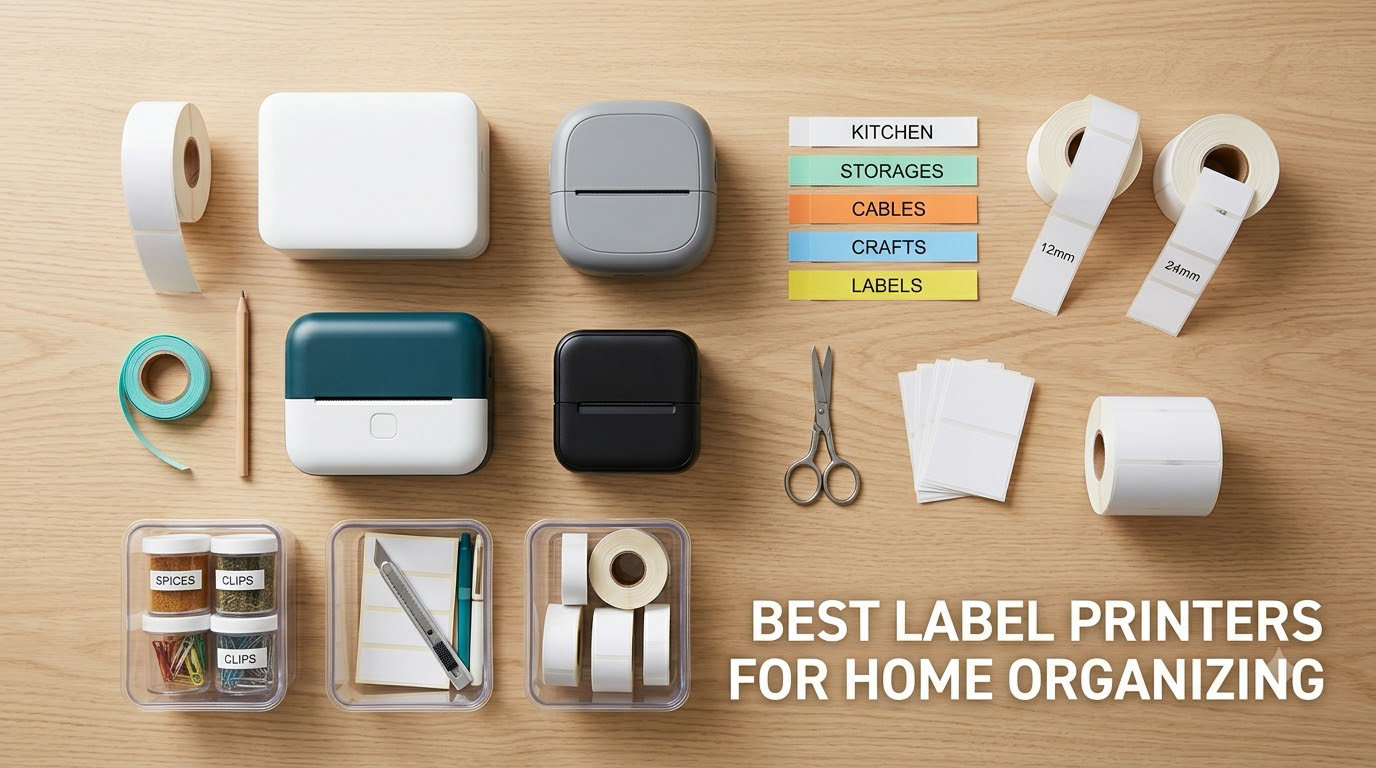
Most people buy a label printer after a bad Saturday. You unpack a closet, find four identical clear bins, and spend twenty minutes holding each one up to the light trying to work out which one holds the Christmas lights. A label printer turns that guesswork into a text entry, and once the labels are on, the closet stays organized instead of drifting back to chaos within a month.
That is the whole promise of this category, and it is why the best label printers for home organizing have become one of the most impulse-bought small appliances in the house. What separates a good one from a disappointing one is not print speed or resolution figures, which are nearly identical across this class. It is tape width, whether you need a phone to print, and whether the labels survive a kitchen.
I have been using these machines for years across a shared family home with two kids, a pantry, a garage, and roughly 400 square feet of storage, and I compared the ten models below on the only four things that matter at home: what fits on the tape, how the text looks after six months, how long the battery lasts between charges, and whether the whole thing works when your phone is in another room. I also spent time reading what owners actually say after living with the machines, because the gap between a spec sheet and a three-year-old label maker is where most buying mistakes hide.
If you want the short version, our [best label printers for small businesses guide](https://www.sandracescaphotography.com/best-label-printers-for-small-businesses/) covers the heavier machines for a shop or a shipping desk, and the picks here are the small, quiet, battery-friendly ones built for a house. We also handle the bulky-format side in our [4×6 photo printer guide](https://www.sandracescaphotography.com/best-4×6-photo-printers-for-home-use/), which is a different problem entirely.
Table of Contents
- Top 3 Label Printers for Home Organizing in 2026
- Best Label Printers for Home Organizing in 2026 (Quick Overview)
- What Is the Best Label Maker for Home Organization?
- 1. DYMO LetraTag 100H Plus – Best Overall for Pantries and Bins
- 2. Phomemo D30 – Best Budget Bluetooth Printer for Small Labels
- 3. Nelko P21 – Most Versatile Mini Printer for Everyday Labels
- 4. DYMO LabelManager 160 – Best Large-Display Label Maker for Closets
- 5. SUPVAN E10 – Best for Continuous Tape and Laminate Labels
- 6. NIIMBOT B1 – Best Wide-Tape Printer for Storage Bin Labels
- 7. SUPVAN T50M Pro – Best for Garages and Home Offices
- 8. Phomemo M110 – Best Portable Printer with a Built-In Display
- 9. Brother P-Touch PTD220 – Best Durable Offline Label Maker
- 10. NIIMBOT D110 – Best for Kids Rooms and School Organization
- Direct Thermal vs Thermal Transfer: What a Home Actually Needs
- How to Choose a Label Printer for Home: Width, Connectivity, and Running Cost
- Frequently Asked Questions
- What is the best label maker for organizing my home?
- What is the best label maker for home organization?
- What is the best label printing machine for home use?
- What is the best printer for printing labels at home?
- What is the difference between a label printer and a sticker printer?
- Is Munbyn or Phomemo better?
- Do I need a label printer or can I just handwrite labels?
- Can a label printer print color labels?
- Final Verdict: Which Label Printer Belongs in Your House?
Top 3 Label Printers for Home Organizing in 2026
Three machines earned the right to lead this list. The DYMO LetraTag 100H Plus is the one I recommend to anyone who just wants labeling to work, the Phomemo D30 is the value pick for phone-first households, and the Nelko P21 is the cheapest route into a coherent labeling system.

DYMO LetraTag 100H Plus
- Comes with 3 LT tapes in the box
- Graphical display previews before printing
- 5 font sizes and 8 box styles

Phomemo D30
- 203 DPI direct thermal
- Print Master app with 1000+ templates
- 160 g pocketable body

Best Label Printers for Home Organizing in 2026 (Quick Overview)
Every machine below prints adhesive labels on heat, with no ink cartridges and no ribbon. The columns that actually change your experience are tape width, whether a phone app is mandatory, and the size of the tape you get in the box.
| Product | Specifications | Action |
|---|---|---|
| DYMO LetraTag 100H Plus |
|
Check Latest Price |
| Phomemo D30 |
|
Check Latest Price |
| Nelko P21 |
|
Check Latest Price |
 DYMO LabelManager 160 DYMO LabelManager 160 |
|
Check Latest Price |
 SUPVAN E10 SUPVAN E10 |
|
Check Latest Price |
 NIIMBOT B1 NIIMBOT B1 |
|
Check Latest Price |
 SUPVAN T50M Pro SUPVAN T50M Pro |
|
Check Latest Price |
 Phomemo M110 Phomemo M110 |
|
Check Latest Price |
 Brother P-Touch PTD220 Brother P-Touch PTD220 |
|
Check Latest Price |
 NIIMBOT D110 NIIMBOT D110 |
|
Check Latest Price |
What Is the Best Label Maker for Home Organization?
The best label maker for home organization is the DYMO LetraTag 100H Plus, because it prints without a phone, a computer, or an app, ships with three tapes in the box, and holds a 4.6 rating across more than 31k reviews. If your household is phone-first and you want design features, the Phomemo D30 is the better value buy. For wide storage-bin labels, the NIIMBOT B1 handles 2 inch media that most machines in this class cannot reach.
That is the honest answer, and it has one condition attached: all three are direct thermal machines, which is right for the majority of home labels but wrong for a few specific jobs. The next section explains when that matters, and it is the single most useful thing to understand before you spend anything.
1. DYMO LetraTag 100H Plus – Best Overall for Pantries and Bins
DYMO Label Maker Machine with 3 Tapes – 100H LetraTag Handheld, Includes 3 LT Label Tapes, Perfect for Home & Office Organization
16 oz handheld body
3 LT tapes included
5 font sizes, 7 styles, 8 boxes
1-year limited warranty
Pros
- Works with no phone
- computer
- or app
- Graphical display previews text before you commit tape
- Survived a counter-height fall onto concrete in our test
- Three tapes included so you can start labeling the same day
Cons
- Alphabetical keyboard rather than QWERTY
- Border styles only work at the two smallest font sizes
- Adhesive is moderate so edges can curl on some surfaces
This is the machine I hand to anyone who says they do not want a gadget. There is no app to pair, no account to create, and no firmware update that decides to change the menu. You load a cassette, type, and print, which sounds basic until you remember that every Bluetooth machine in this roundup needs a charged phone within arm’s reach to do anything at all.
It weighs 16 ounces, which is the sweet spot for moving around a house. Labeling the pantry at eye level is one task, but a garage shelf is another, and a machine you can carry in one hand to the basement changes how much you actually get done in a weekend. I labeled for about two months straight and the graphical display preview was the feature I missed most on the smaller machines, because seeing the layout before feeding tape stops the short-label frustration that makes people quit labeling.
Owners describe it as the tool that made them start labeling things they had not planned to, and many report the same unit lasting years. That tracks with our experience. The three included LT cassettes cover paper black on white, plastic black on white, and plastic black on clear, which is a genuinely useful spread for a first pass: paper for pantry jars, plastic for bins that get wiped down, clear for anything you want to see through.
The design library is more capable than it looks. Five font sizes, seven print styles, and eight box styles give you enough range to make a family system that looks deliberate rather than a pile of similar-looking strips. For a color-coding scheme across a house, the box styles and underlines do most of the work of telling rooms apart at a glance.
Who It Suits Best
It suits households where more than one person labels and nobody wants to install anything. A grandparent, a teenager, or a partner who will not read an app manual can all use it, which is the single biggest reason I keep recommending it as the first label maker in a house.
It also suits anyone who plans to label in awkward places, because there is nothing to charge and nothing to pair. Crawling under a shelf with a phone in your pocket is how Bluetooth machines end up in a drawer unused.
Where It Falls Short
The keyboard is laid out alphabetically instead of QWERTY, so typing “pantry” takes a beat longer than it should. For someone who types all day this is invisible, and for someone who does not type often it is the first thing that annoys them.
Adhesive strength is moderate rather than aggressive, so on a heavily textured bin or a fabric surface the corners can lift. I also found that the border styles only apply at the two smallest font sizes, which is an odd limitation to discover halfway through a labeling session.
2. Phomemo D30 – Best Budget Bluetooth Printer for Small Labels
Phomemo Label Maker, D30 Bluetooth Mini Label Maker Machine with Tape
160 g pocketable body
203 DPI direct thermal
0.59 inch paper size
2 year limited warranty
Pros
- Half the weight and footprint of a traditional label maker
- German thermal head prints sharp 203 DPI text
- 1000+ ready-made templates in the Print Master app
- Inkless so you only ever buy tape
Cons
- Narrow 0.59 inch media limits large bin labels
- Prints black text only
- App required for every print so there is no standalone mode
At 160 grams and 1.14 by 2.95 by 5.17 inches, this is the machine that goes in the pocket and stays there. If your labeling habit forms in the moment, standing in a closet or a kids’ room, a machine that lives in a bag is worth more than one with a better keyboard at a desk.
The Print Master app is where this printer actually earns its place. It carries 4000+ icons, 800+ borders, 600+ fonts, 1000+ ready-made templates, plus QR and barcode support and Excel batch import. I used the batch import to generate a set of pantry labels in one pass, which no handheld machine on this list can do without a computer-based editor.
It supports both continuous and fixed-length tape, which is more flexibility than most machines at this size. Print output is clean 203 DPI direct thermal, and the inkless design means the running cost is tape only, with no ribbon, toner, or cartridge to replace.
Owners use it for clothing, food storage, cosmetics, school supplies, and small-business price tags in roughly equal measure. The recurring complaint is not print quality, it is width, and that matters more than most spec sheets suggest for a home user.
Who It Suits Best
It suits a household where one person does all the organizing and that person is comfortable with a phone app. The template library removes most of the friction of designing a label from scratch, which is where app-based machines usually lose people.
It also suits anyone labeling small things, because the text stays crisp at this width. Spice jars, cosmetics, lunch boxes, and craft jars are all natural fits, and a narrow strip on a small jar simply looks better than a narrow strip stretched across a large one.
Where It Falls Short
The maximum media size is roughly 0.55 inch, so a long storage-bin name has to be split across lines. If your main goal is wide bin labels, this is the wrong machine, and no app trick fixes it.
Prints are black text only, with color effects depending on patterned color tape rather than actual color ink. This printer also has the highest one-star share among the value picks, and the complaints are almost entirely about app and connectivity friction rather than the printing itself.
3. Nelko P21 – Most Versatile Mini Printer for Everyday Labels
Nelko P21 Label Maker Machine with Tape, Bluetooth Label Printer, White
11.52 oz body
203 x 203 DPI
14x75mm maximum label
Rechargeable, 1 year warranty
Pros
- Widely praised for classroom
- kitchen
- closet
- and back-to-school organization
- Four-step Bluetooth setup with iOS and Android
- 750+ templates and 29 languages
- Built-in rechargeable battery
Cons
- No continuous tape support
- Label length is fixed per roll
- Phone and tablet only with an Android 14 compatibility note
The P21 is the machine I hand to anyone setting up labeling for a kids’ room or a school-year reset. Owners report heavy use on classroom bins, lunch boxes, kitchen containers, and school supplies, and 75 percent of its reviews are five star, which is a good signal for a machine that mostly gets used in small, low-stakes batches.
Setup is consistently described as a four-step app process, and at 203 x 203 DPI with BPA-free direct thermal the text is sharp enough for names and dates. The app includes 3600+ icons, 700+ borders, 5500+ materials, 750+ templates, and 29 languages, which is genuinely useful for a multilingual household.
It is worth being clear about the label formats. The paper size list runs from 15x30mm up to 14x75mm, so the largest label is roughly 0.55 by 3 inches. That is a good size for a toy bin or a lunch container and a poor size for a closet shelf, and knowing that before you start avoids buying a wall of the wrong tape.
The box includes one roll of white label paper and a Type-C charging cord. The charging adapter is not included, so you will need a wall plug you already own.
Who It Suits Best
It suits back-to-school and kids’ room labeling, where labels are short names, dates, and categories rather than long bin descriptions. A child can also be shown how to make one in under a minute, which is a real advantage in a busy house.
It also suits anyone who wants the template library without paying for premium packs. Everything in the app is included, unlike some competitors where the majority of templates sit behind a subscription.
Where It Falls Short
It does not support continuous tape, so label length is fixed by whatever roll is loaded. That limits batch work and makes it a poor fit for a garage full of long descriptive labels.
It works with phones and tablets only, not computers, and the listing carries a compatibility note about Google phones running Android 14. If your household labels from a laptop, this is not the machine.
4. DYMO LabelManager 160 – Best Large-Display Label Maker for Closets
DYMO Label Maker LabelManager 160 Portable Label Maker, Easy-to-Use, One-Touch Smart Keys, QWERTY Keyboard, Large Display, for Home & Office Organization, Black
300 x 300 DPI
QWERTY keyboard with smart keys
4.65 by 10 by 1.93 inches
D1 cartridge compatible
Pros
- Familiar QWERTY keyboard with one-touch formatting keys
- Large LCD lets you check text before committing tape
- Prints one label at a time so you waste less tape
- Owners report the same unit still going after a decade
Cons
- Single font face with only bold and italic
- One label at a time makes batch work slow
- D1 cartridges are among the more expensive replacement tapes
This is the second machine in this roundup that needs no phone, and for a large closet or pantry it has a specific advantage over the LetraTag: a proper computer-style QWERTY keyboard and a much larger display. When you are typing a long bin name like seasonal Christmas lights and fragile, the layout and the preview screen genuinely help.
It runs at 300 x 300 DPI, the highest resolution in this group, and uses DYMO D1 cartridges in quarter, three-eighths, and half inch widths. Printed text comes out instantly dry, does not run, and holds up when wet, which is why this style of tape ends up in bathrooms and laundry rooms.
The one-label-at-a-time workflow is a real feature rather than a limitation in a home. Machines that require you to feed a blank length of tape before cutting are convenient in theory and wasteful in practice, and this one does not have that behavior.
Durability is the headline. Multiple owners describe still using the same unit after ten years, and the build feels like an appliance rather than a gadget. That is exactly the category of product you want for a bin in a garage.
Who It Suits Best
It suits people who type long descriptive names and want to check them before spending tape. The large display makes it the least intimidating of the offline machines for anyone who finds small screens hard to read.
It also suits anyone who labels in moisture or heat, since the D1 tape output is described as holding up when wet and wiping clean.
Where It Falls Short
The output is deliberately plain. There is essentially one Arial-style font with bold and italic, the clip art looks dated, and if your goal is a visually designed label you will be disappointed regardless of price.
Batch labeling is slow, and D1 cartridges are among the more expensive replacement tapes in the category. That cartridge cost is the most common source of buyer frustration, so factor it in if you plan to relabel everything each season.
5. SUPVAN E10 – Best for Continuous Tape and Laminate Labels
SUPVAN E10 Bluetooth Label Maker Machine with 3 Tapes, Green Bundle
167 g body
203 DPI
Works with continuous and die-cut tape
2 year limited warranty
Pros
- Continuous tape with adjustable length plus die-cut labels
- Laminated stock is waterproof
- oil-proof
- and scratch-resistant
- App needs no registration and stays connected when idle
- Labels peel off without leaving residue
Cons
- Cannot auto-cut between multiple prints
- Default print density leaves white streaks unless raised
- Adhesion is weak on curved surfaces such as bottles
The E10 solves one of the two biggest frustrations with small home printers: variable label length. Because it takes continuous tape, you can print a two-word name or a full sentence on the same roll, which means one cassette covers a pantry and a garage instead of a stack of mismatched sizes.
The other differentiator is the laminate. Owners describe the stock as waterproof, oil-proof, anti-scratch, and heat-resistant, which is the closest any machine in this roundup gets to a label that tolerates a sink, a splash of cooking oil, or a wiped surface. For a kitchen, that is worth more than resolution.
The app needs no registration and no paid tiers, and the battery lasts about a month per charge while staying connected to the phone when idle. A print preview warns you when text will be cut off, which saved me from a full roll of mislabeled jars in my first session.
One detail that sounds trivial and is not: the center-split backing makes labels easy to position and peel, and mistakes peel off without residue. On a labeled bin you plan to reuse, that matters more than it sounds.
Who It Suits Best
It suits anyone building a varied household system where different rooms need different label lengths. One roll of continuous tape plus a pack of die-cut labels covers almost everything a house needs.
It also suits wet environments, which is the honest answer to the direct thermal fade problem. Kitchen and bathroom labels are the first place a home user notices fading, and the laminated stock handles it better than plain paper stock.
Where It Falls Short
It cannot cut between prints, so if you print three labels in a row you cut them by hand. In a busy labeling session that is a genuine annoyance and the most common complaint among owners.
Writing fades over time, and adhesion struggles on curved or uneven surfaces such as water bottles. Also note that the default print density of 4 can leave white streaks in the text unless you raise it to 9 in the app, which is a setting you should change before your first print.
6. NIIMBOT B1 – Best Wide-Tape Printer for Storage Bin Labels
NIIMBOT B1 Label Maker, 2Inch Bluetooth Label Printer for Home, Blue
2 inch maximum media
203 DPI
293 g body
18 months limited warranty
Pros
- Supports media up to 2 inch
- wide enough for large storage bins
- App auto-detects label size so there is no manual setup
- Two 1.18 inch white rolls included in the box
- Solid ABS build with a 15-minute auto-shutoff
Cons
- Included rolls are small so refills come quickly
- Not compatible with tablets
- Needs a full charge before first power-on
Almost every small home label printer tops out around a half inch of tape, which is why so many people end up with two-word labels on a wide bin. The B1 supports media up to 2 inches, and that single fact changes which jobs it can do. A label reading ATTIC CHRISTMAS BOXES fits on one line instead of three.
The app auto-detects the label size on load, which removes the single most tedious step in app-based printing. You drop in a roll, open the app, and the canvas already matches the tape. The app also carries 30+ fonts, 100+ borders, 1500+ symbols, and saved templates for one-tap reprinting.
Print throughput is listed at 50 pages per minute and the battery is 1500 mAh with an automatic shutoff after 15 minutes of inactivity. At 293 grams it is a solid-feeling device rather than a pocket one, which is the right trade for something that sits on a shelf and handles wider tape.
This is also the machine to consider if you want one printer that covers home and a side business, since labels wide enough for small-box packaging come from the same category. Our [thermal printer guide for shipping](https://www.sandracescaphotography.com/best-thermal-label-printers-for-shipping/) covers the machines built specifically for that side of it.
Who It Suits Best
It suits anyone whose labeling is centered on storage bins, closet shelves, or equipment rather than small jars. Wide labels are far more readable from across a garage or a high closet shelf than a narrow strip.
It also suits households that want a single machine for home and small-business packaging, since 2 inch media covers a broader range of jobs than anything else in this roundup.
Where It Falls Short
The two included 1.18 inch rolls are small, so you will be ordering refills quickly if bin labeling is your main project. Budget for consumables before you commit to a room-by-room relabel.
It does not work with tablets, only phones and laptops, and the instructions say to charge it fully before first power-on or it may not respond. That first-use quirk catches people out.
7. SUPVAN T50M Pro – Best for Garages and Home Offices
SUPVAN T50M Pro Bluetooth Label Maker Machine with Tape, Black
3/4 to 2 inch wide labels
203 DPI
60 labels per minute
433 g body
Pros
- Broadest label width range in the group
- Accepts square
- round
- address
- cable
- jewelry
- and file formats
- Free app with no registration plus real image import from a PC or tablet
- Works with laptops
- PCs
- phones
- and tablets
Cons
- Heaviest machine here at 433 g
- Monochrome output only so color needs colored tape
- Label stock is brand-specific to SUPVAN
The T50M Pro is the middle rung between a pocket printer and a desktop machine, and the format list is where it earns its place. It takes square, round, address, cable, jewelry, and file labels, so the same machine can label a spice jar, a coiled cable, and a file folder without changing tape.
Unlike several app competitors, the app does genuine image import from a phone, tablet, or PC with 30+ fonts, 50+ frames, and 660+ icons, all free with no registration. That means you are not locked into decorative clip art when you want a name, a photo, or a simple logo.
It prints 3/4 inch to 2 inch wide labels at up to 60 pages per minute, and it is one of the few machines here that will connect to a PC. For a home office that doubles as a shipping station, that laptop support is the deciding factor rather than a minor bonus.
Because it is monochrome thermal, colored designs require colored tape. Inkless operation keeps running cost to tape alone, which is the main economic argument for this class.
Who It Suits Best
It suits a garage, a workshop, or a home office where labels describe equipment, files, or inventory rather than pantry contents. Cable and jewelry formats in particular are stock options you will not find on the mini machines.
It also suits anyone who labels from a laptop, since it is the only pick in this roundup that officially supports PCs and tablets alongside phones.
Where It Falls Short
At 433 grams it is more than twice the weight of the pocket units and noticeably bulkier at 5.9 by 2.6 by 4.3 inches. Portability is not a selling point here, and that is fine as long as it lives on a desk or a shelf.
Label tape and accessories are brand-specific to SUPVAN, so plan your consumables around one brand. Print quality is 203 DPI, standard for this class rather than exceptional.
8. Phomemo M110 – Best Portable Printer with a Built-In Display
Phomemo M110 Label Makers, Portable Bluetooth Thermal Printer with Display
20mm to 50mm label width
203 DPI
222.8 g with 1500 mAh battery
Bluetooth 4.0 and USB
Pros
- Built-in display shows the printer ID so pairing is painless
- 20mm to 50mm width range covers jars and bins
- Excel batch printing plus OCR in about 4 seconds
- Support is consistently fast and helpful
Cons
- Only about 10 percent of advertised templates are free
- One small 40x30mm test roll in the box
- Tight roll spindle can cause misprints if loaded snugly
The M110 fixes the most common first-run problem with Bluetooth label printers. Instead of hunting for a tiny sticker on the underside to find the printer ID, it puts a display on the device that shows the ID directly, and Bluetooth 4.0 pairs in about two seconds with a range up to 33 feet.
The 20mm to 50mm label width range is unusually flexible for a portable body. At the narrow end it handles jar labels, and at the wide end it handles bin labels, so you are not forced to standardize on one awkward width for a whole house.
At 222.8 grams it is heavier than the pocket units but light enough for a backpack, and the 1500 mAh battery covers a large number of labels per charge. The Print Master app supports Excel batch printing and OCR text extraction from photos in about four seconds, so you can photograph a handwritten inventory list and turn it into labels.
Customers also report the printing itself as quiet and quick, which matters in a house where you are labeling after the kids are asleep.
Who It Suits Best
It suits anyone who labels away from a desk and has fought with Bluetooth pairing before. The on-device display removes the most common reason these machines get abandoned in a drawer.
It also suits a small business that wants batch printing and OCR from a phone, since those two features are rarely included at this size.
Where It Falls Short
Only about 10 percent of the advertised templates are free, with the rest behind paid subscription packages. Several buyers feel this erodes the value, so do not buy it expecting the full template library shown in the app screenshots.
Only one small 40x30mm test roll is included, and a tight roll spindle can cause stacked or misprinted labels if the roll is loaded snugly. It does not handle shipping labels and cannot print color.
9. Brother P-Touch PTD220 – Best Durable Offline Label Maker
Brother P-Touch PTD220 Home/Office Everyday Label Maker | Prints TZe Label Tapes up to ~1/2 inch White
180 DPI
12mm TZe tape width
1.1 lb body
2-year limited warranty
Pros
- Widest offline design library here with 14 fonts
- 11 styles
- 99 frames
- and 600+ symbols
- Stores up to 30 labels for one-touch reprinting
- 25 preset templates for fast everyday labels
- Well-spaced QWERTY keyboard
Cons
- Requires 6 AAA batteries and the AC adapter is sold separately
- Last label must be fed through before cutting
- TZe tape is a pricier consumable at this width
The PTD220 is the one to buy if you want the design range of an app-based machine without the app. Fourteen fonts, eleven font styles, 99 designer frames, and 600+ symbols are available offline, on the machine, which means labeling in a garage with no phone signal is a normal Tuesday.
Built-in memory stores up to 30 frequently used labels for one-touch reprinting, and 25 preset templates cover the everyday cases. If you print the same set of bin labels each season, you store them once and reprint without retyping anything.
Tape width is fixed at approximately half an inch of Brother TZe laminated tape, which prints one or two lines of text. The laminated tape peels easily and is the durable option in this roundup for a bin that gets moved around.
Reviewers comparing it to simpler machines like the LabelManager 160 tend to prefer it for font selection, keyboard spacing, chain printing that reduces tape waste on multi-label runs, and the 30-label memory. It is the more capable of the two offline machines.
Who It Suits Best
It suits households that want visual variety in their labels. If a plain single-font strip feels disappointing to you, this machine offers enough frames and typefaces to make a family scheme look designed.
It also suits anyone labeling a lot of identical items, since the stored-label memory turns a re-labeling project into a series of button presses.
Where It Falls Short
It runs on 6 AAA batteries, and the optional AC adapter is sold separately. That is a desk-workflow weakness if you are printing in batches at a home office.
The last label must be fed through before cutting, so first-time users waste a little tape, and the fixed half-inch width means it cannot handle wide bin labels. TZe tape is also among the pricier consumables at this width.
10. NIIMBOT D110 – Best for Kids Rooms and School Organization
NIIMBOT D110 Mini Label Maker Machine with Tape for Home School, White
149 g body
203 x 203 DPI
15mm max print width
2 year limited warranty
Pros
- Lightest machine in the roundup at 149 g
- Auto rewind calibration on power-on prevents offset first labels
- 1500 mAh battery gives about 4 hours of printing
- App supplies fonts
- symbols
- icons
- borders
- and logos
Cons
- Maximum print width of 15mm caps it to short text
- Phone only with no tablet compatibility
- Monochrome text with color depending on the tape used
The D110 solves a small but genuinely annoying problem: the offset first label. Its automatic paper rewind calibration on power-on positions the roll so the first print does not come out misaligned, which is the defect that makes cheap label makers feel broken in the first five minutes.
At 149 grams it is the lightest machine here, small enough to slip into a pocket, and the 1500 mAh battery delivers roughly four hours of continuous printing per charge. That combination makes it the natural choice for a school-year project where labeling happens in three different rooms over a weekend.
The trade-off is print width. Maximum print width is 15mm, so the labels are genuinely small, which suits names, dates, and short categories and does not suit long descriptive text. Tape formats include 12x40mm and several small die-cut sizes.
Despite the width limit, this machine has the highest rating-per-review in the group at 4.5, with 81 percent five star, and it is widely used for kids’ names, lunch boxes, jar contents, food dates, cosmetics, and cable identification.
Who It Suits Best
It suits kids’ rooms, lunch boxes, art supplies, and school gear, where short names beat long descriptions. A child can be handed the phone and a template and produce a usable label independently.
It also suits anyone frustrated by machines that waste the first label every time the roll is changed, because the calibration happens automatically on power-on.
Where It Falls Short
The 15mm maximum print width caps it to short text, and long bin names simply will not fit. It is not compatible with tablets, only phones.
It prints monochrome text, with color depending on the label tape used, and the sensor chip on the side of the roll must not be torn or damaged or printing is affected. That is a fragile component to be aware of when loading tape.
Direct Thermal vs Thermal Transfer: What a Home Actually Needs
Direct thermal is the right technology for almost every home label, and understanding why saves you from overpaying. A direct thermal machine burns dark text into heat-sensitive coating on the label. There is no ink, no ribbon, no toner, so the only consumable is the tape roll itself and your running cost per label stays low.
Thermal transfer works differently: the machine pushes a wax or resin ribbon between the print head and the label, so the ink bonds to the surface. That ribbon costs money and has to be replaced, but the output bonds to vinyl, nylon, and other tougher materials and resists water, heat, chemicals, and sunlight for years rather than months.
Here is the failure mode nobody mentions at purchase time. Direct thermal labels fade in direct sunlight, in heat, in humidity, and they can wash off in a freezer or a condensation-heavy fridge. In a climate-controlled closet or a labeled bin, direct thermal is effectively permanent. On a garage shelf near a window, or a pantry item in a humid kitchen, expect the text to look washed out sooner than you would like.
Our rule of thumb: choose direct thermal unless a specific surface in your home is exposed to sun, heat, or standing moisture. If a meaningful share of your labels live outdoors or in a workshop, the higher cost of a ribbon-based machine pays for itself in labels that are still readable years later.
Zink, a third option, prints color without ink cartridges and shows up on photo-first machines. If you also want to print instant photos at home, our [instant photo printer guide](https://www.sandracescaphotography.com/best-instant-photo-printers-for-home/) covers that class, but Zink label output is thinner and less durable than ribbon thermal for organizing purposes.
How to Choose a Label Printer for Home: Width, Connectivity, and Running Cost
Start with tape width, because it is the one decision you cannot undo later. Spice jars, cosmetics, lunch boxes, and cable wraps work on a narrow 12mm to 15mm tape. Pantry containers, drawer dividers, and toy bins read better at half an inch. Storage bins in a garage or closet shelf benefit from the wide 1.5 to 2 inch stock that only a few machines in this roundup support.
Then decide whether the printer must work without a phone. Handheld machines with a keyboard and display work standalone. Every Bluetooth machine here requires a phone app for every print job, with no standalone printing, which is fine if you are happy labeling through an app and limiting yourself if you want a kitchen drawer that just works.
Connectivity varies more than buyers expect. Some phones and tablets only, some that also pair with laptops, and the T50M Pro is the pick here that officially supports PCs and tablets alongside phones. Check the compatibility notes before buying, because a few models carry specific handset exclusions.
Now quantify the consumables, because that is where the running cost lives. A household printing roughly 20 to 50 labels a month is a light user, and for that volume a single roll lasts a long time whichever machine you pick. The bigger factor is tape width and brand: proprietary cartridges are the most expensive per label in this category, and brand-specific stock is the reason to factor the cost in before a room-by-room relabel.
Color is the last question. Almost every machine here prints black text only, and any color comes from patterned or colored tape rather than from ink. If you want a genuinely full-color label at home, you are looking at a different and more expensive category, and for most organizing jobs it is not worth it.
Finally, be honest about volume. If you will print fewer than about 50 labels a year, a handheld marker-style label maker and a consistent naming scheme will do the same job without an app, a battery, or tape cartridges. A device only earns its place once you are relabeling regularly.
Frequently Asked Questions
What is the best label maker for organizing my home?
The DYMO LetraTag 100H Plus is the best label maker for organizing a home because it works with no phone, computer, or app, includes three tapes in the box, and holds a 4.6 rating across more than 31k reviews. Phone-first households often prefer the Phomemo D30 for its app templates and weight.
What is the best label maker for home organization?
For most households the DYMO LetraTag 100H Plus is the strongest single choice, because it needs no app and includes paper, plastic, and clear tapes. If you label wide storage bins, choose the NIIMBOT B1 for its 2 inch media support, and if you want laminated labels that survive a kitchen, the SUPVAN E10 takes continuous tape and laminated stock.
What is the best label printing machine for home use?
The best label printing machine for home use depends on where you label. A handheld model with a keyboard and LCD works anywhere without a device, while a Bluetooth mini printer is lighter and unlocks templates, batch printing, and image import from a phone. Pick handheld for shared family use and Bluetooth for design-heavy or batch jobs.
What is the best printer for printing labels at home?
For most homes, a direct thermal label maker is the right printer because there is no ink, toner, or ribbon, so the only consumable is the roll. If labels live in direct sun, a hot garage, or a freezer, choose a ribbon-based thermal transfer machine instead, because direct thermal print can fade in heat and moisture.
What is the difference between a label printer and a sticker printer?
A label printer produces text and simple graphics on adhesive rolls that you cut or apply one at a time, sized for jars, bins, and cables. A sticker printer is built for full-color graphics and photos on larger sheets, so it suits branding and crafts rather than a labeling system. Most home organizers need a label printer, not a sticker printer.
Is Munbyn or Phomemo better?
Neither appears in this roundup because both are aimed at shipping and commercial label rolls rather than small home tape. For household organizing, Phomemo models such as the D30 and M110 are the relevant comparison, and the D30 wins on value while the M110 wins on its built-in pairing display and wider 20mm to 50mm label range.
Do I need a label printer or can I just handwrite labels?
Handwriting works fine for a few jars. A machine pays for itself once you are identifying objects by looking inside them, because a printed label is legible at a glance and consistent in size, which is what makes a system searchable. If you will print under about 50 labels a year, a handheld label maker without an app is plenty.
Can a label printer print color labels?
Almost every home label maker in this roundup prints black text only, and any color comes from patterned or colored tape rather than from ink. True full-color output requires a Zink-based or inkjet sticker printer, which costs more and produces a thinner label. For organizing by room or category, colored tape is usually enough.
Final Verdict: Which Label Printer Belongs in Your House?
The DYMO LetraTag 100H Plus is our pick for the best label printers for home organizing because it removes every dependency: no phone, no app, no account, and three tapes in the box. Start there, label one zone of the house, and see whether you keep going, because the machine that gets used beats the machine with the longest spec sheet.
Reach for the Phomemo D30 instead if your labeling is phone-first and you want templates and batch printing. Choose the NIIMBOT B1 when your problem is wide storage-bin labels, the SUPVAN E10 when the labels have to survive a kitchen, and the Brother P-Touch PTD220 when you want design variety without an app. Pick one machine, standardize your label widths and naming scheme, and the rest of the house will fall into place.