
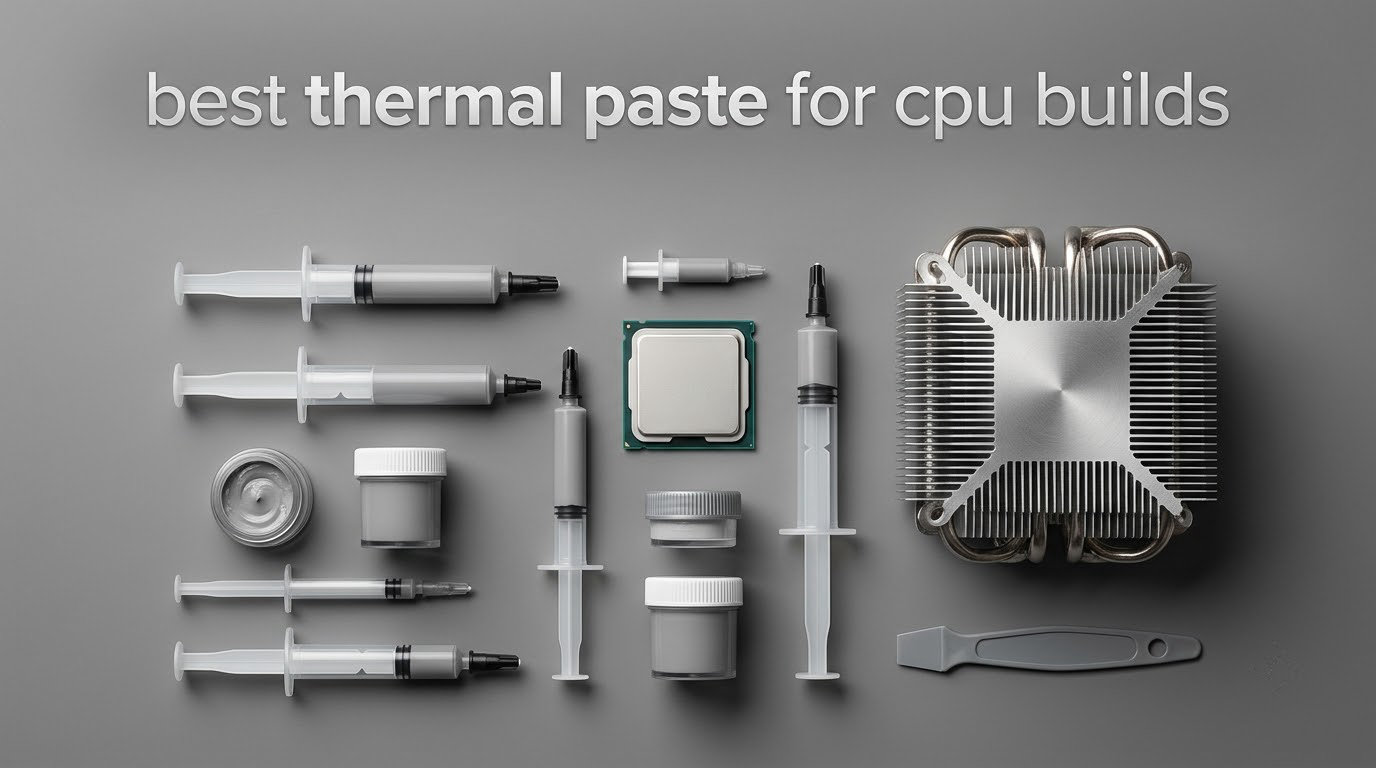
Thermal paste is the cheapest part of a build and the one most people buy wrong. After fitting ten of these compounds across air coolers, AIOs, laptops and console repairs, ARCTIC MX-4 remains the one we reach for first: it is metal-free, forgiving to apply, and rated by ARCTIC to hold performance for at least eight years once applied. For a build where you want maximum headroom on a hot chip, Thermal Grizzly Kryonaut is the enthusiast benchmark and Noctua NT-H2 is the safer premium route.
This guide covers the best thermal paste for CPU builds in 2026, from budget tubes to phase-change sheets to liquid metal. We looked at what each compound is actually made of, whether it is electrically conductive, how forgiving it is to spread, and how long it stays put before it needs replacing. We also spend time on the two questions that decide most purchases: do you need to buy paste at all, and how much is too much?
A note before we start. Several experienced builders simply use whatever compound came with their cooler, and on a forum thread on LinusTechTips that is exactly the advice given for the Noctua NH-U12A. That advice is not wrong. Cooler mounting pressure and case airflow move temperatures further than the difference between most pastes. What the tube in your hand changes is how well the joint stays sealed, and whether it is still sealed four years from now.
Table of Contents
- Key Takeaways
- Top 3 Thermal Pastes for CPU Builds in 2026
- All 10 Picks at a Glance in 2026
- Thermal paste fills the air gaps your cooler cannot
- Six types of thermal interface material you can buy
- Most modern CPUs need paste, and yours probably needs it twice
- 1. ARCTIC MX-4 – the paste we trust in almost every build
- 2. Thermal Grizzly Kryonaut – the enthusiast benchmark
- 3. Noctua NT-H1 – the paste you never have to spread
- 4. Corsair TM30 – guided application without the guesswork
- 5. Noctua NT-H2 – the second-generation safe premium
- 6. Thermal Grizzly Conductonaut – liquid metal for extreme overclocking
- 7. ARCTIC MX-7 – dense paste that refuses to pump out
- 8. Thermal Grizzly PhaseSheet PTM – phase change that settles and stays
- 9. Corsair XTM70 – built for very high power desktop chips
- 10. PolarTronix Liquid Metal – the console repair option
- How to choose thermal paste for your CPU build
- How to apply thermal paste without ruining it
- How often do you need to re-paste?
- Frequently Asked Questions
- The pick we would put in your new build
Key Takeaways
Best overall: ARCTIC MX-4 — non-conductive, beginner-friendly, at least 8 years of claimed durability, 4.8 from 105k+ reviews.
Best for enthusiasts: Thermal Grizzly Kryonaut — 12.5 W/mK, no cure time, but thin enough to pump out on bare dies.
Best for a first build: Noctua NT-H1 — one dot is enough, and it wipes off with a dry tissue.
Best with guided application: Corsair TM30 — zinc oxide, includes a stencil and spreader.
Best safe premium: Noctua NT-H2 — second-generation formula, 3 cleaning wipes in the box.
Best for extreme overclocking: Thermal Grizzly Conductonaut — liquid metal, copper and nickel only, electrically conductive.
Best for laptops: ARCTIC MX-7 — dense, non-conductive, cannot be spread by design.
Best for a set-and-forget fix: Thermal Grizzly PhaseSheet PTM — phase change, stabilises after about 10 thermal cycles.
Best for 250W and above: Corsair XTM70 — copper-based, low viscosity, applicator kit included.
Best for console repair: PolarTronix Liquid Metal — gallium-indium-tin, used by owners to rescue failing PS5 units.
Top 3 Thermal Pastes for CPU Builds in 2026

ARCTIC MX-4 (4 g)
- 8.5 W/mK carbon microparticle formula
- Metal-free and non-conductive
- At least 8 years of durability
- Forgiving consistency for beginners

Thermal Grizzly Kryonaut (1 g)
- 12.5 W/mK per user testing
- No cure time before mounting
- Spreads under mounting pressure
- Pumps out on bare dies

Noctua NT-H2 (3.5 g)
- Second-generation NT-H formula
- 4-6C drop versus older pastes
- 3 cleaning wipes included
- Up to 5 years of CPU use
All 10 Picks at a Glance in 2026
| Product | Specifications | Action |
|---|---|---|
| ARCTIC MX-4 (4 g) |
|
Check Latest Price |
| Thermal Grizzly Kryonaut (1 g) |
|
Check Latest Price |
 Noctua NT-H1 (3.5 g) Noctua NT-H1 (3.5 g) |
|
Check Latest Price |
 Corsair TM30 (3 g) Corsair TM30 (3 g) |
|
Check Latest Price |
| Noctua NT-H2 (3.5 g) |
|
Check Latest Price |
 Thermal Grizzly Conductonaut (1 g) Thermal Grizzly Conductonaut (1 g) |
|
Check Latest Price |
 ARCTIC MX-7 (8 g) ARCTIC MX-7 (8 g) |
|
Check Latest Price |
 Thermal Grizzly PhaseSheet PTM Thermal Grizzly PhaseSheet PTM |
|
Check Latest Price |
 Corsair XTM70 (3 g) Corsair XTM70 (3 g) |
|
Check Latest Price |
 PolarTronix Liquid Metal (1 g) PolarTronix Liquid Metal (1 g) |
|
Check Latest Price |
Thermal paste fills the air gaps your cooler cannot
Two flat surfaces look smooth, but under a microscope they touch only at microscopic peaks. Most of the apparent contact area is trapped air, and air is a poor conductor of heat. Thermal paste, also called thermal compound, thermal grease or a thermal interface material, is a paste that fills those gaps so heat can travel from the CPU into the cooler instead of stalling in air.
Every paste on this list lists a thermal conductivity figure in W/mK, and that number is the first thing buyers compare. It is also the number that misleads them most. A 12.5 W/mK paste and an 8.5 W/mK paste differ far less in real CPU temperatures than the ratio suggests, because the remaining gap is dominated by mounting pressure, cooler base flatness, and how well the joint is sealed over time. That is the argument raised repeatedly in a Reddit r/overclocking thread debating whether lab paste rankings are misleading, and it is largely correct.
So read the conductivity number as a rough class indicator rather than a ranking. What actually changes the temperature of a finished build is the quality of the seal you create and how long that seal survives thermal cycles.
Six types of thermal interface material you can buy
Traditional paste is a synthetic or silicone base loaded with ceramic or carbon particles. It is cheap, non-conductive, and easy to clean. Almost every mainstream pick on this list sits in this class, and for a normal new build it is the right default.
Ceramic and metal-filled pastes push conductivity higher by loading the base with more solid filler. The tradeoff is stiffness: these compounds resist spreading and can be harder to clean off an integrated heat spreader.
Phase change material sits solid on the shelf and liquefies at a set temperature. Thermal Grizzly’s PhaseSheet PTM is solid at room temperature and liquefies from 45C, which means it does not run out from under pressure once warm. The cost is burn-in: it needs roughly ten thermal cycles before its conductivity settles.
Graphene thermal sheets behave the same way, with the advantage of an extremely thin layer and the disadvantage of being a difficult film to position.
Liquid metal is a gallium-based alloy with conductivity in a different class entirely. It also does not dry out, and it is electrically conductive, which means it can permanently damage a CPU if it runs where it should not. Treat it as a deliberate choice for high-wattage or overclocked parts, not a general-purpose paste.
Most modern CPUs need paste, and yours probably needs it twice
Short answer: yes, unless your cooler came with a factory pad or your part has an integrated heat spreader bonded at the factory. The short answer is that a desktop CPU with a metal lid and a cooler base needs a thermal interface material between them, and most factory-applied pads are thin and poorly suited to sustained high-wattage loads.
Two situations genuinely do not need a tube. Some laptops bond the heat spreader directly to the die, and some CPUs ship with the heat spreader integrated in a way that the cooler contacts directly. If your cooler includes a pre-attached pad, follow the manufacturer instructions rather than peeling it off.
The second situation is a repair. If you are re-pasting an older machine, you need paste regardless, and you also need isopropyl alcohol and a lint-free wipe to lift the old layer. Clean both mating surfaces to bare metal, or you are stacking a new compound on top of a dried one.
1. ARCTIC MX-4 – the paste we trust in almost every build
ARCTIC MX-4 (4 g) – Premium Performance Thermal Paste for All Processors
8.5 W/mK carbon base
Metal-free, non-conductive
At least 8 years
Pros
- Lowers CPU and GPU temperatures versus factory and aged pastes
- Metal-free so a stray smear cannot short socket pins
- Forgiving consistency that spreads evenly for beginners
- Formula unchanged over the product lifetime so results are predictable
Cons
- A 4 g tube runs low on heavy spread methods for large IHS chips
- Very low viscosity can be harder to keep in a thin even layer than thicker pastes
We keep coming back to MX-4 because it fails gracefully. The formula is carbon microparticles in a metal-free base, which makes it electrically non-conductive, so the single most expensive mistake a beginner can make with thermal paste simply cannot happen with this tube. That safety margin matters more to us than a couple of degrees.
The consistency is forgiving. It spreads into an even film without aggressive pressure, and reviewers consistently report it staying put rather than pumping out under a heavy tower cooler. It is the paste we hand to anyone building their first PC.
ARCTIC states the compound holds for at least eight years after application, which is the longest published durability figure in this group and the reason durability-led builders on r/buildapc keep pointing back to it. Formula stability is the quiet advantage here: what you buy today behaves like what you bought years ago, so a second build with the same tube lands at the same result.
Thermally, the listed 8.5 W/mK sits below the premium synthetics, and the honest truth is that it will not win a lab chart against liquid metal. It will, however, keep a mid-range or high-end CPU within its normal boost behaviour with a mid-range or better cooler, which is the outcome most people are actually buying.
Who it suits
Anyone assembling a new desktop, anyone repasting a laptop or a hot older PC, and anyone who wants a result that does not depend on perfect technique. It works on both CPU and GPU, and the non-conductive base makes it safe on exposed board components.
If durability is your main criterion, the eight-year claim and a 4.8 average across more than 105,000 reviews make this the safest bet on the list. Nobody is repasting this machine in three years.
Where it falls short
The viscosity is low, which is a virtue on a small die and an annoyance on a large one. On a big integrated heat spreader, a full spread method can consume a 4 g tube quickly, and the low viscosity takes more work to level into a uniform film than a thick paste would.
The syringe-style container is also harder to control than a smaller tube if you are metering out a partial application. Plan your application pattern before you open it.
2. Thermal Grizzly Kryonaut – the enthusiast benchmark
Thermal Grizzly Kryonaut – 1 Gram Thermal Paste Extremely High Performance
12.5 W/mK per user testing
Non-conductive
No cure time before mounting
1 g syringe
Pros
- Measurable temperature drop versus entry-level pastes
- Non-conductive so safe around socket pins and sensitive boards
- No curing or setting time required
- Included syringe tips make controlled application easy
Cons
- Thin watery consistency can pump out on direct-die surfaces
- Harder to spread into a uniform layer than thicker pastes
- A 1 g tube is tight if you use the icing method on large Intel chips
Kryonaut is the name most people mean when they say premium thermal paste, and on a thermal conductivity figure it is the highest conventional paste in this group at 12.5 W/mK by user testing. There is no cure time, so the cooler goes straight on, and the syringe makes measured application straightforward.
On a CPU with a lid and an integrated heat spreader, it behaves very well. Reviewers report drops of 2 to 5C against entry-level pastes on IHS designs, and on LinusTechTips it is regularly called the best synthetic non-conductive paste available.
The criticism that appears most often in long-form reviews is about where you use it, not how good it is. The formula is thin enough to pump out on direct-die surfaces such as GPU dies, delidded chips and laptop SoCs, which is a physical property of a low-viscosity liquid, not a defect. On an IHS build this is a non-issue.
Buy the larger syringe if you plan more than one build. A 1 g tube is fine for a single desktop application and genuinely tight for a large 13th or 14th generation Intel chip if you use the full spread method.
Who it suits
A builder who wants headroom for a sustained all-core load or a modest overclock, and who is comfortable metering a syringe. It is the pick we recommend when the CPU is high-wattage and the goal is sustained boost clocks rather than idle temperatures.
It is also non-conductive, so the electrical risk that comes with the next class of products does not apply here. That makes it a safe premium upgrade over a budget tube.
Where it falls short
Direct-die jobs are the weak spot. If your plan involves a delidded chip, a direct-die water block or a bare GPU die, this thin formula is the wrong choice, and the same reviewers who praise its CPU results warn about it there.
Counterfeit risk from third-party sellers shows up in reviews too. If you want the genuine article, check the seller.
3. Noctua NT-H1 – the paste you never have to spread
Noctua NT-H1 3.5g, High-Performance Thermal Paste
Award-winning formula since 2004
Non-conductive
No spreading required
3.5 g tube
Pros
- Does not need spreading before the heatsink goes on
- Cleans up with a dry paper towel or tissue
- Non-conductive and safe on CPUs GPUs consoles and laptops
- Recommended usage life of up to 5 years on CPU
Cons
- The 3.5 g tube is small for heavy or multi-system builders
- Thick consistency means an X or full spread is needed for full coverage
NT-H1 has been on sale since 2004 and carries more than 150 awards, and the reason it endures is application, not benchmark position. You do not need to spread it. One dot in the centre, mount the cooler, and mounting pressure does the rest, which removes the single most common first-build mistake.
It is thick, so it stays where you put it. That is exactly what you want from a first build and exactly what you do not want on a bare die.
Cleanup is the other quiet win. It lifts with a dry paper towel or tissue, so you can service the machine later without isopropyl alcohol. The listing rates it at up to five years of CPU use and up to three years of sealed storage, and the 3.5 g tube covers roughly three Threadripper applications or around fifteen AM4 and LGA1700 builds.
One durability story is worth knowing: a commenter on an r/buildapc thread reported NT-H1 degrading inside a laptop in about eighteen months while MX-4 held for more than three years in the same machine. Single anecdotes are not proof, but it is the reason we rank MX-4 first and NT-H1 third.
Who it suits
First-time builders, anyone who wants a paste that cannot be misapplied, and anyone who values being able to open the machine in two years with a tissue. It is non-conductive and safe across desktop CPUs, GPUs, consoles and laptops.
It is also a sensible default if your cooler came with a small syringe of its own. Rather than agonising, you can match it against a tube you already trust.
Where it falls short
The 3.5 g size is genuinely small. Builders working on several systems or using a spread method on large chips will finish it quickly, and the price per gram is higher than budget alternatives.
Because the consistency is thick, a single dot is fine on a small die but a full spread on a large IHS is the safer application. Know your die size before you apply.
4. Corsair TM30 – guided application without the guesswork
Corsair TM30 Performance Thermal Paste | Ultra-Low Thermal Impedance CPU/GPU | 3 Grams|w/applicator, Silver for Desktop
Zinc oxide, ultra-low impedance
Non-conductive
Stencil and spreader included
Pros
- A few degrees better than factory compound on both CPU and GPU
- Included stencil and spreader remove guesswork
- Low viscosity fills microscopic abrasions for even coverage
- Generous 3 g amount that survives several repastes
Cons
- Requires some familiarity with syringe technique to use well
- Dries in place after application so later repastes take more work
TM30 is a zinc oxide compound built around ultra-low thermal impedance, and the reason it keeps appearing in good build lists is the included hardware. A stencil and a spreader are in the box, so a first-timer can lay down a uniform layer without guessing at a line length or a spread pattern.
The low viscosity is doing real work here. It flows into the microscopic abrasions left in the integrated heat spreader, which is what closes the air gaps that a thicker paste bridges over.
Durability feedback is positive. Reviewers report no drying, cracking or consistency change over three years, which matches the longevity most people want from a gaming machine that will not be opened again for a long time.
It is a zinc oxide paste rather than a carbon one, and it is non-conductive with zero volatile compounds, so it is safe near socket pins. That combination of safety, supplied tools and mid-tier performance is why it is our pick for anyone who wants a guided experience without paying for a premium brand badge.
Who it suits
Builders who want the reliability of a thick, high-filler feel but with a low-viscosity compound that flows into surface imperfections. It suits both CPU and GPU repastes, and the 3 g tube is enough for several jobs.
It is also a good choice for a machine that will run sustained loads, because the reported behaviour over three years shows no sign of the drying-out cycle that triggers repeat repasting.
Where it falls short
The stencil helps, but you still need basic syringe familiarity to use it well. A reviewer who has never applied compound by hand will find the tools a genuine aid, not a complete substitute for knowing how much to use.
It sets quickly after application, so removing it later takes more effort than NT-H1 would. And the listing is desktop-oriented, so it is not the tube to reach for in a laptop.
5. Noctua NT-H2 – the second-generation safe premium
Noctua NT-H2 3.5g, High-Performance Thermal Paste and 3 Cleaning Wipes
2nd-gen NT-H formula
Non-conductive, no cure time
Up to 5 years CPU use
3 wipes
Pros
- Second-generation formula with a 4-6C drop versus older pastes in many builds
- Bundled NA-CW1 wipes make old-paste removal quick and solvent-free
- Spreads evenly under mounting pressure without making a mess
- Long-term stability rated at up to 5 years of CPU use
Cons
- Costs more than many pastes that perform within about 1-2C of it
- 3.5 g tube is small and the wipes are oversized relative to their usefulness
NT-H2 is the same idea as NT-H1 with a better formula, and it is the pick we suggest when someone wants a premium paste without the risk profile of a conductive one. Reviewers report drops of 4 to 6C versus older pastes across both CPUs and multiple GPUs in the same build.
The included NA-CW1 cleaning wipes are genuinely useful on a first build. Most people skip cleaning the old layer, and these let you do it properly with no extra purchase.
Where it lands is the honest part. Reviewers regularly place it within about 1 to 2C of Kryonaut while costing less, and the recurring complaint is that cheaper generics get close. If you already own a decent tube, the upgrade is real but modest.
It is non-conductive, needs no cure time, and is rated for up to five years of CPU use. The 3.5 g tube covers roughly three Threadripper applications or about twenty LGA1200 builds, so it is not generous for a builder working on several machines.
Who it suits
A builder who wants a known-brand premium paste with a long published service life, a bundled cleaning kit, and zero electrical risk. It works with air coolers and AIO cold plates alike, and it spreads evenly under mounting pressure without squeezing out.
It is also a strong laptop option, which matters if you are repasting a gaming notebook rather than building a tower.
Where it falls short
The cost is the main objection, and it is a fair one. Several buyers note that inexpensive generics perform almost as well, and if your build is already well cooled the change may be barely measurable.
The bundled wipes are larger than their usefulness requires, and the tube is small for heavy users. Judge it on how many builds you actually plan.
6. Thermal Grizzly Conductonaut – liquid metal for extreme overclocking
Thermal Grizzly Liquid Metal Thermal Paste Conductonaut 1 Gram
Electrically conductive liquid metal
Copper and nickel only
1 g syringe
Highest heat-transfer class
Pros
- Best-in-class heat transfer for extreme overclocking and high-TDP parts
- Does not dry out or need reapplying
- Works across PCs laptops and current game consoles
- Made in Germany with strict testing
Cons
- Electrically conductive so care and barriers are required
- Must not be used on aluminum due to corrosion risk
- Difficult application compared with conventional paste
Liquid metal solves the durability problem outright. It is a gallium-based alloy that will not dry out, will not pump out and will not need reapplication, and for a machine you intend to overclock hard and keep for years, that stability is worth more than any conductivity figure.
It also carries the risk that makes forum threads nervous. It is electrically conductive. A smear that runs off the integrated heat spreader and pools on the socket can permanently damage a CPU. Isopropyl alcohol, a lint-free wipe, and a barrier tape or an LM shield are not optional extras here.
Surface compatibility is the second hard rule. Conductonaut is specified for copper and nickel surfaces only. Aluminum must be avoided because of corrosion risk, which rules out some budget cold plates and many stock-style heatsinks.
Application is far less forgiving than conventional paste. The small tail of one-star reviews in this product’s history is not about performance, it is about technique, and buyers who followed the masking and cleaning steps report the best results they have measured.
Who it suits
Overclockers running high-TDP desktop chips, and builders comfortable with masking, cleaning and careful metering. The compatibility list covers PCs, laptops, PS3, PS4, PS5, Xbox 360, Xbox One, Xbox Series X and MacBooks, provided the heatsink is copper or nickel.
It is also the right answer for a high-end workstation CPU that will run all-core loads for years, where a paste that never needs replacing has real value.
Where it falls short
Conductivity is a genuine hazard, not a theoretical one. If a liquid metal build goes wrong, the failure mode is a dead CPU rather than a high temperature.
One gram is barely enough for a single desktop CPU application, so you are likely to want the larger syringe. And if your heatsink is aluminum, this product simply does not apply.
7. ARCTIC MX-7 – dense paste that refuses to pump out
ARCTIC MX-7 (8 g) – Ultimate Performance Thermal Paste, Long Durability
High filler, dense consistency
X pattern only
Non-conductive
8 g tube
Pros
- High filler content and dense viscosity cool better than MX-4 and MX-6
- High cohesion resists pump-out and dry-out across thermal cycles
- Non-conductive and non-capacitive so safe on CPUs GPUs laptops and consoles
- 8 g tube covers many applications
Cons
- Cannot be manually spread by design so it only works on lidded surfaces
- Thick consistency is hard to squeeze out if the tube is cold
- Poor choice for bare dies such as delidded CPUs and GPU dies
MX-7 is the densest conventional paste in this group, and the density is the point. A high filler content gives better heat transfer, and high cohesion means it resists the pump-out and dry-out cycle that forces repastes in thinner compounds.
ARCTIC states the consistency cannot be manually spread by design. You apply an X pattern to the heat spreader and let mounting pressure distribute it, which removes the spreading step but also removes your fallback if the pattern is wrong.
Reviewers report it cooling better than both MX-4 and MX-6, and several describe fixing throttling laptops and hot GPUs with reported reductions of 6 to 10C after a repaste. That makes it a strong option outside the desktop tower, where a small die and a fragile mounting point leave little room for error.
It is electrically non-conductive and non-capacitive, so a stray smear on a laptop board is not a short-circuit risk. The 8 g tube is generous enough that you will not run out mid-project.
Who it suits
Anyone repasting a laptop, a console or a graphics card, and desktop builders who want maximum filler density on a lidded CPU. The reported reductions on throttling laptops are the most compelling use case in the whole list.
It is also a good choice if you know you will never open the machine again and want the compound most likely to still be working at the five-year mark.
Where it falls short
The design restriction is absolute. Because it cannot be spread, a bare die such as a delidded CPU or a GPU die will not be covered correctly by an X pattern, so this is the wrong tube for direct-die work.
The thick consistency is also hard to work out of the tube if it has been stored cold. Warm it in your hand first, and note that cleaning old paste calls for the separate MX CLEANER product.
8. Thermal Grizzly PhaseSheet PTM – phase change that settles and stays
Thermal Grizzly PhaseSheet PTM (50x40mm) High Performance Thermal Pad
Phase change material
Solid until 45C
50 x 40 mm sheet
Non-conductive
Pros
- Does not dry out or pump out so it is effectively a permanent fix
- Reported gains in sustained power and hotspot temperatures
- Sheet covers the die in a uniform layer with no guesswork
- Non-conductive so there is no liquid metal short risk
Cons
- Peeling the second liner is fiddly and the film tears if handled warm
- Needs several hot and cold burn-in cycles before full performance
- Adhesion is strong so separating a heatsink is difficult
A phase change sheet solves the two things a syringe cannot: uniform coverage and permanence. The sheet is solid at room temperature, so it does not run during mounting, and it liquefies from 45C into an extremely thin layer that fills the microscopic gaps evenly. It does not dry out and it does not pump out, which means in practice you fit it once.
The performance feedback is strong where the application succeeds. Reviewers report large gains in hotspot temperatures on GPUs and one owner measured a 58 percent jump in sustained package power on a laptop after switching to it.
Burn-in is the part that catches people out. Thermal Grizzly states conductivity stabilises after approximately ten thermal cycles, so the first day of readings will understate the result. Judging it before that is the most common reason people conclude phase change does not work.
Installation is the other hurdle. The sheet is 50 by 40 mm and must be cut to size with a sharp blade, the second liner tears easily if you rush or handle it warm, and the adhesion is strong enough that separating a heatsink later can be difficult.
Who it suits
Anyone who repastes once and wants to forget it, and anyone chasing hotspot temperatures on a graphics card or sustained power on a laptop. It is not electrically conductive, so it removes the short-circuit risk that comes with liquid metal while keeping most of the transfer benefit.
Refrigerating the sheet before you cut it, cutting it slightly oversized, and peeling the liner slowly are the three steps that separate a good result from a bad one.
Where it falls short
The one-star reviews in this product’s history are about installation, not cooling. A torn liner leaves you with a gap, and a rushed application is the most likely way to waste the sheet.
It also costs more than a tube of conventional paste up front, and if you need to remove a heatsink later, expect resistance. For a build you plan to service repeatedly, that friction is a real argument against it.
9. Corsair XTM70 – built for very high power desktop chips
Corsair XTM70 Extreme Performance Thermal Paste, 3g for Intel & AMD Processors up to 250W+ TDP – Low Viscosity, Easy Application, Three Included Cleaning Wipes and Applicator Kit for Desktop
Copper-based, low viscosity
Targets up to 250W TDP
Applicator kit and 3 wipes
3 g
Pros
- Low viscosity spreads evenly and cleanly with the included applicator kit
- Formulated for high-TDP Intel and AMD processors up to 250W and beyond
- Three included cleaning wipes make old-paste removal straightforward
- Contains enough compound for multiple applications
Cons
- Highest price per gram of any conventional paste here
- Only 611 reviews so long-term durability is not well established
- Desktop-only positioning so it is not suited to laptops
XTM70 is one of the newest products in this group, with 611 ratings at 4.6. It is a copper-based, low-viscosity compound specified for processors up to 250W TDP and beyond, which puts it squarely in the high-power desktop bracket alongside the largest Intel and AMD chips.
The low viscosity is the practical draw. It spreads evenly and cleans up cleanly with the included applicator kit, and the three bundled wipes make the old-paste removal step straightforward on first install.
Being honest about the evidence matters here. With a small share of buyers reporting only marginal improvements, the review base is not yet large enough to draw firm conclusions about long-term durability. The five-year figures quoted elsewhere in this guide do not apply to this tube.
It is also the most expensive conventional paste per gram in the group, which is a hard thing to justify when several others on this list land within 1 to 2C.
Who it suits
Someone building around a very high power desktop CPU who wants a paste explicitly specified for that wattage, plus the tools to apply it properly. The included applicator kit removes the learning curve for a first build.
If you are also cooling a GPU with an AIO cold plate, the low-viscosity formula suits both jobs and the tube holds enough compound for several applications.
Where it falls short
The review count is the honest limitation. At 611 reviews and a 4.6 average with a wider spread of ratings than the Noctua and ARCTIC pastes, there is not yet a long service history to point at.
It is desktop-only positioning, so it is the wrong tool for a laptop, and the price per gram is the highest of any conventional paste here. Buy it for the specified wattage, not for the label.
10. PolarTronix Liquid Metal – the console repair option
PolarTronix Liquid Metal Thermal Paste – 1 Gram – Made in USA – Liquid Metal for PS5 – CPU – GPU – Series S Series X- Game Consoles Best for overclocking – Premium Materials – Ps5 Liquid Metal
Gallium-indium-tin with trace silver
Electrically conductive
Not for aluminum
1 g with applicator tip
Pros
- Fixed PS5 shutdown problems caused by dried or migrated factory liquid metal
- Large reported CPU temperature reductions on a gaming laptop
- Non-corrosive on copper nickel-plated copper stainless steel and silver
- Does not dry out separate or evaporate under sustained load
Cons
- Electrically conductive so it will short components if applied carelessly
- Must not be used on aluminum surfaces
- Smallest review base here at 344 ratings
This one earns its place for a specific job. Several owners used it to rescue PS5 consoles that were powering down because the original factory liquid metal had dried or pooled, and they report stable temperatures and higher sustained boost behaviour afterwards. That is a real failure mode with a real fix, and this is the product people reach for.
The chemistry is a gallium-indium-tin alloy with trace silver, mixed and packaged in the USA with quality control on purity and consistency. The syringe includes a precision applicator tip and a non-flammable cleaning wipe, which is a sensible kit for a conductive compound.
Laptop owners report the largest gains of any entry here, including one CPU dropping from roughly 85 to 95C down to 58C at startup after a repaste. The material is stable on copper, nickel-plated copper, stainless steel and silver, and it will not dry out, separate or evaporate under sustained load.
Every reviewer who comments on technique returns the same warning. It is conductive and unforgiving, and the product listing itself carries a caution to use an LM shield where needed. Treat it like the other liquid metal on this list rather than like a tube of paste.
Who it suits
Anyone repairing a console whose liquid metal has degraded, and experienced builders running very high-wattage desktop or laptop chips on copper or nickel-plated surfaces. It is a good choice when you already know how to mask a board and how to clean an integrated heat spreader to bare metal.
If you are restoring a machine rather than building a new one, the fix is often larger than any paste swap would deliver.
Where it falls short
Conductivity is the dominant drawback. It will short components if it is applied carelessly, and it can drip, which means the application has to be deliberate rather than casual.
Aluminum surfaces are excluded, and the review base here is the smallest in the group at 344 ratings, so the long-term picture is less established than the conventional pastes above it.
How to choose thermal paste for your CPU build
Step one is deciding whether you need to buy any. If your cooler arrived with a factory pad and you are not replacing the CPU, the pad is often adequate. If you are assembling from parts, you are buying paste. Experienced builders frequently just use the compound supplied with the cooler, and for a well-mounted air tower that is a defensible position.
Step two is matching the compound to the surface. Liquid metal requires copper or nickel, never aluminum. Everything else on this list works on both. If you are repasting a laptop or a console, a dense non-conductive paste such as ARCTIC MX-7 or Noctua NT-H1 is a low-risk choice, because a small die leaves less room for error.
Step three is matching it to your tolerance for service. If you will never open the machine again, a phase change sheet is a strong answer because it does not dry out. If you expect to service the PC, a paste that cleans off easily is worth more than one that grips the surface. Durability is the criterion r/buildapc buyers raise most often, and MX-4 leads it with an eight-year published claim.
Step four is checking the die. A small die such as an Intel chip or a laptop SoC needs very little compound, and a single dot is correct. A large integrated heat spreader on a high-wattage part needs a spread or a line to guarantee coverage, and a thin paste will spread further than a thick one under the same pressure.
AMD versus Intel matters less than most guides suggest, but there is one real difference. Large-die Ryzen parts run high sustained power and benefit most from a compound that resists pump-out, which favours a dense, high-cohesion paste. Smaller Intel dies are easier to cover, so application quality matters more than filler density.
For a GPU, viscosity matters differently. GPU dies are bare and exposed to board flex, so a thin paste can pump out over a long card. A thicker, high-cohesion compound or a thermal pad is the safer choice for a graphics card, and that is the same logic behind the r/watercooling recommendation of GC-Extreme for a paste that is thick enough not to pump out and can serve both CPU and GPU.
How to apply thermal paste without ruining it
Clean first. Wipe both the integrated heat spreader and the cooler base with isopropyl alcohol and a lint-free wipe until both are bare and dry. If you are reusing a cooler, treat it exactly like the CPU side. Old paste on either surface is a thermal resistance layer no matter how good the new compound is.
Then use less than you think. The instinct that more paste means better cooling is the most common myth, and the mechanism is simple: paste is not a heat pipe, it is a filler. Once the gaps are filled, extra paste only adds thickness, and thickness adds thermal resistance. A pea-sized dot, a thin line, or a spread about the thickness of a sheet of paper covers any desktop die.
Match the pattern to the die and the paste. One dot suits a small die. A line down the length of a large IHS works with a low-viscosity paste. A full spread works with a thick paste on a large die. An X pattern is what ARCTIC specifies for MX-7 because that paste cannot be spread. A cross pattern is the usual recommendation when liquid metal is involved on a large die, because the applicator tip gives you control and the metal spreads far on its own.
Mount with even pressure. Follow the cooler’s retention order so the bracket tightens diagonally, and tighten in stages rather than one hard pull. Mounting pressure is the variable forum users point to as dominating the result, and they are right, which is why a mediocre paste under even pressure can beat a premium paste under a lopsided one.
Finally, let the first temperature readings settle. A new build running a stock cooler in a warm room will read higher than a well-tuned one. Check your peak and average package temperature under a sustained load, note the ambient temperature, and only then decide whether anything is wrong.
How often do you need to re-paste?
For a gaming rig that runs warm, treat one to two years as a sensible check interval, and check earlier if you are chasing an overclock. For an office PC running cooler, three to four years is realistic. A phase change sheet or liquid metal removes the question entirely, since neither dries out.
The signal that you are due is not a number so much as a change. If your peak temperatures climb gradually over months while the workload and ambient stay the same, the joint is drying out, and cleaning both surfaces before reapplying matters more than the compound you choose.
Frequently Asked Questions
Is MX-4 or MX-6 better?
Both are metal-free and non-conductive, and both are excellent choices. MX-4 is a carbon microparticle compound listed at 8.5 W/mK with an eight-year durability claim, and it is the more forgiving of the two to spread. MX-6 is the newer, more thermally aggressive formula and tends to run a little cooler, but it costs more and is less settled in long-term use. For most new builds, MX-4 is the safer recommendation because of its price, its durability claim and its track record.
Is 90 C too hot for a CPU?
It depends on the chip, the cooler and the workload. On a high-wattage desktop part under a sustained all-core load, high eighties are within the normal design range and usually mean the cooler is adequate but not generous. On a small or efficient chip, the same reading suggests a problem. Check whether the package is throttling or hitting a power limit rather than looking at the number alone, and compare against your own readings from the same room and same test.
Is 95 C bad for a CPU?
On a modern high-wattage processor, 95 C during a long all-core load is usually at or near the thermal limit, and the CPU will hold that temperature by reducing boost clocks. It is a design ceiling rather than a failure, but it means the cooling solution is fully committed. On a lower-power chip, 95 C would be a genuine problem and would point to a mounting or paste fault. Fix the cooler and airflow before buying a better paste, because those move temperatures further.
Can too much thermal paste damage a CPU?
Over-application will not usually damage the silicon, but it will raise temperatures because the extra thickness acts as added thermal resistance once the micro-gaps are filled. A thick bead can also squeeze out past the edges of the heat spreader and, with a conductive compound, migrate onto socket pins. The risk is therefore a hotter CPU or a short, not a physical burn. Use roughly a pea-sized amount for a small die, or a thin spread on a large one.
Is PTM7950 or a phase change sheet better than liquid metal?
For most people, yes. A phase change material such as Thermal Grizzly PhaseSheet PTM is not electrically conductive, does not dry out, and reaches comparable transfer once it has completed its burn-in of roughly ten thermal cycles. Liquid metal still edges it out on raw performance and is the choice for extreme overclocking, but it carries a real risk of shorting a CPU and requires copper or nickel surfaces. If you are not chasing records, the safer material is the better choice.
What is the best thermal paste for a CPU and a GPU?
For both jobs, a non-conductive, high-cohesion paste is the most flexible answer, and ARCTIC MX-4 or Gelid-style thick compounds are commonly recommended for that reason. A CPU with a lid spreads paste under even pressure, while a bare GPU die on a long card is more prone to pump-out as the board flexes, so a thicker paste suits the GPU better. For a graphics card specifically, a thermal pad matched to the VRM, VRAM and memory junctions is often the better change.
The pick we would put in your new build
If you are assembling this week, buy ARCTIC MX-4 and stop thinking about it. It is metal-free, it is forgiving, ARCTIC rates it at at least eight years after application, and it carries a 4.8 average across more than 105,000 reviews. That combination of safety, durability and proven consistency is why it is our choice for the best thermal paste for CPU builds in 2026, ahead of more expensive tubes that land within a degree or two.
Move to Thermal Grizzly Kryonaut if your chip is high-wattage and you want maximum headroom, to a phase change sheet if you intend to fit the cooler once and never touch it again, and to liquid metal only if you are overclocking and you understand the electrical risk. Check your mounting pressure and airflow first, because those move the needle further than any tube in this guide.